module
14
entries shows you what is in the directory, slot by slot. That is not what you want when you ask "what files are on this disc?": STORY.TXT is two entries but one file, and you want its size, not its block numbers. This section writes the tool's list command, which answers the question the way the Einstein's DIR does - and checks itself against DIR.
A slot whose status byte is E5 is not part of any file. Some of those slots have never been used, and are E5 all the way through. Others held a file that was deleted: deleting a file on an Einstein changes just one byte, the status, to E5, and leaves everything else - name, block numbers, and the data itself - exactly where it was. FILES.DSK has one. Dump its directory sector with python3 edisc.py dump FILES.DSK 2 0 and look at slot 4, at offset 0x80:
000080  E5 4F 4C 44 20 20 20 20 20 54 58 54 00 00 00 01  .OLD     TXT....
000090  0E 00 00 00 00 00 00 00 00 00 00 00 00 00 00 00  ................
OLD.TXT, one record, block 14 - and status E5. As far as the Einstein is concerned it is gone, and its block is free to be used again. list skips it, like every slot starting E5.
A file bigger than 16K has one entry per 16K, all with the same name. To list it once, the tool collects the names first - each name only the first time it is seen - then goes through the names, and for each one adds up every entry that carries it.
Names are compared in capitals, with upper(): "story.txt".upper() is "STORY.TXT". The Einstein does not treat story.txt and STORY.TXT as different files, so neither should the tool.
in asks whether a list holds a value: "STORY.TXT" in names is True or False, and not in is the opposite.
The disc does not record a file's exact length. It records how many records - 128-byte pieces - each entry holds, so the nearest the tool can get is records x 128. A text file's last record is filled out after the text with the byte 1A, which marks the end; S16 uses it.
The Einstein's DIR gives a different figure: 2K for every block the file's entries name. That is how much of the disc the file actually takes up, since space is handed out a block at a time. list shows both: bytes from the records, and K from the blocks.
Add up every file's K and you have DIR's Size. The disc has 188K for files, so Free is 188 minus that; and the total is always 190K.
After entry_blocks, a helper that gives back only the entries in use:
def live_entries(disc):
    directory = read_directory(disc)
    entries = []
    for slot in range(64):
        entry = directory[slot * 32:slot * 32 + 32]
        if entry[0] != 0xE5:
            entries.append(entry)
    return entries
After show_entries, the command itself:
def list_files(disc):
    entries = live_entries(disc)
    names = []
    for entry in entries:
        name = entry_name(entry)
        if name.upper() not in names:
            names.append(name.upper())
    used = 0
    for upper_name in names:
        records = 0
        blocks = 0
        extents = 0
        locked = ""
        for entry in entries:
            if entry_name(entry).upper() == upper_name:
                shown = entry_name(entry)
                records = records + entry[15]
                blocks = blocks + len(entry_blocks(entry))
                extents = extents + 1
                if entry[9] & 0x80:
                    locked = "  locked"
        print(f"{shown:12} {records * 128:7} bytes {blocks * 2:4}K  {extents} extent(s){locked}")
        used = used + blocks * 2
    print(f"{len(names)} file(s): {used}k Size, {188 - used}k Free, 190k Total")
The first loop builds the list of names. The second goes through the names, and inside it a third loop goes through every entry, picking out those with that name. shown keeps the name as it is written on the disc, for printing.
And before the else::
elif command == "list":
    list_files(disc)
(The whole program: s14-edisc.py.)
Run it
python3 edisc.py list FILES.DSK
What you should see
README.TXT       128 bytes    2K  1 extent(s)  locked
STORY.TXT      20096 bytes   20K  2 extent(s)
NUMBERS.BIN     3072 bytes    4K  1 extent(s)
3 file(s): 26k Size, 162k Free, 190k Total
Now put FILES.DSK in drive 1 and ask the Einstein:
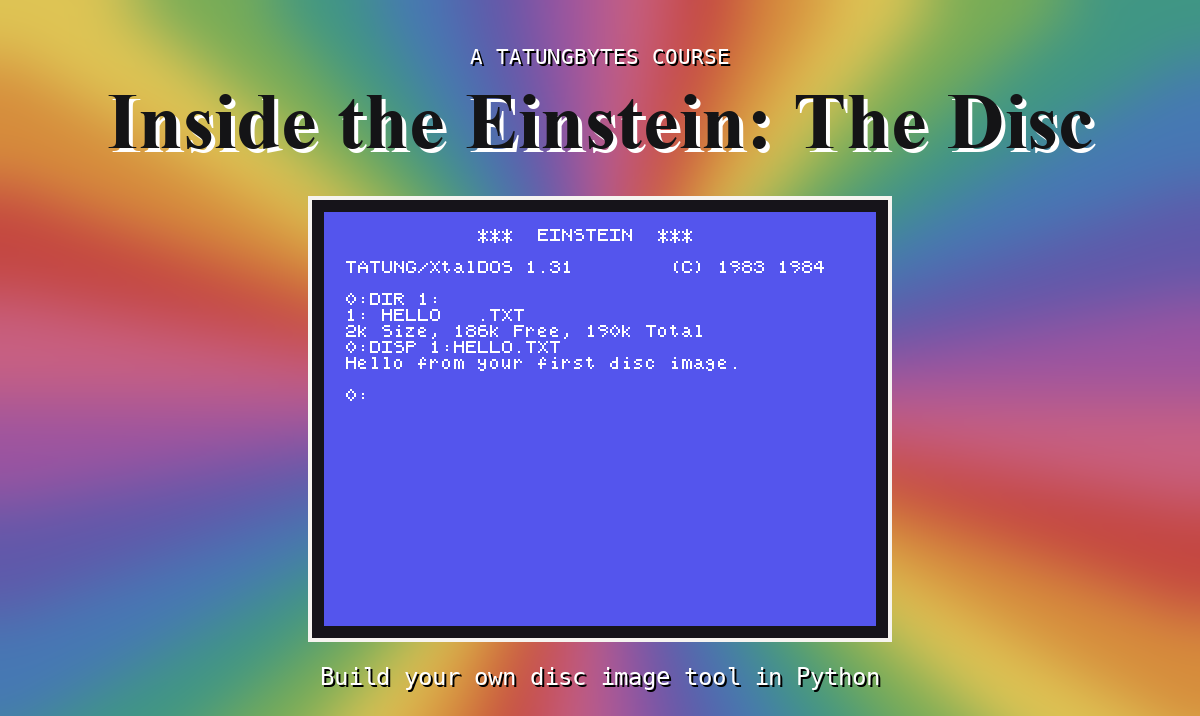
0:DIR 1:
1:*README  .TXT : STORY   .TXT
1: NUMBERS .BIN
26k Size, 162k Free, 190k Total
The same three files, and the last line of each, character for character the same. Your tool has worked out the disc's space exactly as its own operating system does.
list FIRST.DSK - and check the last line against what XtalDOS showed you in S3.list EIGHTBIT.DSK. Your tool says 6K; XtalDOS said 4k Size. Which is right, and why do they differ? (S13.).upper() in list_files. Nothing changes for FILES.DSK. What kind of disc would it go wrong on?entry[0] != 0xE5 in live_entries to True. What does list FILES.DSK show now - and what has happened to Free?| Symptom | Cause |
|---|---|
OLD.TXT reappears, with a file called .........e.. of 1888K in 59 extents, and -1728k Free | Slots starting E5 are not being skipped: the deleted file comes back, and all 59 empty slots (every byte E5, which show_byte shows as ., and E5 & 0x7F as e) are read as one huge file |
list skips every slot whose status is E5 - free, or holding a deleted file whose name and data are still there - gathers each file's entries by name, compared in capitals, and shows two sizes: records x 128 bytes, and 2K per block, the way DIR counts. Its last line is DIR's last line.
S15, Blocks - from a block number to the four sectors that hold it.
This form is protected by reCAPTCHA, and the Google Privacy Policy and Terms of Service apply.
