module
7
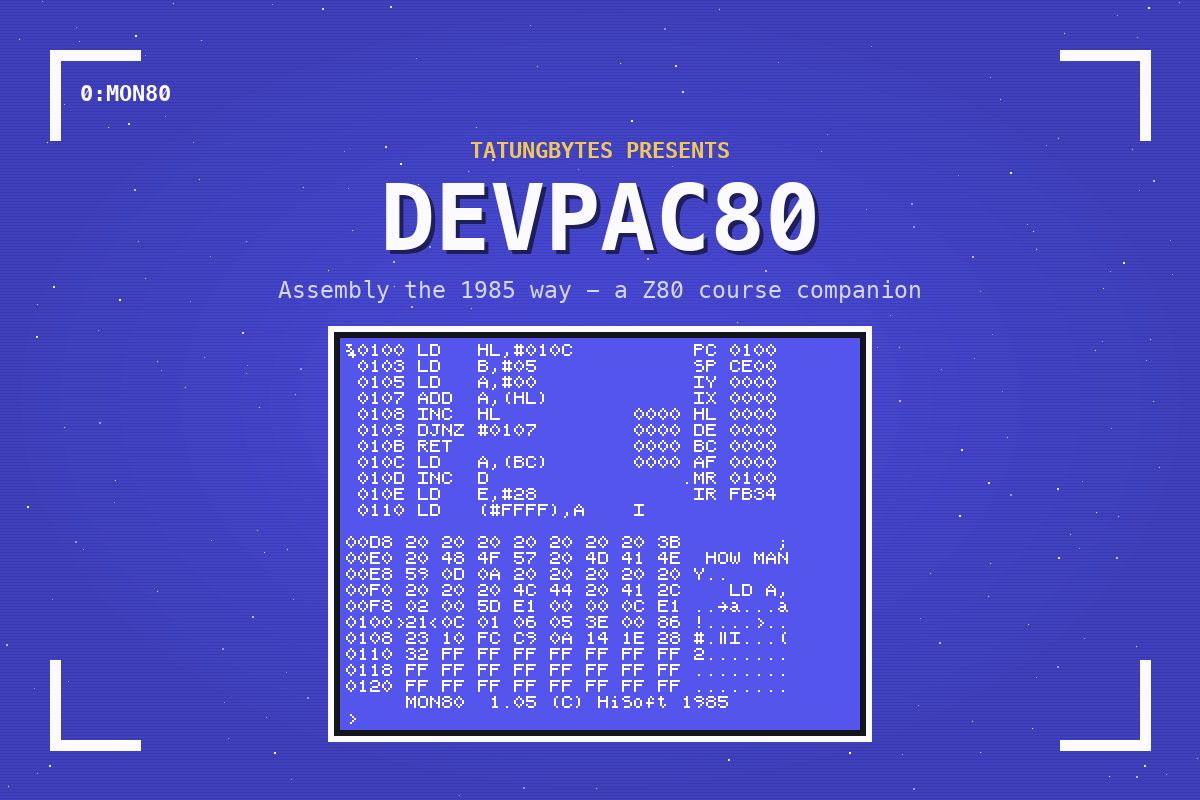
The assembly course's S13 added five numbers and left the total in A - and printed nothing, so the only way to see the answer was the register line MOS showed when the program returned. MON80 lets you do much more than read the registers at the end: you can watch them change one instruction at a time, stop wherever you like, and change the program's data before you run it.
Type S13's program into SUM.GEN, save it and assemble it. There is no point running it from 0:: it prints nothing. Run MON80 instead:
MON80
MON80 fills the screen at once. The top part is a disassembly - your memory turned back into instructions - beside the registers. The lower part is a dump of memory in hex, with the characters at the right. The bottom line is MON80's prompt, >.
Press R to read a file into memory. MON80 asks Name: - type SUM.COM and ENTER. Then First: - where to put it: type 100 and ENTER, since that is where GEN80 assembled it for. MON80 answers with Last: and where the file ends. Press SPACE to clear that line: the first key after a load does nothing else.
MON80 does not redraw its display by itself after a load, so press L to list. Now you see your program:
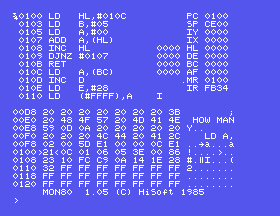
}0100 LD   HL,#010C
 0103 LD   B,#05
 0105 LD   A,#00
 0107 ADD  A,(HL)
 0108 INC  HL
 0109 DJNZ #0107
 010B RET
 010C LD   A,(BC)
MON80 writes hex with #, and has put in the real addresses where your source had NUMBERS and SUM. The } marks the instruction the program counter is on. Past the RET, at 010C, is your table - 10,20,30... - and MON80, which has no way to know it is data, has disassembled it as instructions too. LD A,(BC) is just the byte 0Ah - 10.
Press Z. MON80 executes one instruction and shows the result:
| After | PC | What changed |
|---|---|---|
| Z | 0103 | HL 010C - the table's address |
| Z | 0105 | BC 0500 - B is 5 |
| Z | 0107 | A is 0 (it was already) |
| Z | 0108 | AF 0A08 - A is 0Ah, the first number |
This is the assembly course's program running in slow motion. Keep pressing Z and you can watch HL walk along the table, A grow and B count down to 0.
Z steps into everything, including a RST 8 - which takes you out of your program and into the Einstein's own code. For a program that prints, that is rarely what you want. That is what J is for.
J runs the program at full speed from where the program counter is, and stops when it reaches the address you give. The loop ends at the RET at 010B, so press J, type 10B and ENTER. MON80 shows Break - it has stopped there. Press L to bring the display up to date:
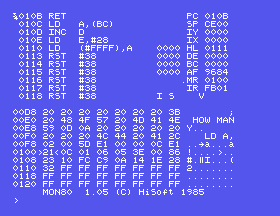
}010B RET                    PC 010B
 ...                         HL 0111
                             BC 0000
                             AF 9684
A is 96h - 150, which is 10 + 20 + 30 + 40 + 50. HL has walked past the end of the table, and B has counted down to 0.
Note what the address after J means: where to stop, not where to start. It always starts from the program counter.
Load the program again as before - CONTROL-C takes you back to 0:, then MON80, R, SUM.COM, 100, SPACE. This time, before running it, change the first number.
M moves the memory pointer, the byte marked >..< in the dump. Press M, type 10C and ENTER: the dump now shows the table, with the pointer on its first byte, 0A. Type 3C and ENTER. That writes 3Ch - 60 - into the byte at the pointer, in place of 10.
Now run it: J, 10B, ENTER, then L. A is now C8h: 200, which is 60 + 20 + 30 + 40 + 50. You have changed the program's data without going near the editor or the assembler.
The change is only in memory: SUM.COM on the disc is as it was.
; SUM - THE ASSEMBLY COURSE'S S13

        LD HL,NUMBERS  ; THE DATA
        LD B,5         ; HOW MANY
        LD A,0         ; RUNNING TOTAL

SUM:    ADD A,(HL)     ; ADD THIS ONE
        INC HL         ; STEP ALONG
        DJNZ SUM       ; FIVE TIMES

        RET

NUMBERS: DEFB 10,20,30,40,50
Edit, assemble and look inside
ED80 SUM.GEN
GEN80 SUM
MON80
Then R, SUM.COM, 100, SPACE, L; Z to step; J 10B and L to run to the end; CONTROL-C to leave.
What you should see
AF 9684 after running to 010B: A is 96h, 150.
RET. How many presses does it take, and what is A after each ADD?00 there and run to 010B. What should A be?SUM.GEN, change LD B,5 to LD B,4. Assemble, load and run to 010B. Which number did it leave out?MON80 loads a .COM with R, lists it with L, steps it with Z and runs it to a stopping point with J - then L shows the registers. M and a hex byte change memory. CONTROL-C goes back to 0:.
S8: where you go from here.
