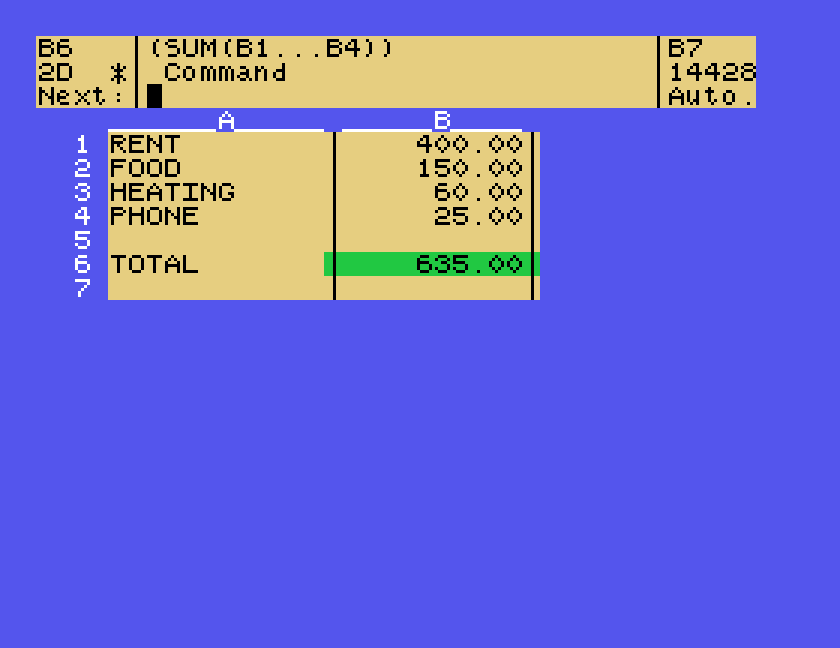
The Cracker is a spreadsheet for the Tatung Einstein: a grid of cells where some hold numbers, some hold words, and some hold sums worked out from the others, so that when you change one figure every total that depends on it changes too. Its title screen reads THE CRACKER, copyright (C) 1985 I.W.Searle, EINSTEIN V2.31c, and its manual comes from Software Technology Limited of Birmingham.
This guide builds a small household budget from nothing, then saves it, loads it back, prints it and puts it away. Everything here was done in MAME with the copies in our library: the Cracker disc and The Cracker User's Manual. The manual goes much further, with functions, sorting, macros and graphs, and where this guide mentions something only from the manual it says so.
The Cracker disc. It boots into DOS by itself. Besides the program it holds a help file, a READ.ME of changes made since the manual was printed, and six example spreadsheets.
A second disc for your own work. The Cracker's disc is almost full, with only 6K free, so keep your spreadsheets on another disc in drive 1.
Under MAME, set up the Einstein as in Setting Up MAME, and use .mfi disc images, which MAME can save to. Make a blank disc with the Einstein Disc Tools and convert it as DSK, MFI and SCP explains, then put it in drive 1:
mame einstein -window -flop1 cracker.mfi -flop2 mywork.mfi
At the 0: prompt type CRACKER and press ENTER. It takes a while to load: in MAME, about half a minute before the title appears.
The strip across the top is the control panel. The middle of it always shows what you can type next: at the start, Copy,Insert,Which,Auto,Quit. Once there is a sheet, the top left shows which cell you are on and its format, the top line of the middle shows what is in the cell, and the number on the right is how much memory is left.
Three keys work everywhere:
Give it time. Much of The Cracker stays on the disc until it is needed, and many commands show Disk reading as they load. Wait for each prompt to appear before typing the next key. Keys typed while it was still loading were sometimes lost, and sometimes landed at the wrong prompt.
A new sheet starts with I for Insert: first a column, then some lines.
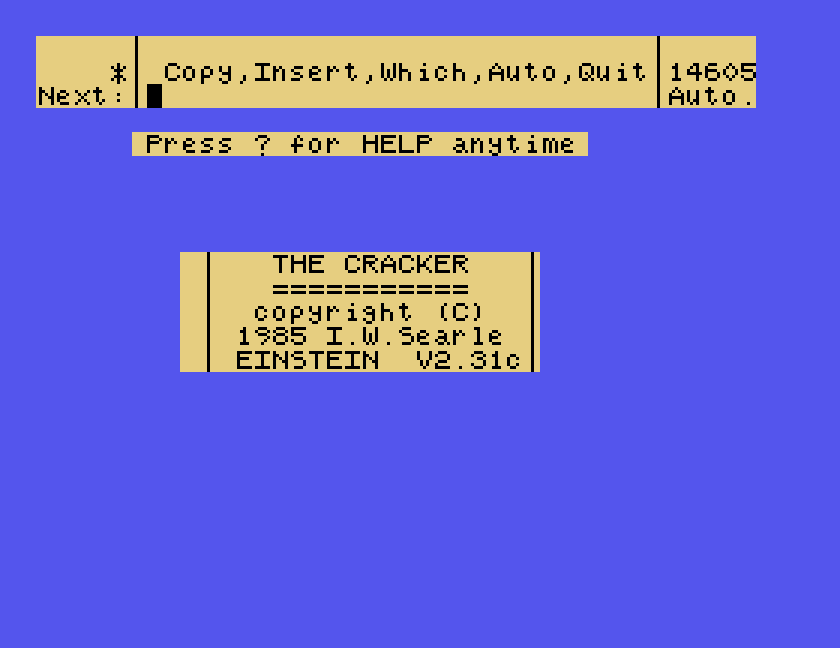
1. A column for the money. Type I, then C for column, then the width, 10, and ENTER. The Cracker asks for the column's Default Format. Type 2 then D, which means two decimal places, and ENTER:
2. Some lines. Type I, 6, L for lines, and ENTER. The Cracker asks for a Destination, meaning where to put them; ENTER means here. You now have one column and seven lines.
3. A column for the words. Type I, C, 12, ENTER. Now that the sheet exists, it asks for a Destination first: press ENTER. Then, at Default Format, type T for text and L for left-justified, and ENTER. The new column goes in as column A, and the money column moves along to become column B.
4. The labels. You are on cell A1. Type . (a full stop) to start an entry, then Rent and ENTER. Press D to move down and do the same for Food, Heating and Phone. Leave line 5 empty, and put Total on line 6. The Einstein starts with ALPHA LOCK on, so they come out in capitals.
5. The amounts. Move to B1 with R for right and U for up. Type ., then 400 and ENTER. Down to B2, 150; B3, 60; B4, 25.
6. The total. Move to B6, type ., then:
SUM(B1.B4)
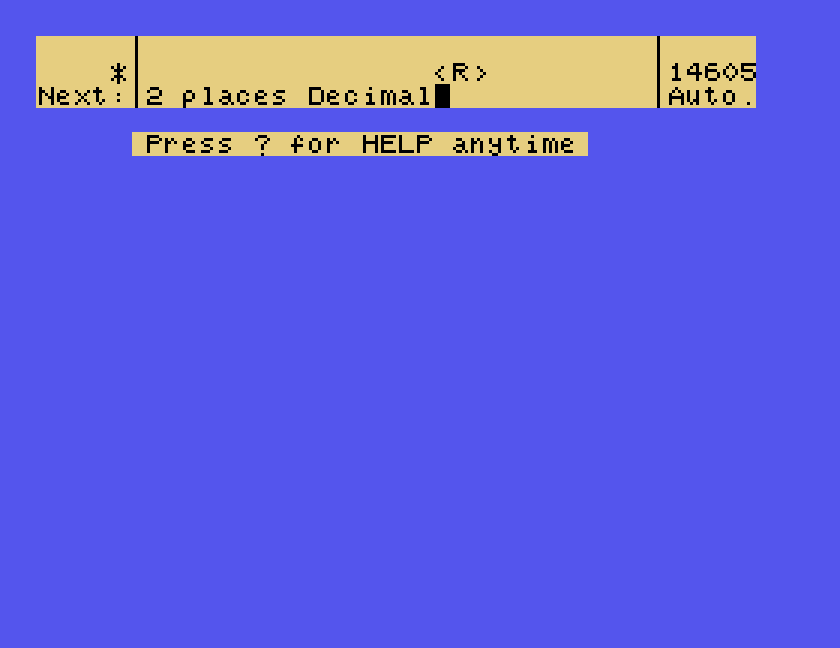
and ENTER. The total appears: 635.00. B1.B4 is a range, meaning every cell from B1 to B4. Type just one full stop and The Cracker fills in the rest, as SUM(B1...B4), shown in the control panel when you are on that cell. If you type all three dots yourself, it stops with Second ".".
Now the point of a spreadsheet. Go back to B2 and put in 175. The total changes to 660.00 by itself:
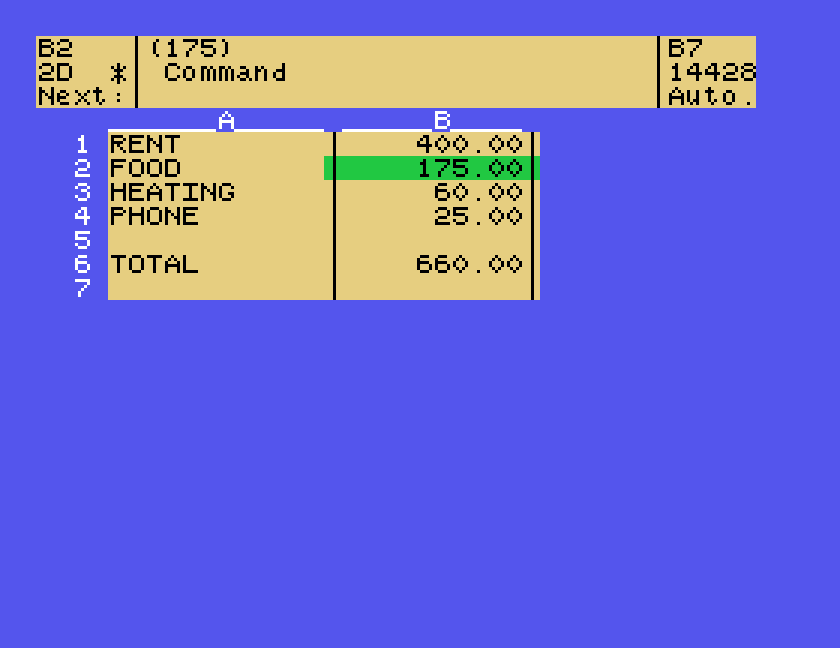
Moving around uses letter keys: U, D, L and R for up, down, left and right. The help lists more: + and - move a page at a time, and J jumps to a cell.
A number can be shown in several ways, and each cell remembers its own. To change a cell that is already filled in, go to it and type N (New format or width), F for Format, then the number of decimal places and D, then ENTER: NF2D and ENTER makes 400 show as 400.00.
N then D changes a column's default instead, but that only affects entries you make afterwards; the numbers already there keep the format they had. That is why this guide sets the format when it creates the column.
The manual lists the other formats: General, like a calculator; Finance, which puts commas into large numbers, as in the example below; Exponent, for scientific notation; Integer, for whole numbers; and Plot, which draws a bar across the cell.
Files go in and out of The Cracker through its C for Copy command.
To save, type C, then A for all. The Cracker asks for the destination: F,P,M. Type F for file, then a filename, and ENTER:
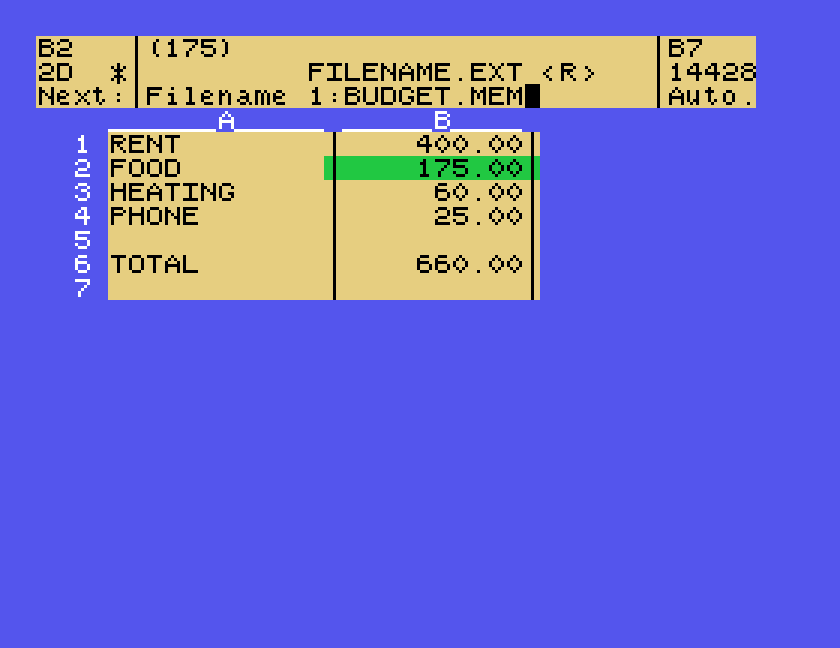
The 1: puts it on the disc in drive 1, and the .MEM ending is what The Cracker uses for its own spreadsheets. Filenames are up to eight characters, in capitals.
To load, start The Cracker and type C, F, then the filename and ENTER. Our budget came back from 1:BUDGET.MEM exactly as it was saved, formats and total included.
W, Which files, lists the spreadsheets on a disc. At its prompt, ENTER lists the drive The Cracker is on. Try it with the examples:
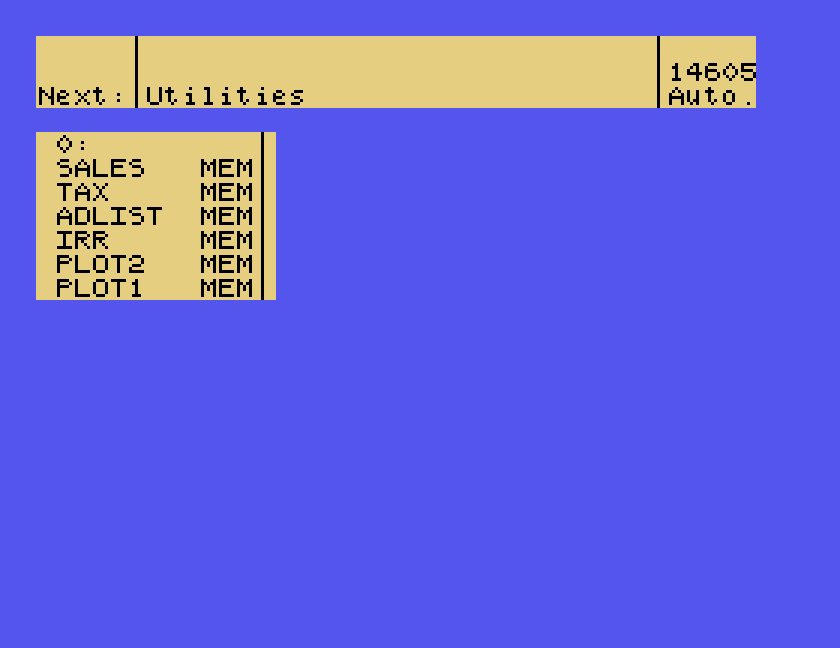
The six examples are worth a look, because they show what The Cracker can do beyond adding up. Load one with C, F and its name: SALES.MEM is a commission calculator that looks up the rate for a sales figure in a table.
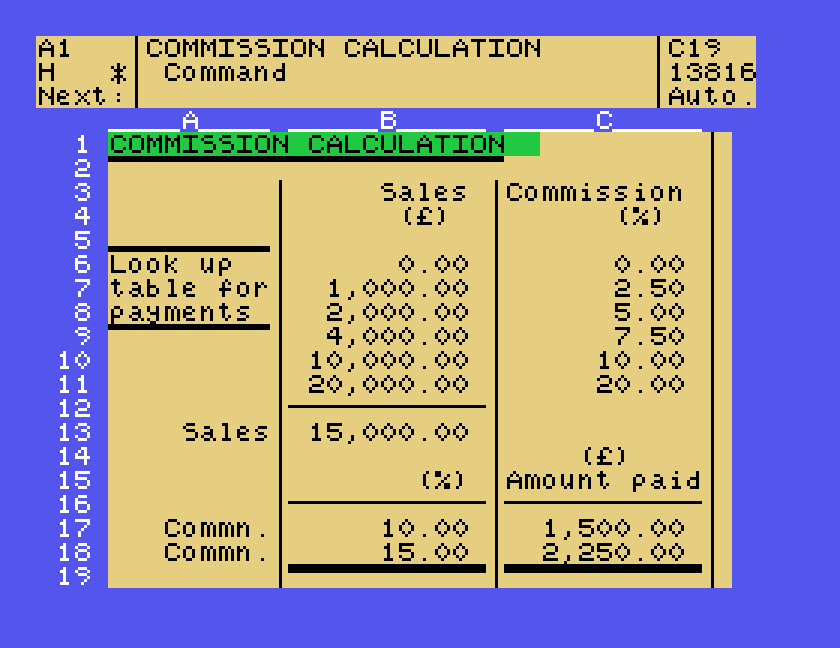
SALES.MEM, with Finance format putting commas into the larger figures.Printing is Copy again, with the printer as the destination: C, A, P, then ENTER. In MAME, with its virtual printer attached, the budget came out as plain columns:
RENT             400.00
FOOD             175.00
HEATING           60.00
PHONE             25.00

TOTAL            660.00
The column letters and line numbers are left out; you get the body of the sheet. With no printer, the manual says a filename ending .TXT instead of .MEM saves the sheet in this form, as a text file that a word processor can read. We did not try that.
Q for Quit, then ENTER. The Cracker saves your sheet before it goes, and says so:
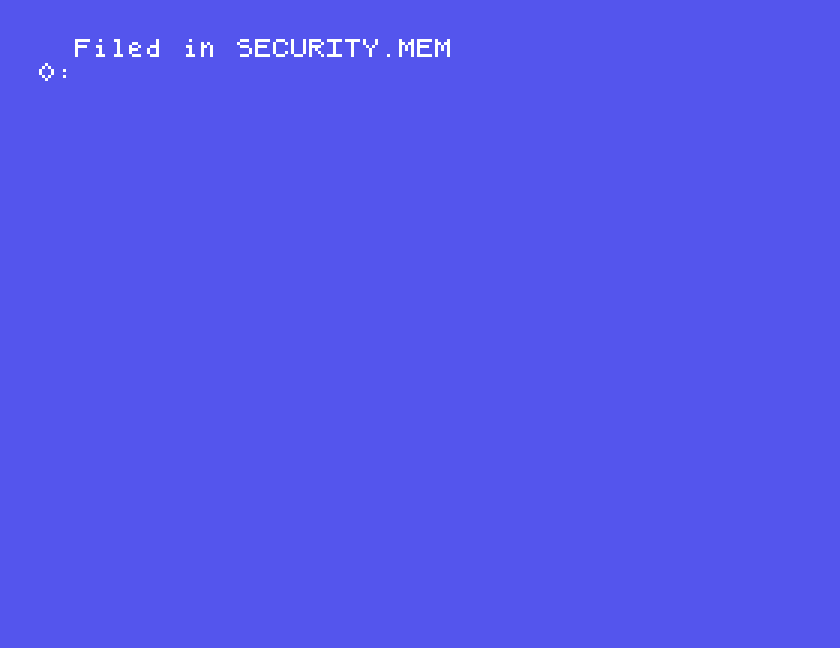
That automatic save always goes to SECURITY.MEM on the Cracker disc, replacing whatever was there before, so if you forget to save, C, F and SECURITY.MEM gets back the sheet you were working on. It also means that the last sheet you worked on stays on the Cracker disc. If you lend or give the disc to anyone, delete SECURITY.MEM first.
? at the Command prompt lists the primary commands:
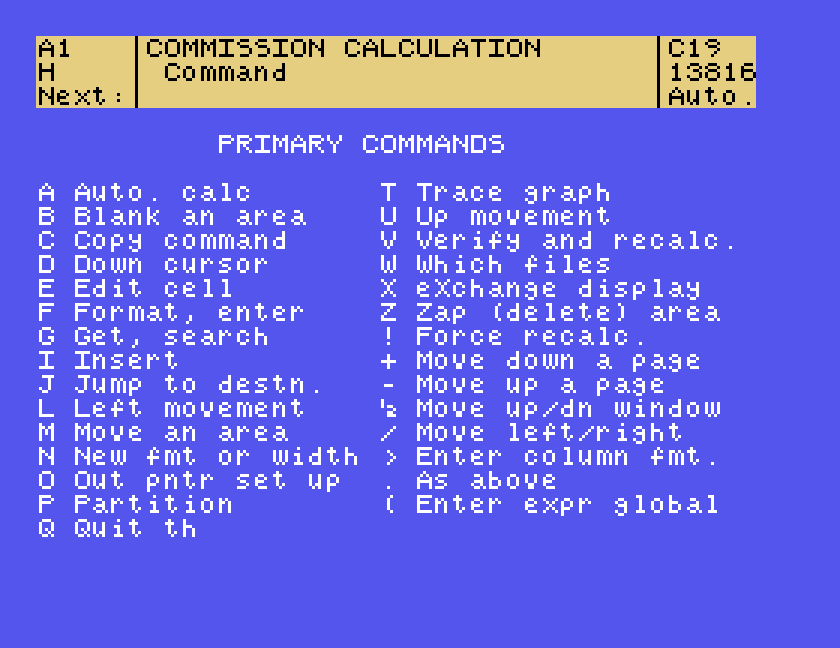
| Key | Command | Key | Command |
|---|---|---|---|
| A | Auto. calc | T | Trace graph |
| B | Blank an area | U | Up movement |
| C | Copy command | V | Verify and recalc. |
| D | Down cursor | W | Which files |
| E | Edit cell | X | eXchange display |
| F | Format, enter | Z | Zap (delete) area |
| G | Get, search | ! | Force recalc. |
| I | Insert | + | Move down a page |
| J | Jump to destn. | - | Move up a page |
| L | Left movement | ½ | Move up/dn window |
| M | Move an area | / | Move left/right |
| N | New fmt or width | > | Enter column fmt. |
| O | Out pntr set up | . | Make an entry |
| P | Partition | ( | Enter expr global |
| Q | Quit |
The list on the screen stops after Q, and R, for right, which this guide uses, is not on the part we could see. This guide used C, D, I, L, N, Q, R, U, W and the full stop; the manual covers the rest, from editing and moving areas to searching, sorting, macros and the Plot format's graphs.
If you used The Cracker on a real Einstein, we would like to hear from you. The contact form is at tatungbytes.co.uk/contact.