About
Einstein Disc Tools is a set of eight small Python 3 scripts for working with Tatung Einstein floppy disc images on a modern computer. They create blank .dsk images, put files on them, pull files off them, recover deleted files, make a disc boot straight into a program, convert between the .dsk format and MAME's .mfi flux format, turn a Greaseweazle or SuperCard Pro dump of a real disc into something MAME can boot, read a physical disc straight off a Greaseweazle, and diagnose damaged images. The seven file-based scripts use nothing beyond the Python standard library, so they run anywhere Python 3.8 or later does; the eighth drives a Greaseweazle to read real discs.
Why This Matters
Almost every existing tool for Einstein disc images dates from the 1990s or early 2000s and only runs on old versions of Windows, often needing a virtual machine or a spare PC just to move a file onto a disc image. That has been a real barrier for anyone wanting to develop for the Einstein, preserve its software, or simply try a game in an emulator. These scripts remove it. They run natively on macOS, Windows and Linux, and slot straight into a modern workflow with MAME.
What Is in the Set
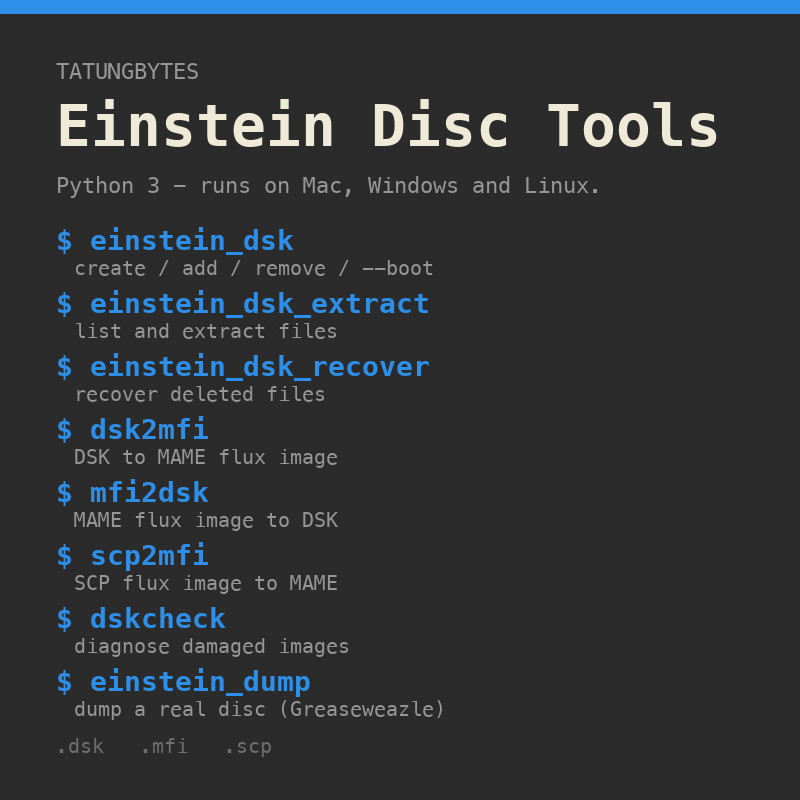
- einstein_dsk creates a blank disc image, adds files or whole folders, and deletes files. With --boot it makes the disc run a .COM program at power on with no DOS loaded, and with --autorun it makes an XtalDOS 1.31 system disc boot its DOS and then run a program by itself.
- einstein_dsk_extract lists the files on a disc image and extracts one or all of them to your computer.
- einstein_dsk_recover lists and recovers deleted files. Deleting a file on this format only flips one byte, so a deleted file's name, size and data survive on the disc until its space is reused - this reads them back, writing each with a .deleted suffix so it can never overwrite a live file, and reporting whether each one is still fully recoverable. It never writes to the image.
- dsk2mfi converts a .dsk to a MAME .mfi flux image. MAME keeps changes written to an .mfi but silently discards anything written to a .dsk, so this is how you keep what a DOS session saves.
- mfi2dsk converts the other way, decoding the flux with a port of MAME's own phase locked loop, so files a DOS wrote in MAME come back out as a normal .dsk.
- scp2mfi turns a Greaseweazle or SuperCard Pro .scp dump of a real disc into an .mfi that boots in MAME, which has no SCP reader of its own.
- dskcheck examines any .dsk, .mfi or .scp and reports container damage, flux CRC failures, geometry, the boot header, directory faults, deleted files and their recoverability, and exactly which bytes of which files sit on unreadable sectors.
- einstein_dump drives a Greaseweazle to read a physical Einstein 3-inch disc: it re-reads any track that fails, checks every capture with dskcheck, and builds an .mfi and a .dsk from the best revolution of each track. Its dump and info commands need the Greaseweazle host tools; its check command analyses an existing .scp with no hardware.
How They Were Made
These tools came out of the same approach that produced the site's Z80 Assembly Course. The Einstein has never been well documented, and what does exist is scattered across old manuals that sometimes disagree with each other. So rather than trusting any single source, the format was studied from the original Tatung material and then tested, one claim at a time, by running experiments on a live machine in MAME. A blank disc was formatted, a file was written with a known name and contents, and the resulting image was read back byte by byte until the geometry, the directory layout and the block allocation were all confirmed against what a real DOS actually did.
Each confirmed fact was recorded in a growing reference that Claude Code works from, so the accuracy of that knowledge base was built up experiment by experiment before a single line of tool code was written. Twenty four numbered experiments stand behind this release. They cover the container format MAME really expects, the sector numbering, writing a directory entry from scratch and having a real DOS list it correctly, boot sector behaviour, the size limit that turned out to be wrong in the first draft, a round trip of every test disc through .mfi and back, two real disc dumps from a Greaseweazle, a damaged image sent in by an early tester, a CP/M program that would not boot without its DOS, a single-sided disc distributed inside a two-sided wrapper, and an original game disc that turned out to carry three complete, recoverable deleted games. The eighth script, which reads a physical disc with a Greaseweazle, was built and proven the same way in a companion project before being included here.
The result is a set of tools where every behaviour was checked against real Einstein discs and a live DOS rather than assumed, which is why we are confident enough to hand them out.
Using Them
Unzip the archive into one folder and keep the scripts together, since they find each other by name. Each one prints its own help with --help and its version with --version. A typical session puts a program on a fresh disc and boots it in MAME:
python3 einstein_dsk_v1.7.py create work.dsk --boot PROG.COM
python3 dsk2mfi_v1.1.py work.dsk
Then mount work.mfi in MAME's Einstein driver. When you are done, mfi2dsk brings the disc back to a .dsk and einstein_dsk_extract gets the files out.
That suits a program that talks to the Einstein's MOS directly. A program built for CP/M, such as a C program compiled with z88dk, needs its DOS underneath it and will crash if booted with --boot. The simplest way to run one is with two discs: a copy of an XtalDOS 1.31 system disc in drive 0, set to run your program from drive 1, and your program on a disc of its own in drive 1:
python3 einstein_dsk_v1.7.py add BOOT.DSK --autorun "1:HELLO"
python3 einstein_dsk_v1.7.py create HELLO.DSK --add HELLO.COM
Mount BOOT.DSK as drive 0 and HELLO.DSK as drive 1, and the Einstein boots XtalDOS and runs HELLO.COM with no keypress. Your program gets a whole disc to itself. You can instead add the program to the system disc and use --autorun HELLO, but the TC01 System Master has only about 8K free, so anything larger means removing files first.
These tools are new, and disc images of commercial software can have quirks the experiments never met. If one refuses an image, run dskcheck on it first and send us the output through the Contact page.
Release Notes
Each script carries its own version number in its filename and in its --version output, so a bug report can say exactly which build it came from. The versions move independently, so each download is named by its release date rather than a single version number. Earlier bundles stay available on the same Drive folder under their own dates. The full changelog is included in the zip.
Release of 24 September 2026. A new tool joins the set. einstein_dsk_recover 1.0 lists and recovers deleted files. On this format deleting a file changes a single byte - the rest of its directory entry, and all of its data, stay on the disc until the space is reused - so a deleted file is usually still there to be read back. The tool walks each deleted file's blocks exactly as a normal extract would and writes it out with a .deleted suffix, so it can never overwrite a live file; it reports whether each one is fully recoverable or has been partly overwritten by a later file, and it is read-only, never touching the image. dskcheck 1.7 now reports deleted files in full - each one's size, extents, block range and recoverability - counts them in its summary, and flags a live file with a blank name. einstein_dsk_extract 1.5 no longer stumbles over a blank-named file when extracting everything at once. It was proven against an original Manic Miner disc that turned out to hold three complete, recoverable deleted games, each recovered byte-for-byte. The other five scripts are unchanged.
Second release of 20 September 2026. A seventh script joins the set. einstein_dump 0.1 drives a Greaseweazle to read a physical Einstein 3-inch disc, re-reading any track that fails, checking every capture with dskcheck, and building an .mfi and a .dsk from the best revolution of each track. It is the read side of the workflow the other tools already covered from a file: where scp2mfi and mfi2dsk turn an existing dump into something MAME can boot and back, einstein_dump makes the dump in the first place and hands you a checked image ready to use. Its dump and info commands need the Greaseweazle host tools (gw); its check command analyses an existing .scp with no hardware. It was developed and proven in a sibling Greaseweazle project and is shipped here so the whole set travels together. The other six scripts are unchanged. The bundle is named einstein-dsk-tools-2026-09-20b.zip.
Release of 20 September 2026. Three scripts updated after the website project met two genuine discs the tools mishandled while cataloguing Public Domain Disk 193. einstein_dsk 1.7 and dskcheck 1.6 now read a single-sided disc that has been wrapped as two-sided with an empty second side, as some converters write them; before, every tool refused it although the emulator boots it. einstein_dsk_extract 1.4 now handles a slash in a filename: PD 193A holds a file called R/SUN.XBS, which the Einstein loads by that name, and the extractor had treated the slash as a folder separator, failing to find it and crashing when extracting every file at once. It now matches such names correctly and, when saving to your computer, replaces characters the host cannot use with an underscore. The other three scripts are unchanged.
Second release of 16 September 2026. einstein_dsk 1.6 smooths three rough edges in --autorun, found while the notes for the first release below were being written. It no longer needs a file to be added in the same command, so a disc can be set to run a program it already holds, a DOS command, or a program on another drive. That is what makes the two disc method above possible: a system disc that runs 1:HELLO at boot, with the program on a disc of its own, so the System Master's lack of space no longer gets in the way. A name that is not on the disc now draws a note rather than a refusal, since it may be a DOS command or on the other drive. On a DOS other than XtalDOS 1.31 the refusal now comes first and alone; before, it was followed by a line saying the file had been added, although nothing was written. And the out of space error now states free space in both blocks and kilobytes and says what to do about it. The bundle is named einstein-dsk-tools-2026-09-16b.zip. The other five scripts are unchanged.
Release of 16 September 2026. Two scripts updated, in two steps on the same day, after a tester reported a program that crashed when booted. It had been built for CP/M with z88dk, and --boot runs a program with only the ROM present and no DOS underneath, so the program's first call to the DOS went nowhere and the Einstein dropped into the MOS register dump. einstein_dsk 1.4 now warns when a program given to --boot calls the CP/M DOS entry point, and its help says plainly that --boot runs a program without a DOS rather than simply not needing one. It also refuses to overwrite the boot sector of a disc that already boots a DOS unless --replace-boot is given; before, doing so silently stopped the disc booting its DOS. dskcheck 1.4 follows a --boot loader to the program it will run and warns if that program needs a DOS, where it had previously called such a disc OK. einstein_dsk 1.5 then adds the right way to boot straight into a CP/M program, --autorun. On an XtalDOS 1.31 system disc it makes the DOS type a command and press Enter by itself, once, at cold boot, so the program runs with the DOS intact underneath it. It refuses any other DOS, because it depends on that version's layout. dskcheck 1.5 reports when a disc carries the autorun hook. The other four scripts are unchanged.
Release of 15 September 2026. Three scripts updated after a report from the Dr Logo course project, which met a disc the tools could read but not maintain. einstein_dsk 1.3 and einstein_dsk_extract 1.3 now match filenames the way CP/M itself does, ignoring upper and lower case. Before, a file whose directory entry was not upper case could not be deleted or extracted at all, and worse, adding a file of the same name wrote a second entry rather than refusing, leaving two entries that a disc operating system treats as one file. The Einstein System Master carries such an entry, which is how it came to light. New files are still written in upper case as the convention requires, and on a disc that genuinely holds both spellings either one can now be named exactly. einstein_dsk 1.3 also fills the unused tail of a file's last record with the character CP/M uses to mark the end of text, rather than the one that marks blank space. The old padding appeared as lines of nonsense when a text file was displayed on the Einstein, and stopped Dr Logo loading a program written on a modern machine; both were checked on a real DOS before and after. dskcheck 1.3 warns when a disc carries two entries whose names differ only in case, and notes names that are not upper case. Run across the library it found one such disc, TASPRINT, which holds both WMENU.XBS and wmenu.XBS. The other three scripts are unchanged.
Release of 14 September 2026. Three scripts updated after every disc in the Tatung Bytes library was run through them. einstein_dsk 1.2 and einstein_dsk_extract 1.2 now read directory entries that use CP/M’s 8-bit block pointers (a few discs, such as Beach-Head, were written that way and listed with wrong sizes before), never present a corrupt or non-existent directory as a list of files (a boot-only disc whose track 2 holds program code is now refused with a plain explanation), and say what a non-Einstein image actually is instead of “2-sided image not supported”. dskcheck 1.2 reports such a directory once, as “probably a boot-only disc”, rather than as hundreds of errors, and counts 8-bit-pointer entries. The other three scripts are unchanged. The bundle is named einstein-dsk-tools-2026-09-14.zip; the previous one is now einstein-dsk-tools-2026-09-11.zip.
Release 1.2, 11 September 2026. Three scripts updated after the tools were run against real Greaseweazle flux with deliberately planted damage. scp2mfi 1.2 now reads every revolution a track holds rather than the count in the file header, so tracks that Greaseweazle re-read during a dump are no longer partly ignored. mfi2dsk 1.2 decodes a revolution whose flux stops early, such as a dropout, in a fraction of a second instead of about a minute per track, with identical results. dskcheck 1.1 no longer gives up on a damaged Einstein disc: a disc with a couple of broken tracks is still recognised as Einstein format, each damaged track is reported with its missing sector numbers, and the files on them are named. It also notes when a dump contains re-read tracks, and gains a --flux-only mode for judging a partial capture. The other three scripts are unchanged at 1.1.
Release 1.1, 10 September 2026. First numbered release, with dskcheck added as a new script. dsk2mfi and einstein_dsk now accept a disc image with a damaged track block rather than refusing the whole file, and report whether the damage looks like a corrupted image file or a track the dumping tool could not read. This was prompted by the first image sent in by a tester. All scripts gained --version.
Gallery