module
23
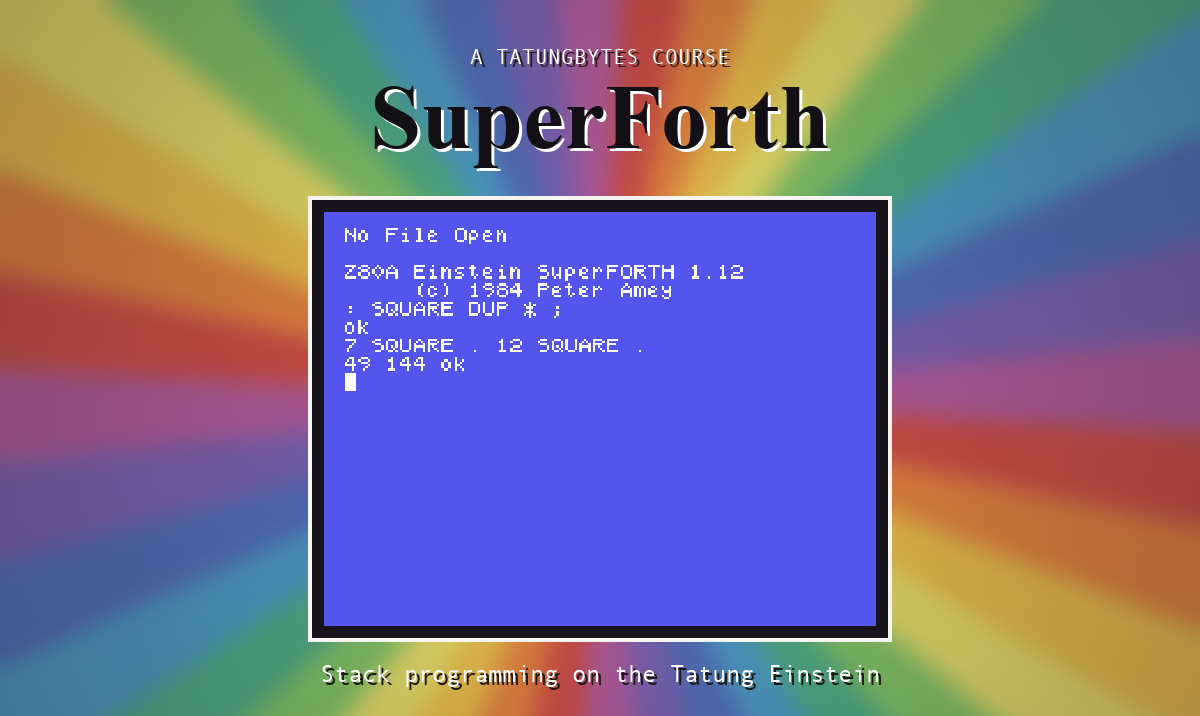
Everything so far has been text. The Einstein's screen is also 256 dots wide and 192 deep, and with the graphics extension loaded SuperForth can set any of them.
NEWFILE GRAPHICS
1 LOAD
This is a big one: LOAD counts through 23 blocks, because screens 1, 2 and 3 are chained together. Give it a quarter of a minute.
A point is an x and a y. x runs from 0 at the left to 255 at the right. y runs from 0 at the BOTTOM to 191 at the top. So 0,0 is the bottom left corner, as it is on a graph.
PLOT ( x y -- ) sets one dot.
20 20 200 20 0 DRAW
DRAW ( x1 y1 x2 y2 t -- ) draws from one point to another. The t is the line type: 0 is solid.
TO ( x y t -- ) carries on from wherever the last line ended, which is how you draw a shape without repeating yourself:
200 150 0 TO
ELLIPSE ( x y xs ys t -- ) draws an ellipse centred on x,y. xs and ys are how far it reaches sideways and upwards from the centre - half its width and half its height. Make them equal and you have a circle.
POLY ( n x y xs ys t -- ) is the same with a number of sides in front: a shape of n straight sides that would just fit inside that ellipse.
GCOL ( fore back -- ) sets the colours that drawing uses from then on.
COLFILL ( x y -- ) floods an enclosed area with the foreground colour, starting from the point you give and spreading until it meets an edge. The edge must have no gaps, or the colour escapes and floods the whole screen.
NEWFILE GRAPHICS
1 LOAD
: HOUSE CLS 15 4 GCOL
60 40 160 40 0 DRAW 160 110 0 TO
60 110 0 TO 60 40 0 TO
60 110 110 150 0 DRAW 160 110 0 TO ;
: SUN 11 4 GCOL 210 160 15 15 0
ELLIPSE 210 160 COLFILL ;
HOUSE SUN
Starting from
A fresh boot, with SuperForth just started.
What you should see
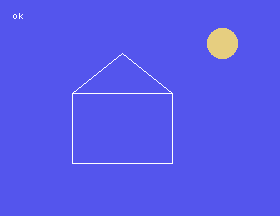
HOUSE draws the floor, then uses TO three times to go round the walls, and then starts again at the top left for the roof. The ok at the top left is SuperForth answering: text and drawing share one screen.
The last number given to DRAW and TO chooses the kind of line.
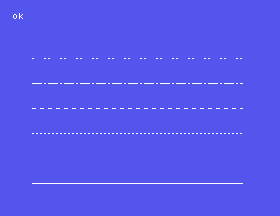
From the bottom: type 0, solid; a gap where type 1 should be, which draws nothing you can see; then types 2 to 5, dotted and dashed in various ways.
DRAW and two TOs.COLFILL. Pick a point that is inside it. What colour does it use, and where did that colour come from?3 128 96 50 50 0 POLY, then with 4, 5 and 8. Which way does the triangle point?23.1 Define RINGS to draw six hexagons inside one another, using a loop and +LOOP.
23.2 Define LINES to draw one line of each type, one above another.
23.3 Load CHOOSE as well (you know where it is) and define SPECKLE to plot 200 dots at random.
Worked solutions are in Appendix II.
| Symptom | Cause |
|---|---|
DRAW? or PLOT? | The graphics are not loaded - or you restarted SuperForth, which forgets them. |
| The picture is upside down | y counts up from the bottom. |
| The whole screen floods with colour | COLFILL was started outside the shape, or the shape has a gap in it. |
| A line does not appear | It was drawn with type 1. |
DRAW? Stack Depth Inadequate | DRAW takes five numbers, TO three. These words do check. Count them. |
With GRAPHICS loaded, the screen is 256 by 192 dots with 0,0 at the bottom left. PLOT sets a dot, DRAW and TO make lines, ELLIPSE and POLY make shapes from a centre and two half-sizes, GCOL chooses the colours and COLFILL floods an enclosed area.
S24, Sprites - shapes that float over the screen and can be moved without redrawing anything.
This form is protected by reCAPTCHA, and the Google Privacy Policy and Terms of Service apply.
