module
22
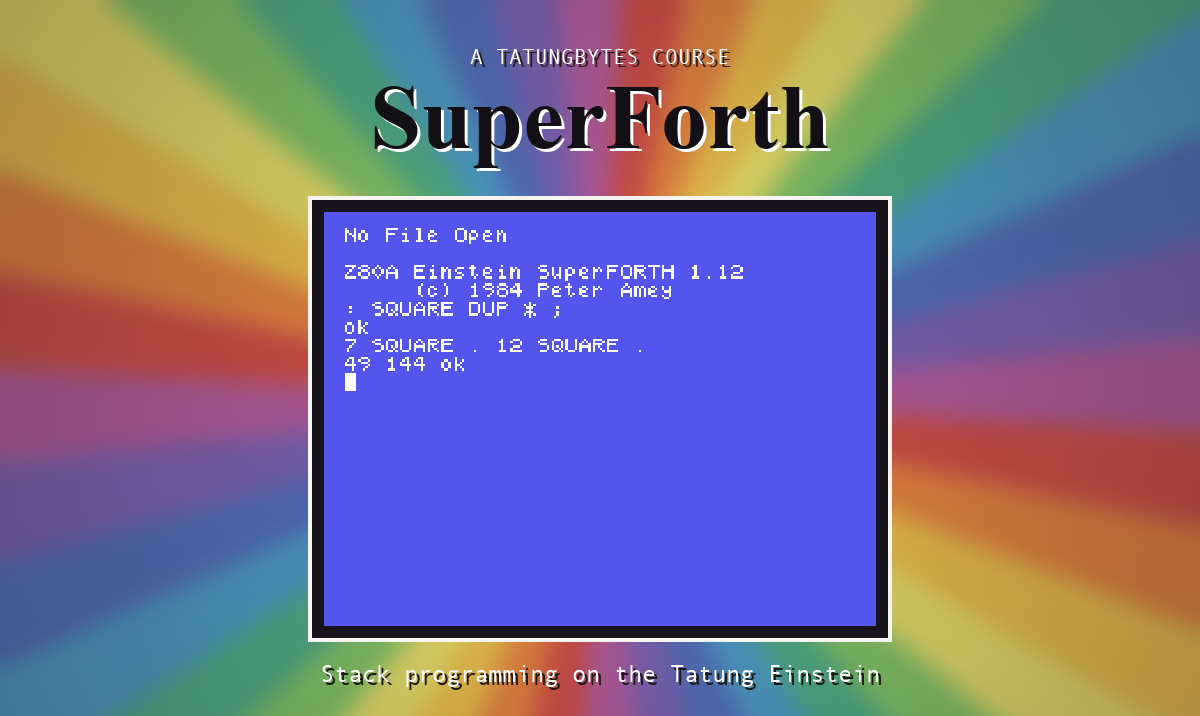
White on blue is how the Einstein wakes up, and until now you have taken it as you found it. The screen's colours are yours to change, and so - which is more surprising - are the shapes of its letters.
All of this section's words are in plain FORTH. Nothing needs loading.
The Einstein has sixteen colours, numbered 0 to 15.
| 0 transparent | 4 dark blue | 8 medium red | 12 dark green |
| 1 black | 5 light blue | 9 light red | 13 magenta |
| 2 medium green | 6 dark red | 10 dark yellow | 14 grey |
| 3 light green | 7 cyan | 11 light yellow | 15 white |
Colour 0 is not a colour at all. It means "let whatever is behind show through", and it explains the rest of this section.
CLS clears the screen and puts the cursor at the top left.
BCOL sets the backdrop: the colour behind everything. 1 BCOL makes it black.
TCOL sets the colours for text, foreground then background: 11 1 TCOL is light yellow on black.
The two behave differently, and it is worth seeing why. The backdrop is one setting for the whole screen, so BCOL changes everything at once - and since ordinary text is printed with a transparent background, the new backdrop shows through behind every letter already there. TCOL changes nothing already on the screen. It only decides how text printed from now on will look.
Every character is a grid of dots, eight rows deep. SHAPE lets you redraw one. Give it the eight rows and then the character's code:
165 90 36 255 219 126 60 24 176 SHAPE
Each row is a number from 0 to 255 saying which dots are on: 128 is the leftmost dot, 64 the next, then 32, 16, 8, 4, 2, and 1 for the rightmost. Add up the ones you want.
The rows are typed bottom first. The last number before the code is the top row. Drawn the right way up, the numbers above make:
  24   . . . # # . . .
  60   . . # # # # . .
 126   . # # # # # # .
 219   # # . # # . # #
 255   # # # # # # # #
  36   . . # . . # . .
  90   . # . # # . # .
 165   # . # . . # . #
176 EMIT then prints it.
The change is instant and everywhere. Redefine the letter A and every A on the screen changes shape under your eyes, including the ones in what you have just typed. It is great fun and makes the screen unreadable, so use codes that are not letters. This course uses 176 and 177.
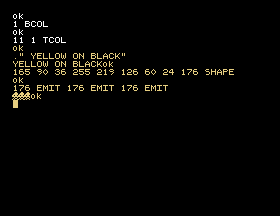
CLS
1 BCOL
11 1 TCOL
." YELLOW ON BLACK"
165 90 36 255 219 126 60 24 176 SHAPE
176 EMIT 176 EMIT 176 EMIT
Starting from
A fresh boot, with SuperForth just started.
What you should see
The screen goes black. The ok after 11 1 TCOL, and everything from then on, is in light yellow, and the last line begins with three small invaders.
To put things back:
15 0 TCOL 4 BCOL CLS
6 BCOL without clearing the screen. What happens to the text that is already there? Now 1 6 TCOL and print something. What is different about how the new text sits on the backdrop?TCOL the same number twice and print something. Can you see it? Can you get back? (You can. Type carefully.)SHAPE on the line you just typed. Leaving SuperForth and coming back will not undo it: to get your A back, restart the Einstein.22.1 Design a heart, or anything you like, on an eight by eight grid and give it to character 177.
22.2 Define NORMAL to put the colours back as they were.
22.3 Define RAINBOW to print a row of your invader in each of the colours 2 to 15. You will need a loop, and TCOL inside it.
Worked solutions are in Appendix II.
| Symptom | Cause |
|---|---|
| The text has vanished | Foreground and background are the same colour. Type 15 0 TCOL blind and press ENTER. |
| Your shape is upside down | The rows go in bottom first. |
| Letters all over the screen have turned into something else | You gave SHAPE the code of a character that was in use. It lasts until the Einstein itself is restarted. |
CLS clears, n BCOL sets the backdrop behind everything, and fore back TCOL sets the colours of text printed from then on. Colour 0 is transparent. SHAPE takes eight rows, bottom first, and a character code, and redraws that character everywhere at once.
S23, Drawing - lines, shapes and filled colour.
This form is protected by reCAPTCHA, and the Google Privacy Policy and Terms of Service apply.
