module
21
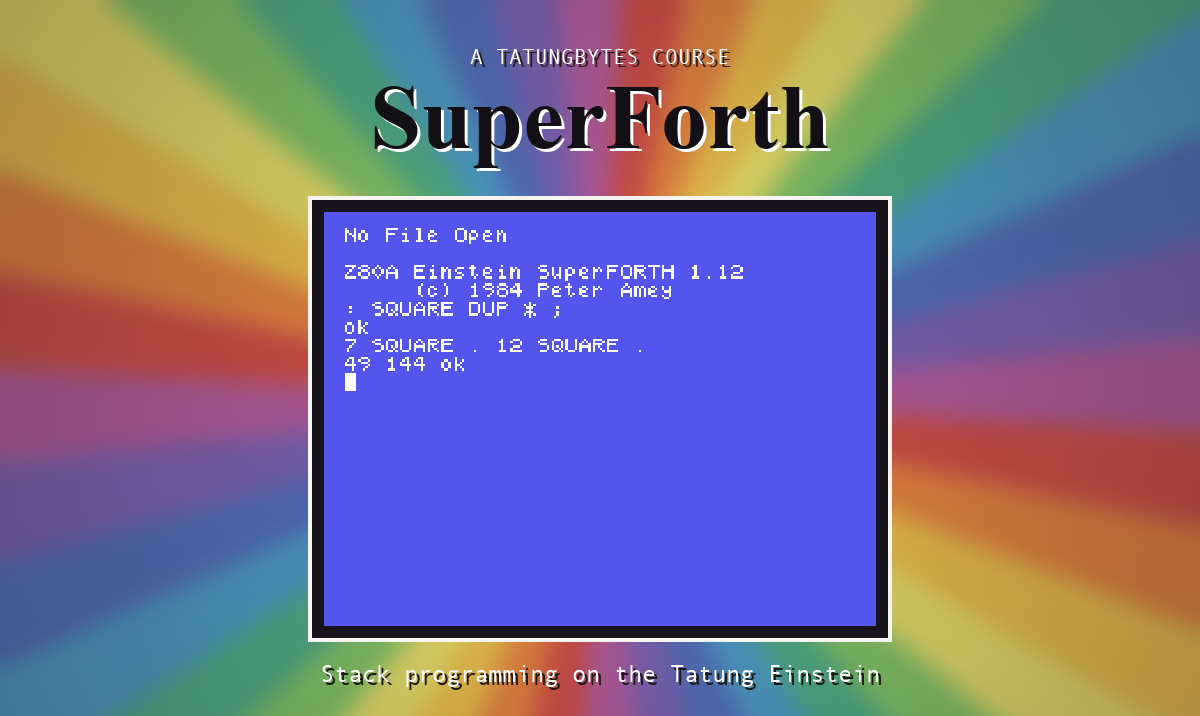
A variable holds one number. Seven temperatures for the week would need seven variables with seven names, and a loop could not get at them, because a loop has a counter, not a list of names.
An array is one name for a row of numbered cells. Give it the number and it gives you the cell.
Screen 3 of UTILITY has the words.
7 ARRAY TEMPS
makes seven cells called TEMPS, each holding 0. The cells are numbered from 0 to 6.
TEMPS works like a variable that wants to be told which one: put the cell number on the stack first, and TEMPS replaces it with that cell's address. After that, everything from S11 applies.
| To | Type |
|---|---|
| store 42 in cell 2 | 42 2 TEMPS ! |
| fetch cell 2 | 2 TEMPS @ |
| print cell 2 | 2 TEMPS ? |
| add 5 to cell 2 | 5 2 TEMPS +! |
Cells numbered from nought, and a loop counter that starts at nought: they were made for each other.
NEWFILE UTILITY
3 LOAD
7 ARRAY TEMPS
: FILL-UP 7 0 DO I 10 * I TEMPS !
LOOP ;
: SHOW 7 0 DO I TEMPS ? LOOP ;
FILL-UP SHOW
Starting from
A fresh boot, with SuperForth just started.
What you should see
FILL-UP SHOW
0 10 20 30 40 50 60 ok
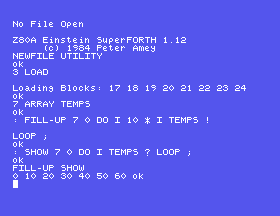
In FILL-UP, I is used twice: once to work out the value, ten times the cell number, and once to say which cell to put it in.
SuperForth does not check the cell number. TEMPS has cells 0 to 6. Ask for cell 9 and it will calmly work out where a cell 9 would be, which is somewhere in the memory after the array, belonging to something else. Nothing good can come of reading from there, and storing there overwrites whatever it was.
So the limit of every loop over an array should be the same number you gave ARRAY. It is a good use for a constant.
CARRAY makes an array of single bytes instead of full numbers. A byte holds 0 to 255, which is plenty for a character code or a small count, and takes half the room. Bytes have their own fetch and store, C@ and C!:
5 CARRAY BYTES
200 0 BYTES C!
0 BYTES C@ .
The same screen has STRING:
STRING NAME "GAVIN"
NAME now leaves the address of that text. Two words turn the address into print. COUNT takes it and leaves what TYPE wants - where the letters start, and how many there are - and TYPE prints them:
NAME COUNT TYPE
The length is kept in the text's first byte, in front of the letters, which is where COUNT finds it.
FILL-UP to store the squares of the cell numbers.SHOW again.NAME C@ . What is that number? Change the name and try again.21.1 Define TOTAL ( -- n ) to add up everything in TEMPS.
21.2 Define BIGGEST ( -- n ) to find the largest number in TEMPS.
21.3 Define GREET to print HELLO and then the name held in NAME.
21.4 Use TOTAL to print the average.
Worked solutions are in Appendix II.
| Symptom | Cause |
|---|---|
ARRAY? or STRING? | Screen 3 of UTILITY is not loaded. |
| A number instead of the cell's contents | You left out the @. The array's name gives an address, like a variable's. |
n ARRAY name makes n cells numbered from 0; i name gives cell i's address for @, !, ? and +!. CARRAY does the same for bytes, with C@ and C!. Nothing checks the cell number. STRING name "text" names a piece of text, and COUNT TYPE prints it.
S22, Colour And The Screen - clearing the screen, colouring it, and redesigning its letters.
This form is protected by reCAPTCHA, and the Google Privacy Policy and Terms of Service apply.
