module
5
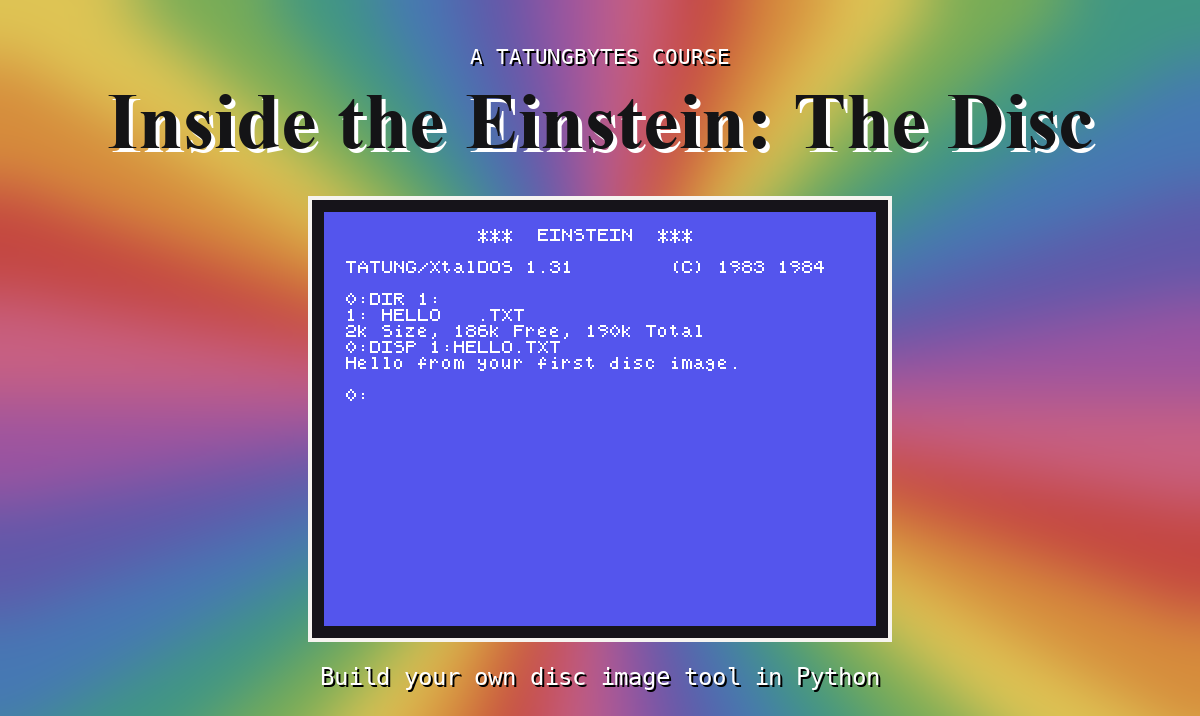
A disc image is a file, and a file is a row of bytes. If you can make a byte in Python, you can make a file of them; and if you can change one byte of a file, you can change a disc. This section does exactly that: it starts with one byte and ends with you changing the text inside a file on FIRST.DSK and asking the Einstein to show it to you.
Python keeps bytes in a value called, sensibly, bytes. You make one from a list of numbers in square brackets:
one = bytes([229])
That is one byte, holding 229. If you print it, Python shows it as b'\xe5': the b'...' says "these are bytes", and \xe5 means "the byte whose hex value is E5" - the same 229 from S4, written in the hex you now know. len(one) is 1: one byte long.
Python shows a byte as a character when it is the code for a letter, digit or punctuation mark, and as \x.. hex when it is not. 72 is the code for H, 105 for i, 33 for !, and 10 is "new line", shown as \n. That is all text is, on a disc or anywhere else: bytes, each holding the code of one character.
A bytes value cannot be changed once it is made. For bytes you mean to change, Python has bytearray, which is the same thing but editable.
Each byte has a position, counted from 0: the first byte is at position 0, the second at 1, and so on. You read one with square brackets after the name - four[1] is the byte at position 1 - and you change one the same way:
four[0] = 0x68
puts 0x68 (the code for a small h) in position 0.
Counting from 0 feels odd for a day and then becomes natural, and it is exactly how a disc counts: the first sector of a track is sector 0, and the first track is track 0.
To put bytes in a file:
with open("four.bin", "wb") as f:
    f.write(four)
open opens a file by name; "wb" means write, in bytes. The with ... as f: line gives the open file the name f for the indented line underneath it, and closes the file properly when that is done. The indent - four spaces - matters in Python: it is how Python knows which lines belong to the with.
To read a file back, open it with "rb" - read, bytes - and call read(), which gives you everything in it as one bytes value.
One more thing you can do with bytes: multiply them. bytes([0xE5]) * 512 is 512 bytes, every one E5 - a blank sector, made in one line.
Save this as bytes.py in edisc.
one = bytes([229])
print(one)
print(len(one))

four = bytearray([72, 105, 33, 10])
print(four)
four[0] = 0x68
print(four)
print(four[1], hex(four[1]))

with open("four.bin", "wb") as f:
    f.write(four)

with open("four.bin", "rb") as f:
    back = f.read()
print(back, len(back))

sector = bytes([0xE5]) * 512
print(len(sector), sector[0], sector[511])
Run it
python3 bytes.py
What you should see
b'\xe5'
1
bytearray(b'Hi!\n')
bytearray(b'hi!\n')
105 0x69
b'hi!\n' 4
512 229 229
Four bytes - 72, 105, 33, 10 - print as Hi! and a new line, because those are the codes for those characters. Changing position 0 to 0x68 made it hi!. Your edisc folder now holds a file called four.bin that is exactly four bytes long, and reading it back gave the same four bytes. The last line is the blank sector: 512 bytes, and the first (position 0) and last (position 511) are both 229, E5.
Now for a real disc image. FIRST.DSK holds a file called HELLO.TXT, and in S3 the Einstein displayed it: Hello from your first disc image. That text is somewhere among the image's 215,296 bytes. You do not know where yet - Part three of the course will teach you to work it out exactly - but Python can search for it. find looks for a run of bytes and gives you the position where it starts.
Save this as change.py in edisc, beside FIRST.DSK.
with open("FIRST.DSK", "rb") as f:
    disc = bytearray(f.read())

print("The image is", len(disc), "bytes")

where = disc.find(b"Hello")
print("Found 'Hello' at byte", where, "which is", hex(where))
print(disc[where:where + 33])

disc[where:where + 5] = b"HELLO"
print(disc[where:where + 33])

with open("CHANGED.DSK", "wb") as f:
    f.write(disc)
print("Wrote CHANGED.DSK")
Two new things in it. bytearray(f.read()) reads the whole image and makes it editable. And disc[where:where + 33] is a slice: the bytes from position where up to - but not including - position where + 33. That is 33 bytes, the length of the sentence. A slice can be changed too: disc[where:where + 5] = b"HELLO" replaces the five bytes of Hello with the five bytes of HELLO.
The program writes the result to a new file, CHANGED.DSK, and leaves FIRST.DSK as it was.
Run it
python3 change.py
What you should see
The image is 215296 bytes
Found 'Hello' at byte 13312 which is 0x3400
bytearray(b'Hello from your first disc image.')
bytearray(b'HELLO from your first disc image.')
Wrote CHANGED.DSK
Now ask the Einstein. Start MAME with CHANGED.DSK in drive 1:
mame -rompath ~/roms einstein -flop1 XTALDOS.DSK -flop2 CHANGED.DSK -window
and type DIR 1:, then DISP 1:HELLO.TXT:
0:DIR 1:
1: HELLO   .TXT
2k Size, 186k Free, 190k Total
0:DISP 1:HELLO.TXT
HELLO from your first disc image.

0:
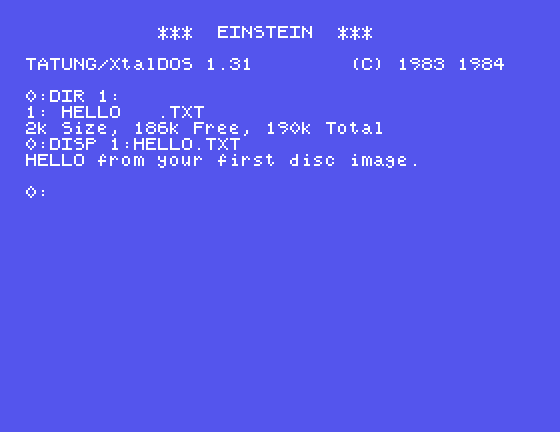
You changed five bytes of a disc image with a program you wrote, and a disc operating system from 1984 read them back. Every section from here on is that, done with more understanding each time.
Make each change in change.py, run it, and look at CHANGED.DSK in MAME.
b"HELLO" to b"Jello". What will DISP show?b"first" instead of b"Hello", and replace those five bytes with b"FIRST". Which number in the second line of output changes, and by how much? Why that much?b"Hi" - only two bytes. Look at what print shows afterwards, and at the image's length. What has happened to the image, and what do you expect MAME or DISP to make of it?| Symptom | Cause |
|---|---|
FileNotFoundError: [Errno 2] No such file or directory: 'FIRST.DSK' | FIRST.DSK is not in the folder the terminal is in. cd into edisc, and check the file is there |
find prints -1 | The bytes searched for are not in the image - a typing difference, or capitals where the image has small letters. -1 is how find says "not found" |
TypeError: 'bytes' object does not support item assignment | You tried to change a bytes. Make it a bytearray first |
MAME closes at once, and the terminal shows Caught unhandled St16invalid_argument exception: Incorrect layout on track 7 head 0, ... | The image is no longer the size its own headers say. Replacing 5 bytes with 2 made it 3 bytes shorter (215,293), and everything after the change moved 3 places. Replace bytes with the same number of bytes |
A byte in Python is a bytes or, if you want to change it, a bytearray. You can make them from numbers, read and change them by position (from 0), take slices, search them with find, and write them to a file and read them back with open in "wb" and "rb" modes. A disc image is just such a file - and you have already changed one and had the Einstein agree.
S6, Doing It Again - loops and functions, and the dump helper that shows any part of a disc image as rows of hex.
This form is protected by reCAPTCHA, and the Google Privacy Policy and Terms of Service apply.
