module
1
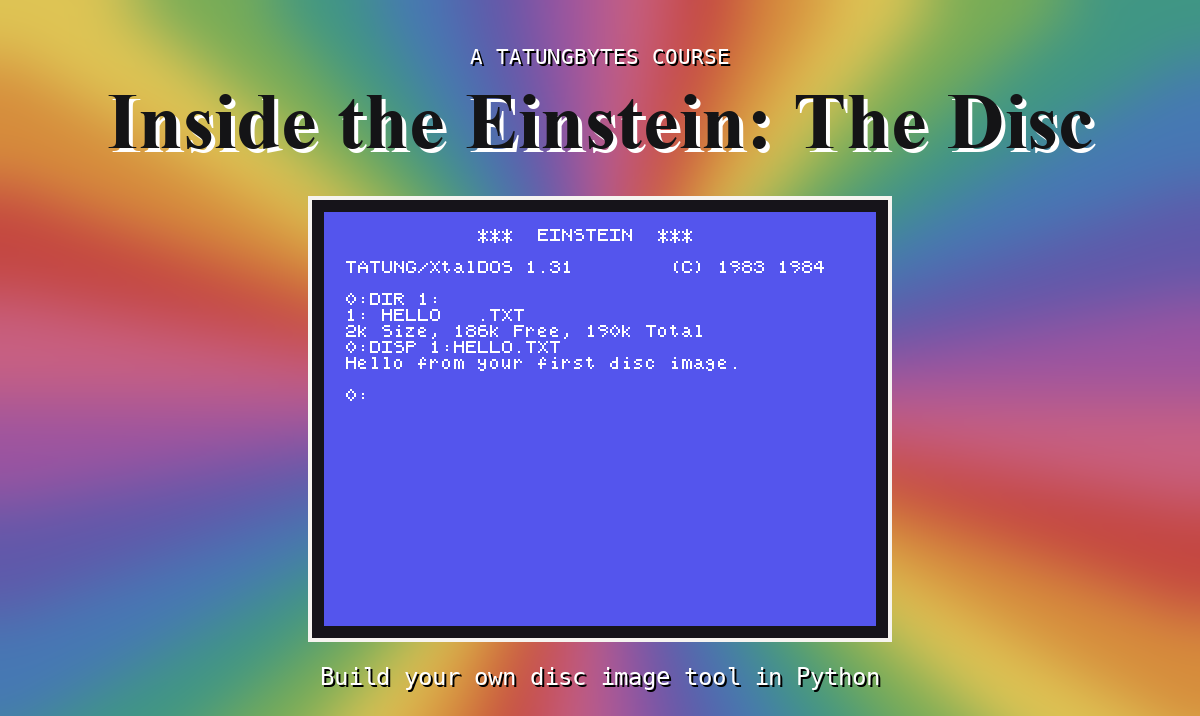
Somewhere on your computer, perhaps, there is a file whose name ends in .dsk: a copy of a floppy disc from a Tatung Einstein, the kind of file you put into an emulator to play a game or run an old program. This course is about what is inside that file - every byte of it - and you learn it by writing a program that can open one, read it, and make new ones.
You do not need to know how to program. You do not need to know anything about discs. The course starts at the very beginning, with installing Python and making a single byte, and goes from there one step at a time.
A program called edisc.py that does six main things to an Einstein disc image (and a handful of smaller ones along the way):
| Command | What it does |
|---|---|
list | Shows the files on the disc, with their sizes |
dump | Shows you the raw bytes of any part of the disc |
extract | Copies a file off the disc onto your computer |
create | Makes a brand-new, empty disc image |
add | Copies a file from your computer onto a disc image |
remove | Deletes a file from a disc image |
It is one file of Python, and you write all of it yourself, starting from an empty file. Each section adds one piece, and you run it as soon as the piece is in.
Here it is at the end of the course, listing a practice disc and showing you the raw bytes where that list comes from:
python3 edisc.py list FILES.DSK
README.TXT       128 bytes    2K  1 extent(s)  locked
STORY.TXT      20096 bytes   20K  2 extent(s)
NUMBERS.BIN     3072 bytes    4K  1 extent(s)
3 file(s): 26k Size, 162k Free, 190k Total

python3 edisc.py dump FILES.DSK 2 0
Track 2, sector 0: bytes 11264 to 11775 of the image
000000  00 52 45 41 44 4D 45 20 20 D4 58 54 00 00 00 01  .README  .XT....
000010  01 00 00 00 00 00 00 00 00 00 00 00 00 00 00 00  ................
...
By the end you will be able to say what every one of those bytes means.
And then you check it on an Einstein. Every time your program changes a disc image, you put that image into an emulated Einstein and ask the Einstein's own disc operating system what it sees. If it lists your file, with the right name and the right size, your program got every byte right - not because your program says so, but because a piece of software written in 1984, which has never heard of you, agrees.
An Einstein floppy disc holds 204,800 bytes - a byte being one small number, which you will meet properly in S4. They are not one long row. The disc is divided into 40 tracks - rings, one inside another - and every track is divided into 10 sectors of 512 bytes:
 track 0   [ sector ][ sector ][ sector ] ... ten of them, 512 bytes each
 track 1   [ sector ][ sector ][ sector ] ...
   ...
 track 39  [ sector ][ sector ][ sector ] ...

 40 tracks x 10 sectors x 512 bytes = 204,800 bytes
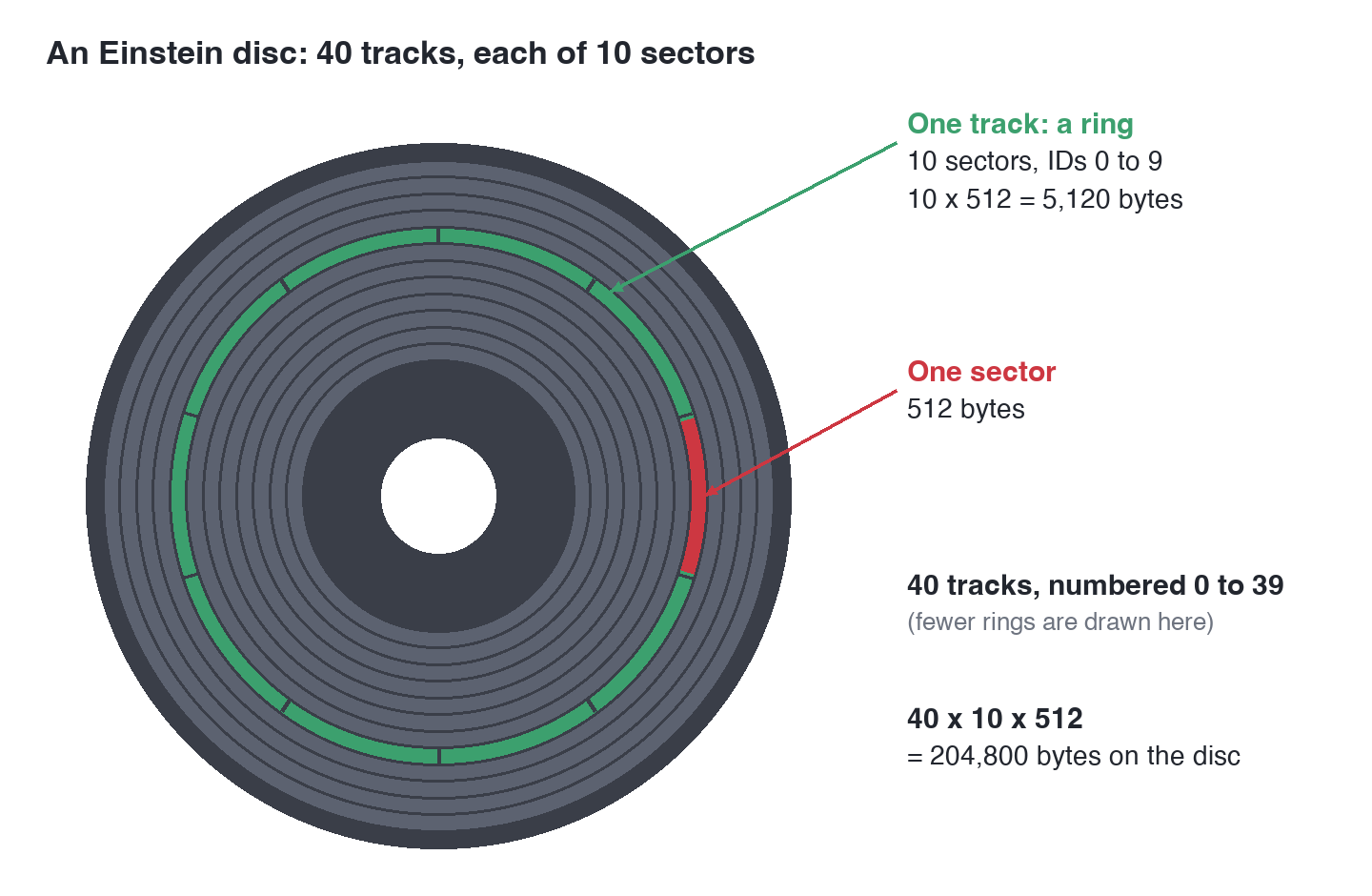
Which of those sectors hold your files, which hold the list of what files there are, and how a file too big for one sector is spread across several, is what most of this course is about. It is simpler than you might expect, and when you have finished you will be able to point at any byte on a disc and say what it is for.
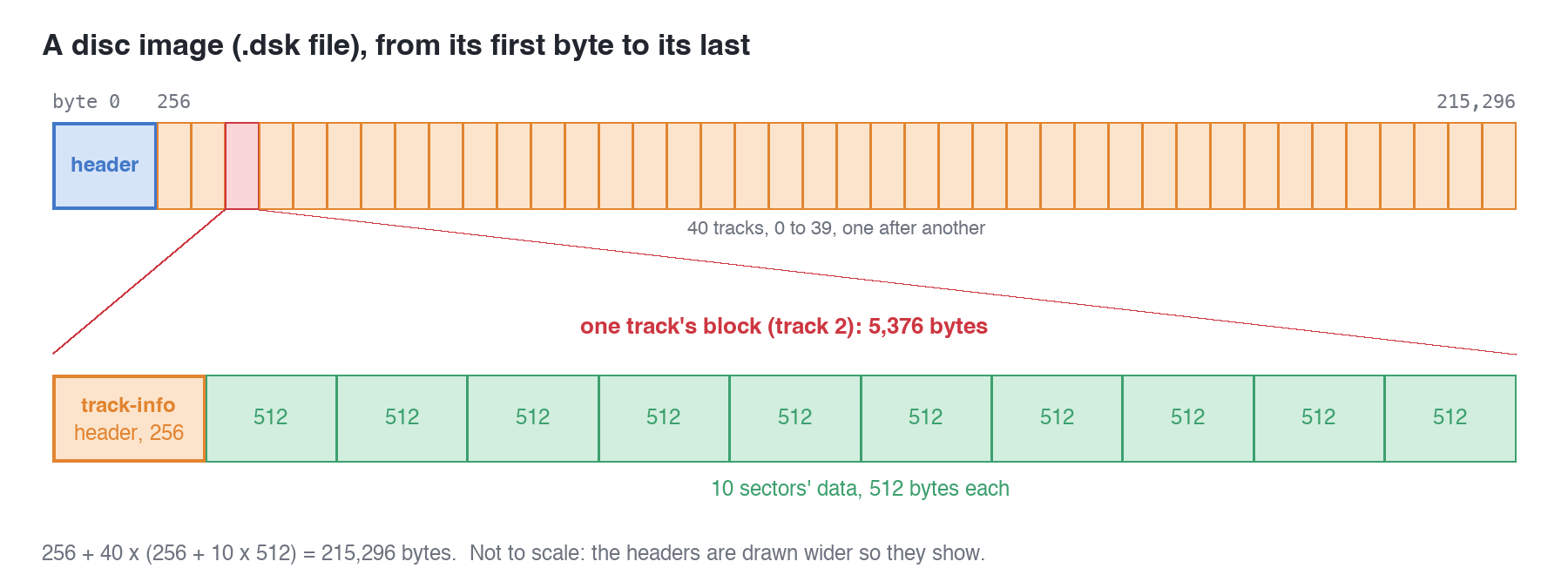
A disc image is those 204,800 bytes, copied into a file on a modern computer - but not only those bytes. An image for an emulator also carries a few headers saying how the disc is laid out, and an emulator that is handed the bare bytes without them refuses to load the file at all. A blank Einstein disc image is 215,296 bytes: the disc's own bytes and the headers that wrap them. After Part one, which gets you started in Python, Part two of the course takes that wrapping apart, Part three reads the disc inside it, and Part four builds both from nothing.
Nothing.
You do not need to have programmed before, and you do not need to know Python. S2 installs it and runs your first program; S4 to S7 teach the basics, and every later section explains any new Python the moment it is needed. Everything is explained as it comes up, and nothing is used before it has been explained.
If you already know Python, the first sections will go quickly. Read the parts about bytes anyway: they are where this course begins in earnest.
You never need the emulator to do the work. Your program runs on your own computer. The emulated Einstein is only there to look at what your program made - and that is the only thing it can do, because the Einstein cannot change a disc image while it is running in MAME. Every change to a disc image in this course is made by your program.
Every section has the same shape.
All three are worth a message, and the last one most of all.
S2, Python On Your Computer - installing Python, finding the terminal, and running your first program.
This form is protected by reCAPTCHA, and the Google Privacy Policy and Terms of Service apply.
