Kuma Computers, who also sold the Zen assembler, published a spreadsheet for the Einstein in 1984, called simply Spreadsheet. It works much like the spreadsheets of today: a grid of cells, some holding words, some numbers and some formulas that add up the others, with every total ready to change when a figure does. It has a status panel, a menu, two pages of built-in help and a set of CTRL and GRAPH shortcuts.
This guide builds a small household budget in it, then saves it, loads it back and prints it. Everything here was done in MAME with the library's Spreadsheet disc. No manual has turned up, but the program's own help pages list its keys.
The Spreadsheet disc. It boots by itself to the DOS 0: prompt. Besides the spreadsheet, SPREAD.COM, it carries a collection of other people's CP/M utilities and their documents, which this guide does not cover.
Under MAME, set up the Einstein as in Setting Up MAME, and use an .mfi disc image, which MAME can save to; DSK, MFI and SCP explains how to convert the .dsk. To print, add a printer that writes to a file, as described under Printing.
mame einstein -window -flop1 spreadsheet.mfi
At the 0: prompt type SPREAD and press ENTER. It takes several seconds to load, and then shows its title:
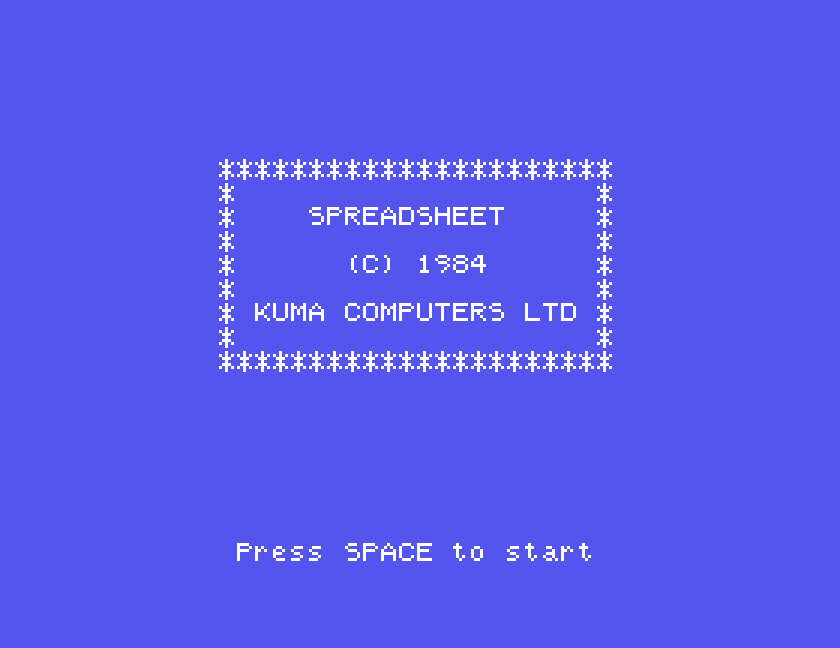
Press SPACE, and the empty sheet appears:
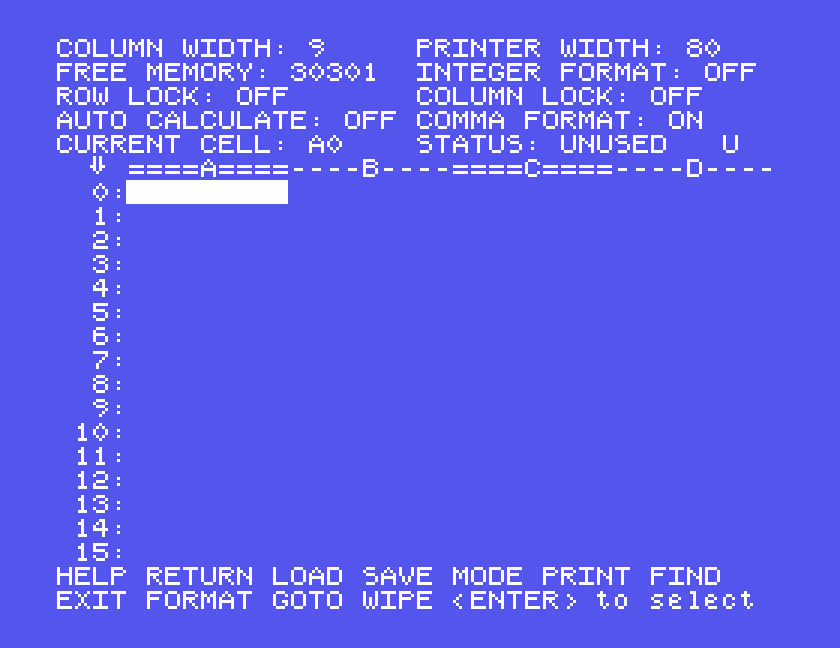
The panel at the top shows the settings and, on its last line, the current cell and its status: UNUSED, TEXT, NUMERIC or, while you type one, FORMULA. Below it is the grid: columns lettered from A, rows numbered from 0, so the top left cell is A0. Along the bottom is the command menu.
The Einstein's two grey cursor keys move from cell to cell: the horizontal one right, and with SHIFT left; the vertical one down, and with SHIFT up. In MAME they are your Tab key and your Down arrow, with Shift as before.
CTRL-G jumps straight to a cell: it asks for the cell, you type B1 and ENTER.
Put the cursor on a cell, type, and press ENTER. A word is stored as text; a number is shown with two decimal places, so 400 appears as 400.00.
ENTER moves the cursor on to the next cell, in whichever direction you last moved: down, when you start. That makes a column quick to fill, a word and ENTER at a time, but it catches you out after you have moved sideways, when ENTER moves along the row instead. Press the vertical cursor key once after moving across, and ENTER goes down again.
For the budget, starting at A0:
RENT, FOOD, HEATING and PHONE, each followed by ENTER, fill A0 to A3.TOTAL in A5.400. Then press SHIFT with the horizontal cursor key, to come back to B0, and the vertical cursor key, to go down to B1, so that ENTER will go downwards again.150, 60 and 25, each followed by ENTER, fill B1 to B3.A formula starts with /. The formula line opens at the top of the screen and the status changes to FORMULA. Type the formula and press ENTER.
To add up the budget, go to B5 and type:
/SUM(B0,B3)
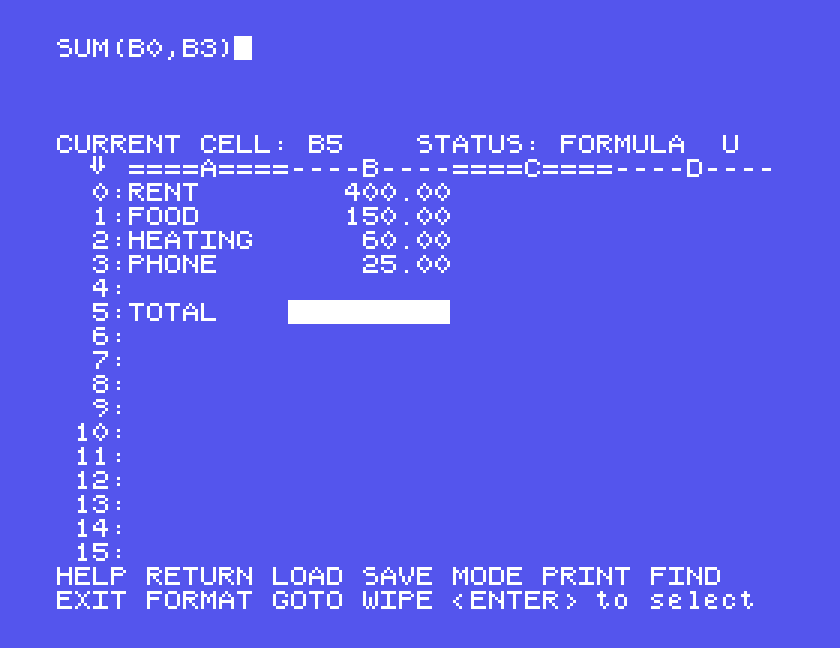
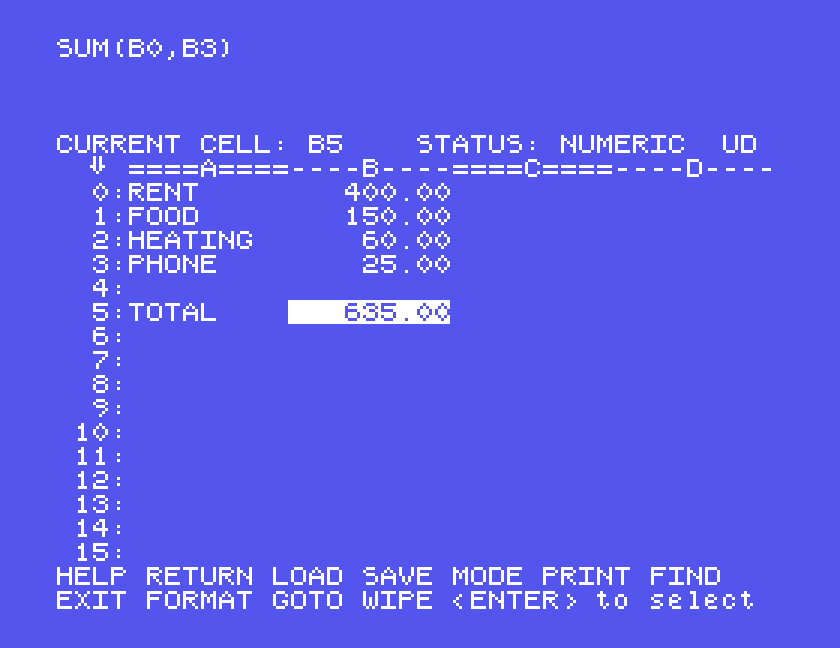
The total appears: 635.00. B0,B3 means every cell from B0 to B3, not just those two: a sum of the two alone would be 425. Whenever the cursor is on that cell, its formula is shown at the top of the screen.
Formulas can also be plain arithmetic: /A0+A1 adds two cells, and brackets work, as in /(A0+A1). The formula line will not take a colon, so SUM(B0:B3), the modern way of writing a range, cannot be typed.
When a formula will not go in, the line simply stays open, and ENTER does nothing. DEL rubs out a character at a time.
Besides SUM, the program has MEAN, MAX and MIN; we tried only SUM.
Auto calculate starts off. Change a figure, and the total does not change with it:
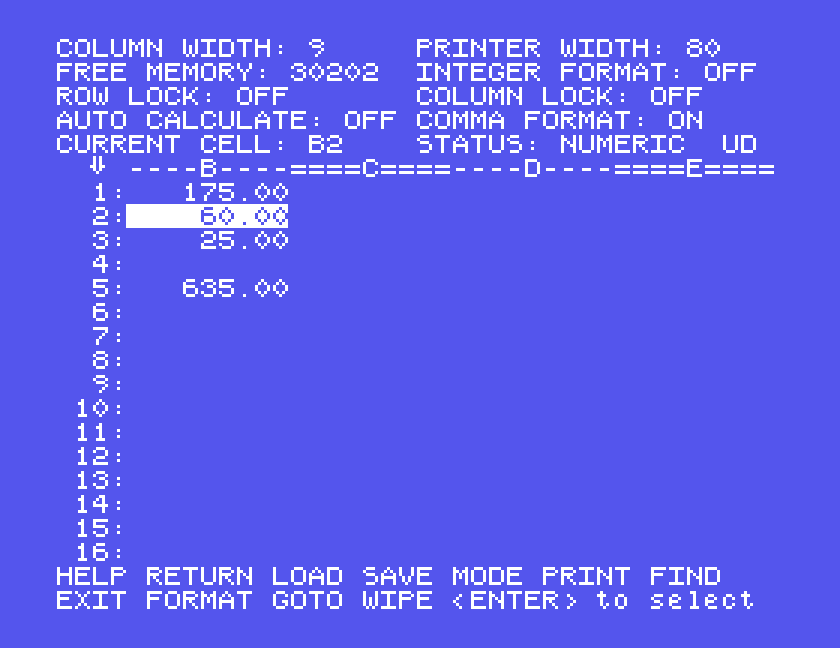
CTRL-R recalculates, and the total becomes 660.00.
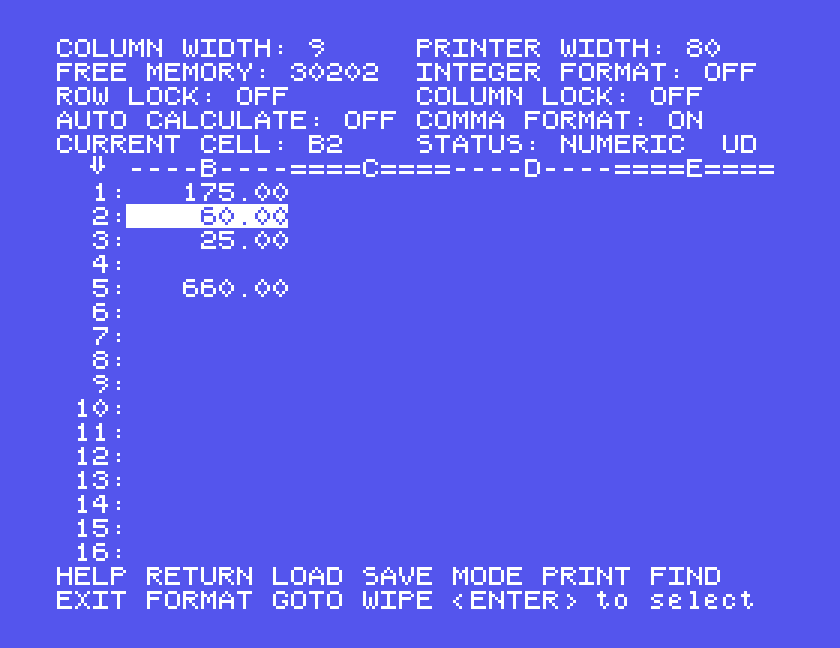
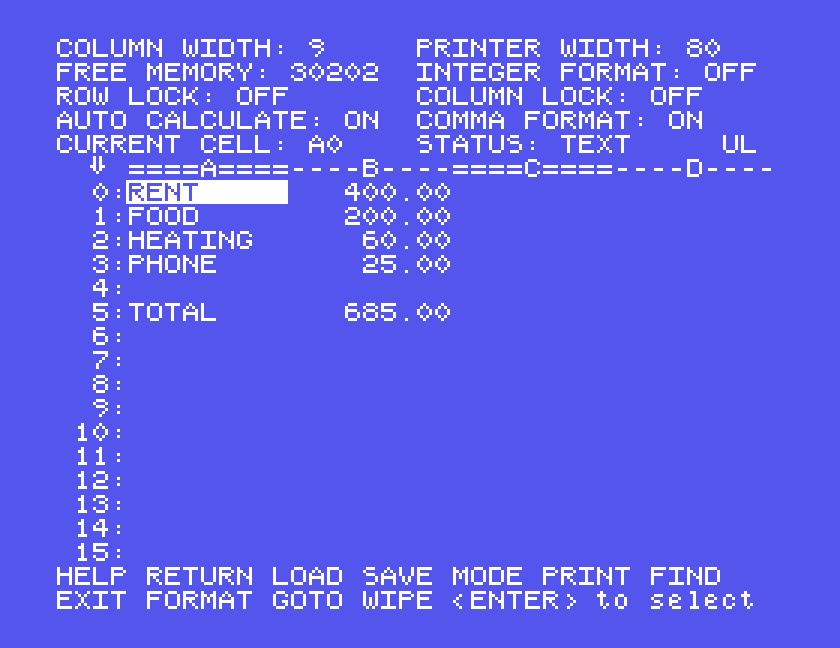
GRAPH-2 switches auto calculate on, and the status panel says so. After that, changing FOOD to 200 changed the total to 685.00 straight away. In MAME, GRAPH is your F8 key.
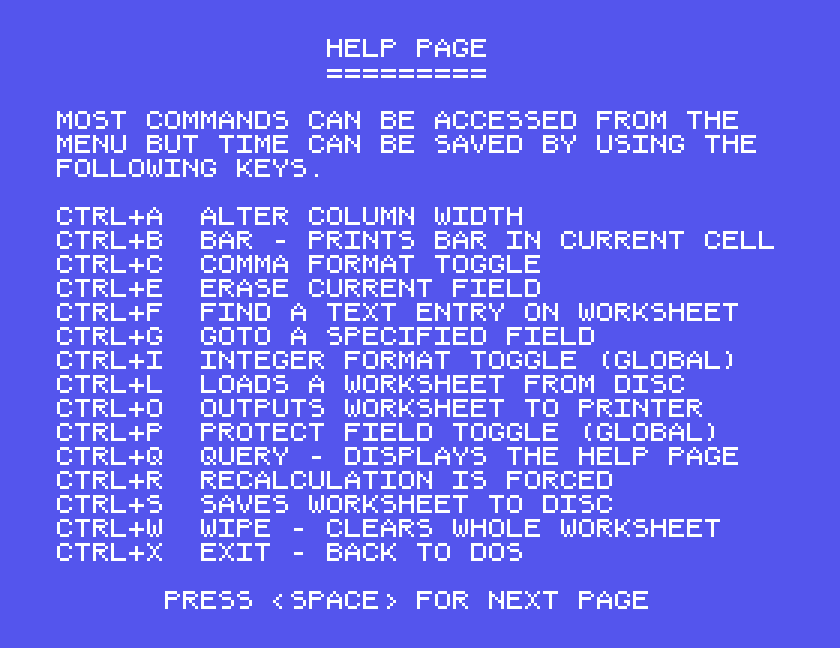
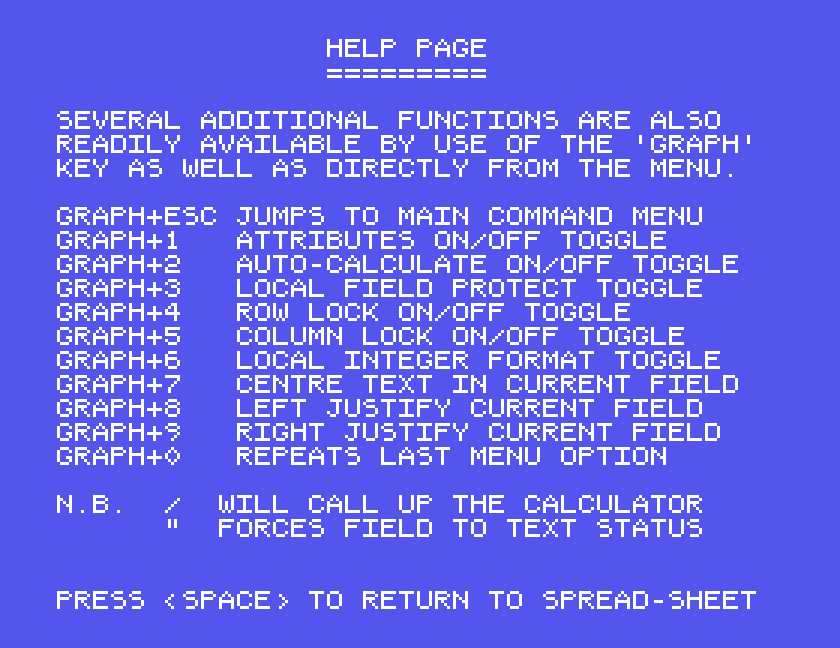
CTRL-Q shows two pages of help, a SPACE apart: the CTRL keys first, then the GRAPH keys.
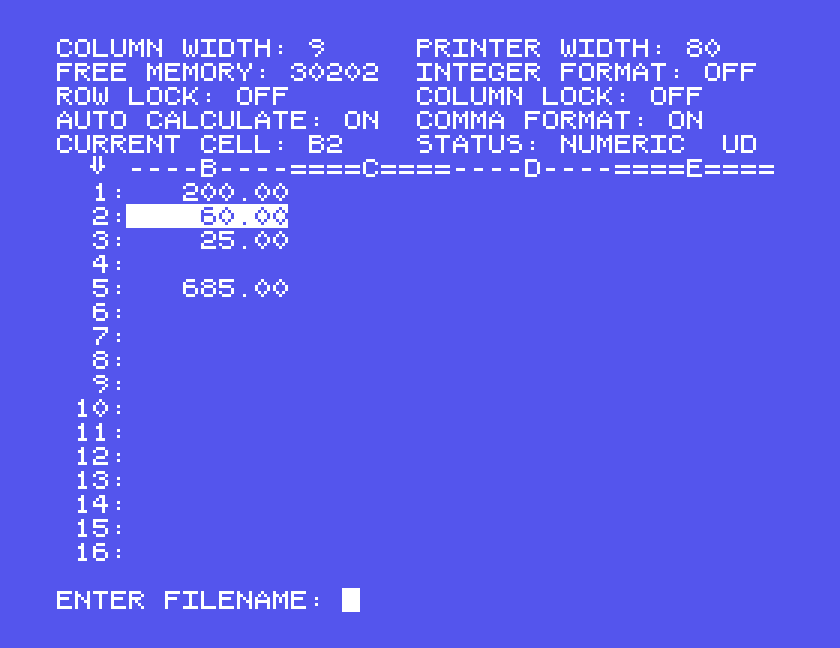
CTRL-S saves. It asks ENTER FILENAME:; type a name and ENTER. The Spreadsheet adds .SDT, so BUDGET is saved as BUDGET.SDT.
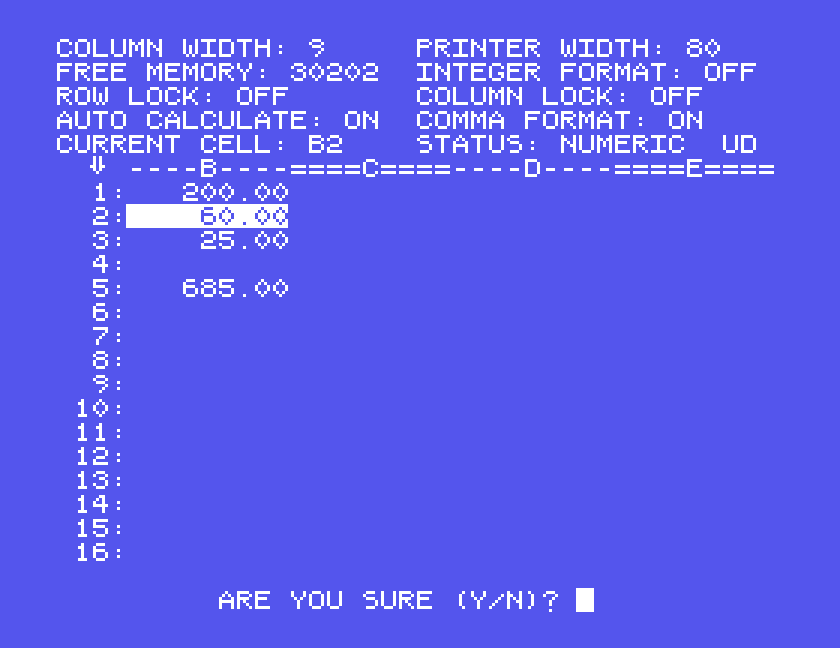
CTRL-W wipes the whole sheet, after asking ARE YOU SURE (Y/N)?. CTRL-L loads a sheet: it asks for the name in the same way. Our budget came back from BUDGET exactly as it was saved.
CTRL-O prints what is on the screen: the part of the sheet in view, with its row numbers and column letters. Go to A0 first with CTRL-G, or the columns to the left of the cursor are left out.
Under MAME, give the Einstein a printer that writes to a file:
mame einstein -window -flop1 spreadsheet.mfi -centronics printer -prin budget.prn
The budget came out like this:
    ====A====----B----====C====----D----
  0:RENT        400.00
  1:FOOD        200.00
  2:HEATING      60.00
  3:PHONE        25.00
  4:
  5:TOTAL       685.00
Each line ended with a carriage return and no line feed, so a printer that does not add its own line feed would print every line on top of the last. The program also has print settings, among them an automatic line feed; we did not try them.
CTRL-X goes straight back to DOS, without asking and without saving. Save first.
| Key | Does |
|---|---|
| grey cursor keys, with SHIFT | move between cells |
| ENTER | store the entry and move on |
| / | start a formula |
SUM(B0,B3) | the total of B0 to B3 |
| CTRL-G | go to a cell |
| CTRL-R | recalculate |
| GRAPH-2 | auto calculate on and off |
| CTRL-Q | help |
| CTRL-S, CTRL-L | save, load |
| CTRL-W | clear the sheet (asks first) |
| CTRL-O | print what is on screen |
| CTRL-X | back to DOS, without asking |
If you used Kuma's Spreadsheet, or have its manual, we would like to hear from you. The contact form is at tatungbytes.co.uk/contact.