module
1
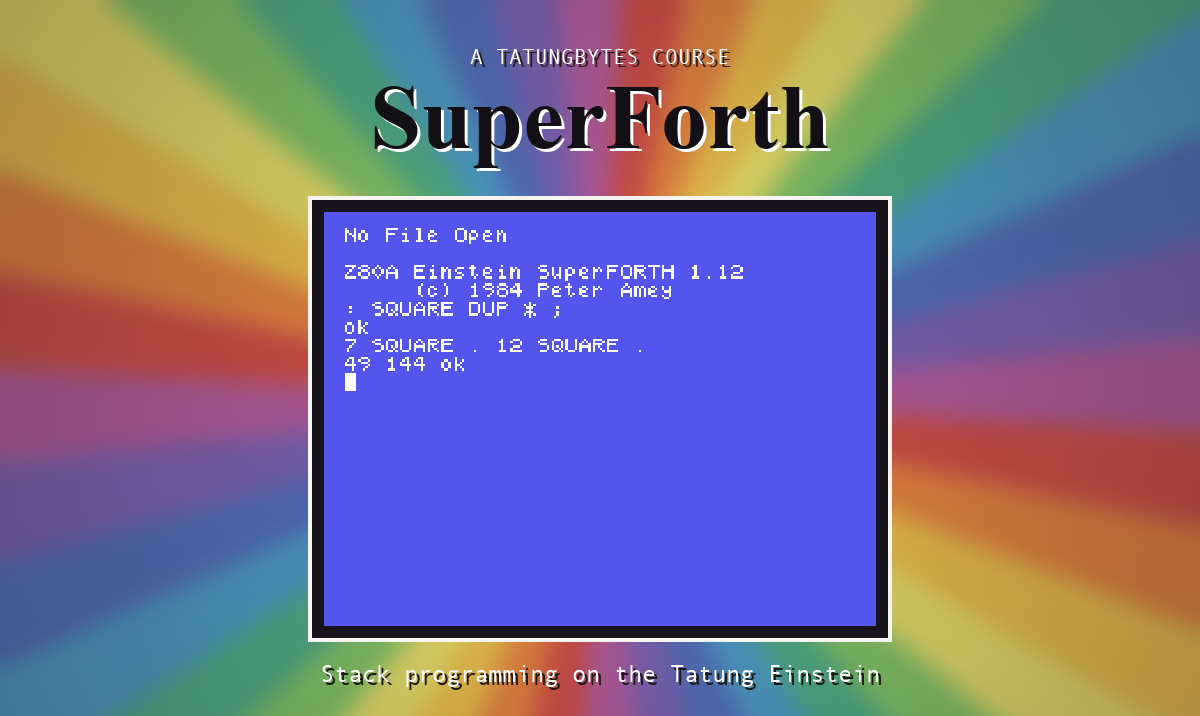
Most languages give you a fixed set of instructions and ask you to arrange them. Forth gives you a small set of words and asks you to make more. You write a program by teaching the language new words, each built from the ones it already knows, until the thing you wanted to do is a single word and you type it.
That makes it a strange language to meet and a very good one to meet a small computer through. There is nothing to set up and nothing to compile. You type a line, and the machine answers.
Forth was invented by Charles Moore around 1970, to control radio telescopes at the National Radio Astronomy Observatory in the United States. He wanted something small enough to fit in a tiny machine, fast enough to steer real equipment, and open enough that he could change any part of it. He got all three by building the language out of itself.
Two ideas do most of the work.
The first is the stack. When you type a number, SuperForth does not ask what it is for. It puts it on a pile and waits. Type another and it goes on top. Words then help themselves from the top of the pile: a word that prints a number takes one off and prints it, and the pile is one shorter. There are no brackets and no precedence to remember, because by the time a word runs everything it needs is already sitting there.
The second is the dictionary. Every word SuperForth knows is an entry in it. You add an entry by typing a colon, a name, what the word should do, and a semicolon. From that moment your word is as much a part of the language as the ones it came with.
SuperForth is the Einstein's Forth. It was written by Peter Amey and is dated 1984, and its manual credits the Forth Interest Group, whose public model of the language a great many Forths of the period were built from.
When SuperForth starts it says what it is:
Z80A Einstein SuperFORTH 1.12
     (c) 1984 Peter Amey
That number matters. SuperForth was not released once and left alone: it went through a number of versions, and they are not the same program with a different label. A word that is there in one may be missing from another, or be there and behave differently.
This course covers version 1.12, and only that. Everything in it is about 1.12: every listing, and every result it describes. S2 gives you a disc with exactly that version on it, so if you use that disc you never have to think about this again.
If you have a SuperForth disc of your own, look at the sign-on before you start. If it says 1.12, you are on the same ground as the course. If it says anything else, you are welcome to follow along, but expect it to differ in places, and where it does, believe your machine rather than this course.
The same goes for other Forths. If you already know one, be careful: Forth looks far more uniform than it is. Words with the same name can take different things from the stack, leave different things behind, or be missing altogether. This course describes what this one does.
The Tatung Einstein is a British computer, built around the Zilog Z80 processor and sold from 1984. It came with a disc drive built in at a time when most home computers loaded from cassette, and SuperForth leans on that: it keeps your programs in files on the disc.
You do not need to own one. The course runs on an emulator.
This course is a collection of small programs, not one big one.
Each section takes one thing, explains it, and gives you a few short lines that show it working. The programs stand on their own: you can run any of them from a cold start without having typed in anything from an earlier section.
That suits Forth particularly well. A Forth program is already a pile of small words, each one tried at the keyboard the moment it is written, and a course that marched thirty sections towards a single large program would be working against the language. It also means that if you stop halfway you have a collection of words that work rather than half of something that does not.
The first half of the course is the language itself: the stack, arithmetic, making words, keeping them on disc, making decisions and repeating things. The second half is the Einstein. The SuperForth disc carries a set of extension files, among them GRAPHICS, SPRITES, SOUNDS and FLOAT, and one called GAME, which the manual describes as a simple arcade game put there for people to read and extend. The course works through them, and ends up reading that game.
Nothing.
You do not need to have programmed before. Everything is explained as it comes up, in the order you need it.
If you have programmed before, expect SuperForth to feel unfamiliar rather than hard. Writing 2 3 + instead of 2 + 3 takes about a day to stop noticing. Holding a picture of the stack in your head takes a little longer, and the sections that ask you to do it go slowly on purpose.
Three things, all free: the MAME emulator, the Einstein's ROM image, and the SuperForth course disc from the Downloads page. S2 installs them, on macOS, Windows or Linux, and finishes with SuperForth running in front of you.
If you have a real Einstein and a SuperForth disc, you are very welcome to follow along on it. The course is written and checked against the emulator, so where the two differ you will be ahead of us, and we would like to hear about it. S2 begins with what is different for you.
Every section has the same shape.
All three are worth a message, and the last one most of all.
If something here is wrong, please say so. A wrong sentence that nobody reports stays wrong for everyone who reads it next.
If something is unclear, that is a fault in the writing rather than in you. Every section was checked by somebody who already knew the answer, which is exactly the wrong person to judge whether an explanation works.
And if you think you could improve it, please do. A clearer explanation, a missing section, a worked example, or notes on getting the emulator running on Windows or Linux. Say what you have in mind before writing anything substantial, so we can check it is not already in hand.
Whichever of the three it is, the contact form is at tatungbytes.co.uk/contact.
SuperForth is a language you extend rather than merely use, built on a stack of numbers and a dictionary of words. There were several versions of it; this course covers 1.12 and nothing else, as a run of small programs that each stand alone. You need an emulator, a ROM and one disc, all free.
S2, Setting Up: installing the emulator, fetching the ROM and the disc, and getting SuperForth running on your own machine.
This form is protected by reCAPTCHA, and the Google Privacy Policy and Terms of Service apply.
