module
19
.png)
Everything on screen so far is nailed to the 8 x 8 grid. To move a tile you rewrite the map, and it can only ever land on a cell boundary.
A sprite is not like that. It is a small picture the VDP draws over the background, positioned to the individual pixel, and moving one costs two bytes. The background is not disturbed, nothing is redrawn, and you do not have to erase where it used to be.
That is the difference between a screen and a game.
Two tables, and by now they will feel familiar.
| Table | Where | High byte | What it holds |
|---|---|---|---|
| Sprite patterns | 1800h |
88 | The shapes. 8 bytes each, like a tile |
| Sprite attributes | 3B00h |
123 | Where each sprite is and what it looks like |
There are 32 sprites, and each gets four attribute bytes:
| Byte | What it is |
|---|---|
| 0 | Y - vertical position |
| 1 | X - horizontal position |
| 2 | Pattern number - which shape, 0 to 255 |
| 3 | Colour in the low nibble, and the early clock bit as bit 7 |
Write those four bytes and a sprite appears. Write two of them again and it moves. The VDP does the rest, every frame, for ever.
Position is the sprite's top-left corner, in pixels, not cells - with one quirk. Y is off by one: the byte names the line above the sprite, so writing 100 puts the top row of pixels on line 101. And it wraps: 255 means flush with the top edge of the screen, and values just below 255 hang partly off the top - which is how something slides in from above. X has no offset; sliding in from the left needs the early clock bit, further down.
        ; --- the shape, into sprite pattern 0
        LD A,0
        OUT (9),A
        LD A,88         ; 40h + 18h - the sprite pattern table
        OUT (9),A

        LD HL,face
        LD B,8
sp:     LD A,(HL)
        OUT (8),A
        INC HL
        DJNZ sp

        ; --- sprite 0's attributes
        LD A,0
        OUT (9),A
        LD A,123        ; 40h + 3Bh - the sprite attribute table
        OUT (9),A

        LD A,100        ; Y
        OUT (8),A
        LD A,120        ; X
        OUT (8),A
        LD A,0          ; pattern number
        OUT (8),A
        LD A,15         ; colour 15, white
        OUT (8),A

face:   DEFB 00111100b
        DEFB 01000010b
        DEFB 10100101b
        DEFB 10000001b
        DEFB 10100101b
        DEFB 10011001b
        DEFB 01000010b
        DEFB 00111100b
Put that after S18's screen-building code, or after a plain cleared screen,
and finish with JP $.
What you should see
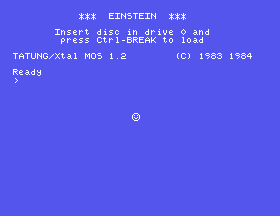
A white face, eight pixels across, its top-left at (120, 101) - the off-by-one at work - and nothing else on the screen disturbed. No tile was changed to make room for it. It is simply drawn on top.
Now the thing worth the section.
The sprite pattern table is MOS's font. 1800h is where the machine keeps
its 256 character glyphs - eight bytes each, at 1800 + code * 8 - and it is
also where the VDP looks for sprite patterns. They are the same memory.
Which means sprite pattern 65 is the letter A. Try it: set a sprite's
attributes with pattern number 65 and write no pattern at all.
        LD A,0
        OUT (9),A
        LD A,123
        OUT (9),A
        LD A,100
        OUT (8),A
        LD A,120
        OUT (8),A
        LD A,65         ; pattern 65 - which nobody wrote
        OUT (8),A
        LD A,15
        OUT (8),A
You get a letter A, moving freely about the screen, from four bytes.
Every glyph in the font is a ready-made sprite. The letters and digits, and better, the graphics characters at 128 to 255 from Appendix I - arrows, boxes, fractions, line segments. A whole set of shapes, already drawn, already in VRAM, costing nothing.
For a first game that is a genuine shortcut. Your player can be an arrow and your bullets can be full stops, and you can get on with making it work before you spend an evening designing sprites.
Worth being explicit, because the two facts sit close together and it is an easy leap to make.
When the machine prints a character it does not create a sprite. It reads that glyph's eight bytes from the font and copies the pixels into the bitmap, at the cursor's position - the same bitmap S15 described. The letter is then just pixels, indistinguishable from anything else drawn there.
Which is why a full line of forty characters is possible at all. If text were sprites you would hit the four-per-line limit at the fifth letter.
What is shared is only the memory. The VDP has been told, by register 6,
to look for sprite patterns at 1800h - and that is where the font lives. So
the same 2048 bytes have two readers:
Neither disturbs the other. It is not a muddle but a saving: the machine needs a font in video memory anyway, so pointing the sprite table at it costs nothing and gives every program 256 shapes for free.
The same fact, from the other side: writing a sprite pattern destroys a character.
Sprite pattern 65 and the letter A are the same eight bytes. Write your own
shape there and every A the machine prints afterwards is your shape.
The face program above gets away with it because it uses pattern 0, and codes 0 to 31 are control codes with blank glyphs - nothing to lose. That is the safe range: sprite patterns 0 to 31 cost you nothing.
Above 31 you are trading a character for a shape. Three ways to live with it:
LD A,0 then LD A,134 to port 9
puts it on bank 0 - and sprite patterns and tiles become the same numbers:
a sprite with pattern 65 draws tile 65. Tile numbers your map never uses
are then free sprite shapes, and the font is untouched.And if you took S17's advice and copied the glyphs you need into tile
patterns, the originals at 1800h have already done their job - spend them
freely.
This is why sprites exist:
        LD A,0
        OUT (9),A
        LD A,123
        OUT (9),A
        LD A,newy
        OUT (8),A
        LD A,newx
        OUT (8),A
Two bytes. No erasing, no redrawing, nothing to put back. The background is untouched because the sprite was never in the background.
Compare that with moving a tile: blank the old cell, write the new one, and accept that it can only ever be in one of 768 places.
Worth being precise, because it is easy to expect too much.
32 sprites, numbered 0 to 31. Sprite 0 is in front, sprite 31 behind, and that order is fixed - it is the entry's position in the table, not something you set.
Only four on any one horizontal line. A fifth on the same line is simply not drawn on that line. Not corrupted, not unpredictable - not drawn. The VDP also records which sprite it was, in a status register this course has not opened yet.
Y = 208 stops everything. If the VDP finds 208 in a sprite's Y byte it stops processing sprites there and ignores every later entry. That is how you switch off the ones you are not using - one byte disables all the rest. It is also a trap: if a moving sprite's Y ever computes to exactly 208, every sprite behind it in the table vanishes.
Colour 0 is transparent, as everywhere else. A sprite with colour 0 is positioned, processed, and invisible - which is what all 32 are doing right now, before you touch anything.
The early clock bit, bit 7 of the colour byte, shifts the sprite 32 pixels left. It exists so a sprite can slide in from the left edge, which plain X cannot express because X is unsigned. Set the bit, use X from 0 to 31, and the sprite is partly off the left of the screen.
And it moves nothing for you. The VDP draws and layers. Changing Y and X every frame is your job, and how often "every frame" is remains a question this course has not answered yet.
A with the ROM
call from S3 on a screen that still has its bitmap. Look at what you get.19.1 - Five sprites in a row. Put five sprites side by side on the same line, in five different colours, using font patterns. Then count how many you can see and explain the number.
19.2 - Move it. Write a loop that increases X by one, with a delay, so the sprite crosses the screen. Compare the effort with exercise 17.6, which moved a tile.
19.3 - Diagonally, and bounce. Give the sprite an X step and a Y step held in memory, and negate the relevant one when it reaches an edge.
19.4 - Two sprites, one shape. Point two sprite entries at the same pattern number and different colours. How much memory did the second sprite cost?
19.5 - Switch them off. Put four sprites on screen, then write 208 into the Y byte of the second. Which ones remain, and why exactly those?
19.6 - A sprite from the font. Look through Appendix I's graphics range, pick a shape that suits a game object, and use it with no pattern data at all. Note its code in a comment so you can find it again.
| What you see | What it means |
|---|---|
| No sprite at all | Colour 0 in the low nibble - transparent. Or a Y of 208 in an earlier entry has switched everything off. |
| The sprite is a letter or a piece of a box | The pattern number is picking up a font glyph. That is the table working as designed; choose 0 to 31 if you want it blank. |
| Text goes wrong after adding a sprite | You wrote a sprite pattern over a character's glyph. Use patterns 0 to 31. |
| Sprites vanish when several line up | Four per line. The fifth is not drawn on that line. |
| The sprite is 32 pixels left of where it should be | The early clock bit is set in the colour byte. |
| One sprite disappears behind another | Priority is the table position: lower number in front, and it is not adjustable. |
| A black screen and no error | Colon separators. One instruction per line. |
1800h (high byte 88), attributes at 3B00h (high
byte 123).S20. Bigger sprites. Eight pixels is a bullet, not a hero. One register bit turns every sprite 16x16 - four patterns, one attribute entry - and a second bit doubles the drawing again.
This form is protected by reCAPTCHA, and the Google Privacy Policy and Terms of Service apply.
