module
21

The Einstein has two joystick ports, and Dr Logo reads them with two primitives: one for where the stick is, one for whether the button is down.
This is also the section where Dr Logo's arithmetic finally bites, because a joystick reading is a number you have to do sums with.
?show paddle 0
128
paddle takes a number saying which axis you want:
paddle 0 | stick 1, across |
paddle 1 | stick 1, up and down |
paddle 2 | stick 2, across |
paddle 3 | stick 2, up and down |
Each one answers somewhere between 0 and 255, with the middle at 128. Ask for paddle 4 and you get an error.
?show buttonp 0
FALSE
buttonp 0 is stick 1's button and buttonp 1 is stick 2's. Each is TRUE only while its button is actually held, so it belongs inside something that runs over and over.
Here is the thing to get straight before you write anything longer than a line. The stick reads 128 in the middle, so to turn a reading into "how far from the middle" you want to subtract 128. This does not do it:
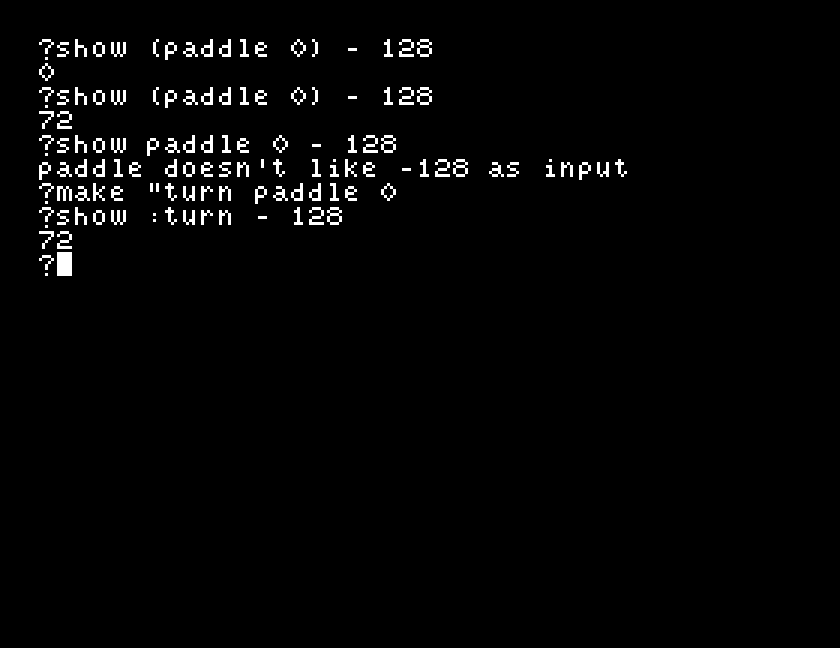
?show paddle 0 - 128
paddle doesn't like -128 as input
A primitive takes everything after it as its input. Dr Logo worked out 0 - 128 first, got -128, and handed that to paddle. The error message is the giveaway: it names -128, a number you never asked paddle for.
Two ways round it, and both are worth knowing:
?show (paddle 0) - 128
0
or take the reading first and do the sum afterwards:
?make "turn paddle 0
?show :turn - 128
0
While you are here: * and / happen before + and -, so 200 - 128 / 4 is 168 and not 18. Brackets sort that out too.
to steer
make "turn paddle 0
make "turn :turn - 128
rt :turn / 30
fd 3
if buttonp 0 [stop]
steer
end
Read the stick. Take 128 off it, so the middle becomes zero, one side becomes negative and the other positive. Turn by a thirtieth of that, and a negative turn goes the other way, which is why there is no test for which side of the middle the stick is on. Take three steps, check the button, go round again.
to steer
make "turn paddle 0
make "turn :turn - 128
rt :turn / 30
fd 3
if buttonp 0 [stop]
steer
end

cs
steer
Starting from
A fresh boot, at the ? prompt, with a joystick in port 1.
What you should see
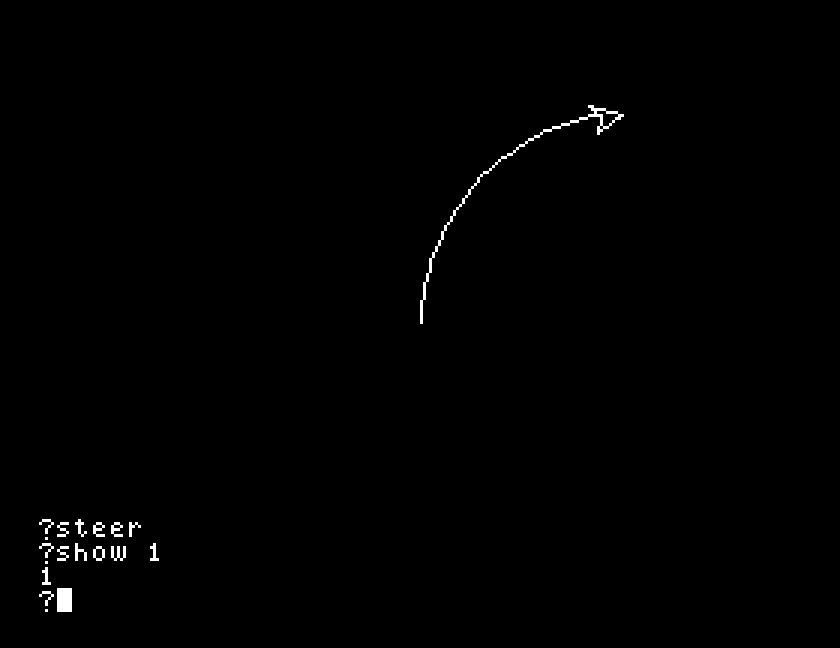
The turtle sets off up the screen. Push the stick right and it curves right; push it left and it curves left; let it go and it runs straight on. Press the fire button and it stops.
Pushed one way and then the other, it draws an S:
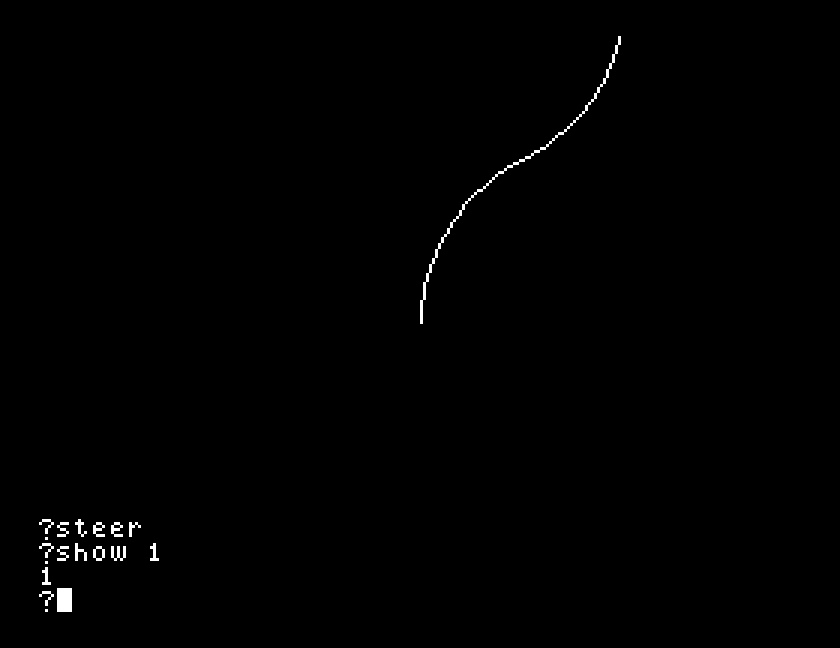
The reading is taken afresh every time round, which is what makes it steering rather than a shape decided at the start.
30 to 10. Then to 100. One of those is twitchy and one of them barely turns: which end do you prefer, and what does that number actually mean?paddle 0 for paddle 1 so the up-and-down axis steers instead. Does pushing forward turn the way you expect?if line and run it again. You will need ESC, and it is worth knowing that works before you need it.fd 3 with fd 1, and then fd 10. You are trading how smooth the curve is against how fast the turtle gets anywhere.| Symptom | Cause |
|---|---|
paddle doesn't like -128 as input | paddle 0 - 128. The sum happened first. Use (paddle 0) - 128, or a make and then the sum. |
paddle doesn't like 4 as input | There are four axes, numbered 0 to 3. |
buttonp 2 is always FALSE | There are two buttons, 0 and 1. A third is accepted and never true. |
| It only ever curves one way | The - 128 line is missing, so every reading counts as a right turn. |
| It will not stop | The if buttonp 0 [stop] line is missing or comes after the recursive call. ESC gets you out. |
paddle 0 to paddle 3 read the four joystick axes as numbers from 0 to 255, with 128 in the middle; buttonp 0 and buttonp 1 are the fire buttons. A primitive swallows the whole sum that follows it, so bracket the reading or take it into a variable first. Subtract 128 and you have a turn that works in both directions without asking which.
S22, drawing a chart: putting numbers on the screen as something you can look at.
This form is protected by reCAPTCHA, and the Google Privacy Policy and Terms of Service apply.
