module
18

make gives one value to one name. That runs out quickly: a person has a name and a phone number and an address, and inventing smithname, smithphone and smithaddress is the same mistake as writing square30 and square40 back in S12.
A property list attaches as many facts as you like to a single name.
pprop, put property, takes three things: the name, the property, and the value.
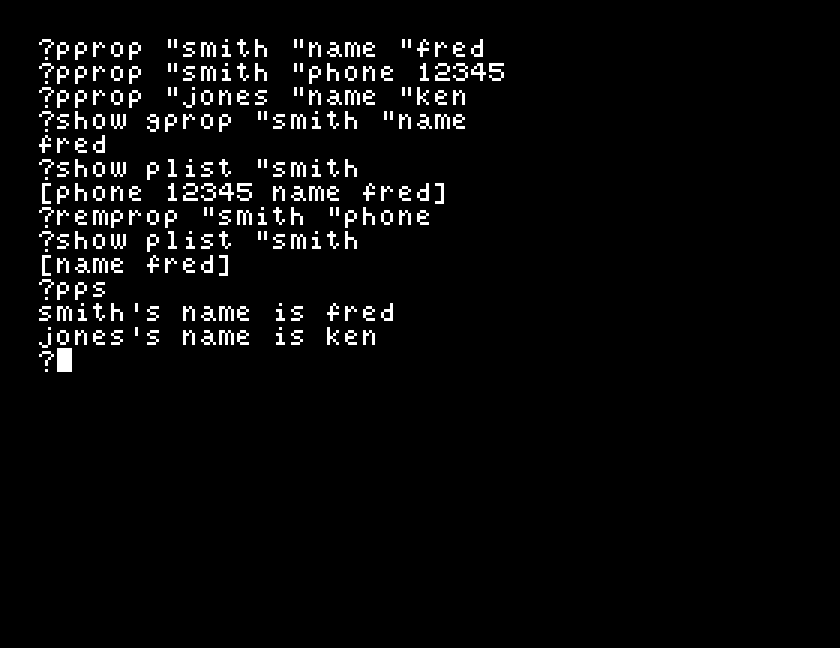
pprop "smith "name "fred
pprop "smith "phone 12345
smith is now something with two facts attached. Get one back with gprop:
?show gprop "smith "name
fred
or all of them with plist:
?show plist "smith
[phone 12345 name fred]
A flat list of pairs, property, value, property, value, most recently set first.
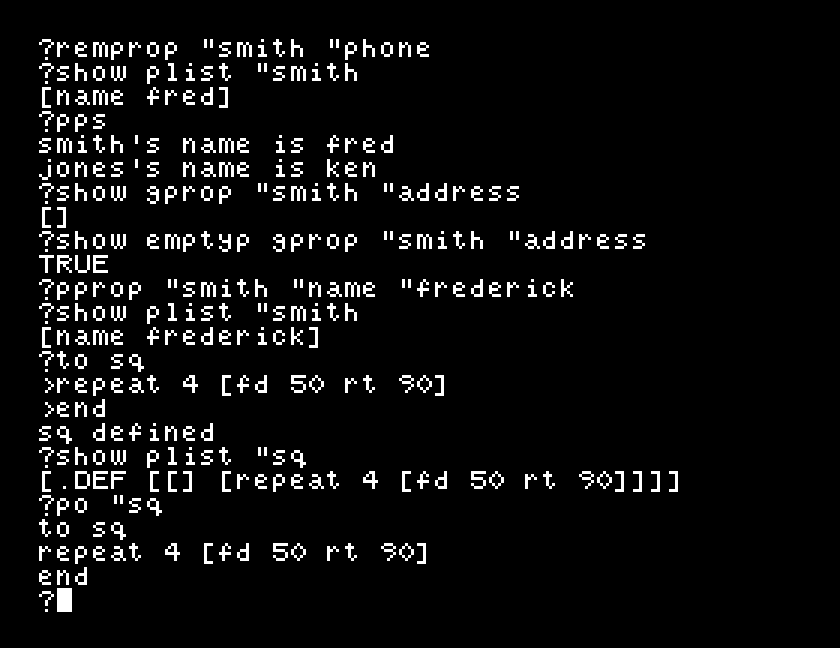
?show gprop "smith "address
[]
An empty list, not a complaint. That is different from a variable, where reading a name you never set gives address has no value.
It is also useful: emptyp tells you whether a fact is there, so a procedure can check before relying on it.
remprop removes a single property:
?remprop "smith "phone
?show plist "smith
[name fred]
and pps prints everything the workspace knows, in English:
?pps
smith's name is fred
jones's name is ken
Here is the part worth sitting with. Define a procedure and then look at its property list:
?to sq
>repeat 4 [fd 50 rt 90]
>end
?show plist "sq
[.DEF [[] [repeat 4 [fd 50 rt 90]]]]
Your procedure is a property list. Its definition is a property called .DEF hung on the name sq, and the value is an ordinary Logo list: the list of inputs, empty, because sq takes none, followed by the list of lines in the body.
The procedures of S9 and the lists of S15 are the same stuff. That is not a trick of the display; it is how the language is built.
pprop "smith "name "fred
pprop "smith "phone 12345
pprop "jones "name "ken
show gprop "smith "name
show plist "smith
remprop "smith "phone
show plist "smith
pps
Starting from
A fresh boot, at the ? prompt.
What you should see
fred
[phone 12345 name fred]
[name fred]
smith's name is fred
jones's name is ken
show gprop "smith "address. Then try show emptyp gprop "smith "address. How would a procedure use that second answer to decide whether it knows something?pprop "smith "name "frederick: the same property again, with a different value. Look at plist "smith afterwards. Did you get two names or one?show plist on its name. Then run po on the same name, quoted, po "sq. You are looking at the same thing twice: which of the two would you rather read, and what is the other one good for?| Symptom | Cause |
|---|---|
[] when you expected a value | That property was never set on that name. Check spelling with plist. |
I don't know how to fred | A value without its ". Same rule as S17. |
plist shows .DEF and things you did not put there | The name has a procedure on it too. .DEF is how Dr Logo stores it. |
| Setting the same property twice | The new value replaces the old one. You get one pair, not two. |
pprop attaches a fact to a name, gprop reads one back, plist shows them all and remprop removes one. A property that was never set comes back as [] rather than an error. Your own procedures are stored the same way, under .DEF.
S19, asking a question: getting something back from whoever is sitting at the keyboard.
This form is protected by reCAPTCHA, and the Google Privacy Policy and Terms of Service apply.
