module
17

So far a value has had to be carried about by hand: typed into a line, or passed to a procedure as an input. Naming one lets you set it down in one place and pick it up somewhere else.
It also finally explains the quotation mark that has been turning up since S10.
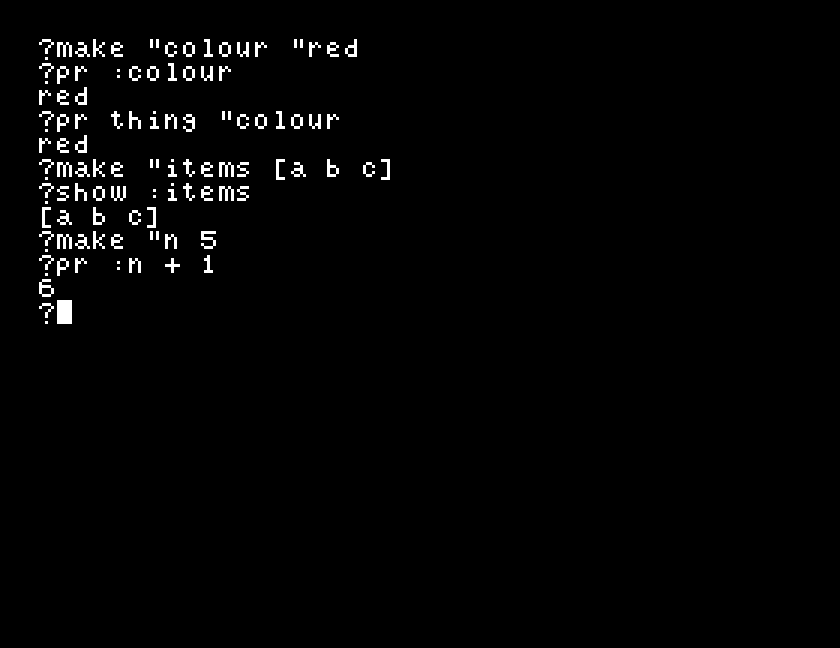
make "colour "red
make takes two things: a name and a value. Both here have a " in front, and for different reasons, which is the thing to get straight.
"colour is the name you are giving. The " says this word itself, rather than whatever it might stand for."red is the value. The " is doing the same job: store the word red, not the value of something called red.To get the value back, use a colon:
?pr :colour
red
" means this word. : means what this word stands for. That is the whole distinction, and it is the one thing in Dr Logo most worth being sure of.
Anything:
?make "items [a b c]
?show :items
[a b c]
?make "n 5
?pr :n + 1
6
A list stays a list, show gets its brackets back, and a number can be used in arithmetic straight away.
Reading a name you never set says so:
?pr :nosuch
nosuch has no value
To see everything you have named, type pons.
A name made anywhere is visible everywhere. A make inside a procedure is still there when the procedure finishes:
to setit
make "inside 99
end
Run setit, and pr :inside at the prompt gives 99.
That is convenient and it is a trap. Two procedures that both make "n are using the same n, and one will quietly overwrite the other's.
There are two ways to get a name that is private:
:size belongs to that call. If there is also a global called size, the input wins inside the procedure and the global is untouched outside it.local "name, as the first line of a procedure, does the same for a name that is not an input.make "colour "red
pr :colour
make "items [a b c]
show :items
make "n 5
pr :n + 1
pons
Starting from
A fresh boot, at the ? prompt.
What you should see
red
[a b c]
6
n is 5
items is [a b c]
colour is red
pons lists the most recently named first.
" off the value: make "colour red. Read the complaint. What did Dr Logo think you meant by red?pr colour with a colon missing: no : and no ". A different complaint. Between this and the last one, what are the two marks each for?make "n 5, then write a procedure to bump :n that does pr :n + 1, and run bump 100. Then pr :n. Which value survived, and why is that the useful way round?| Symptom | Cause |
|---|---|
nosuch has no value | Reading a name nothing was ever stored under. Check the spelling against pons. |
I don't know how to red | A value without its ". Dr Logo took the word for an instruction. |
| A procedure changed a value you did not expect | make is global. Use an input, or local, for a name that should be private. |
| The list comes back without brackets | That is pr. show keeps them. |
make "name value stores a value under a name, and :name reads it back. " means the word itself, : means what it stands for. Names are global unless they are a procedure's input or declared local. pons lists them all.
S18, several facts about one thing: attaching several facts to one name, which is what you reach for when one value per name is no longer enough.
This form is protected by reCAPTCHA, and the Google Privacy Policy and Terms of Service apply.
