module
3
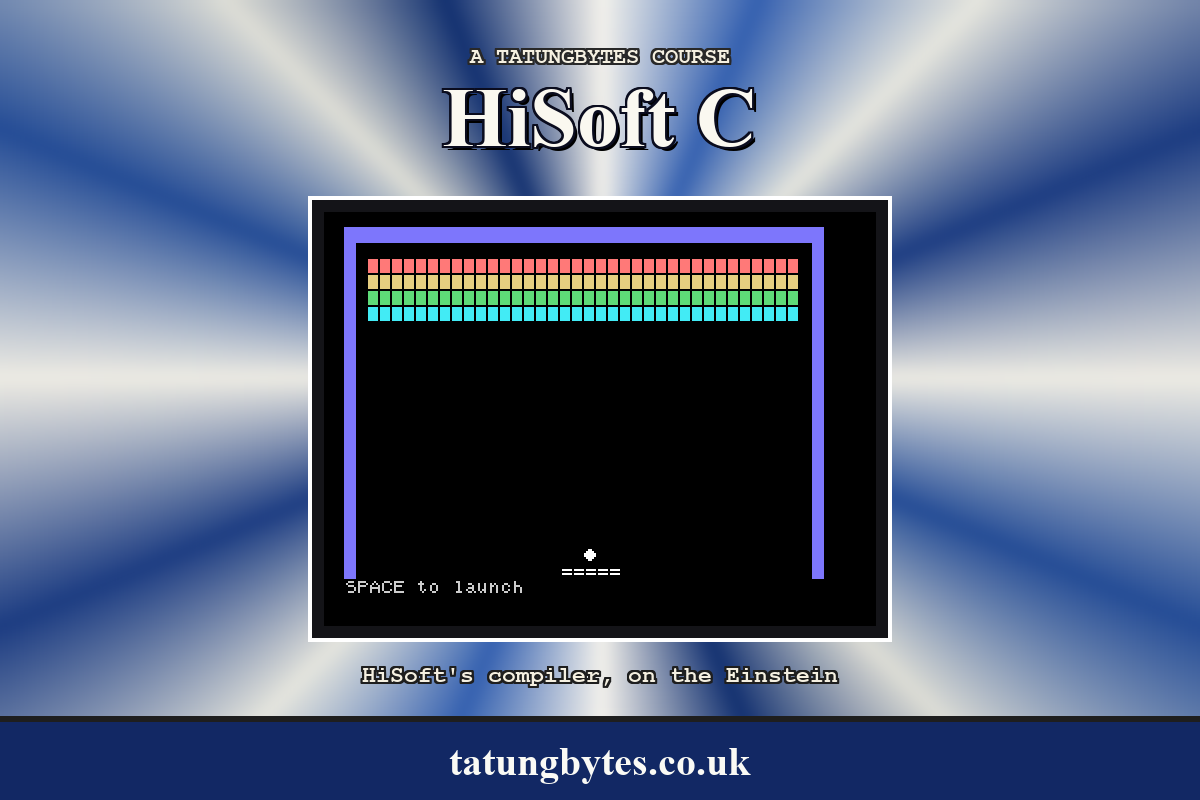
This is the only section with no C in it. By the end of it you will have an Einstein running on your own machine, booted from the course disc, and somewhere to keep the programs you write.
Set it up once and it stays out of your way.
Most of this section is about the emulator, and you can pass over it. What you need instead is the course disc on something your Einstein can read - it is a disc image, so that means whatever you already use to put images on your machine.
The disc boots by itself: it has XtalDOS on it. Start the machine with it in the drive, and when you have the 0: prompt, pick this section up again at The Disc's Directory.
Three things are different for you from here on.
If you have the TK02 80-column card, you will see { and } where this course shows ¼ and ¾ (S2). Everything else is the same.
Three pieces, all free.
| Piece | What it does |
|---|---|
| MAME | The emulator. Given the right ROM, it behaves like an Einstein. |
| The Einstein ROM | The machine's own built-in software. MAME cannot be an Einstein without it. |
| The HiSoft C course disc | A disc image with the compiler, its four library files and their help, the editor, the finished game, and room for your own work. |
The disc matters more than it looks. Everything you write goes onto it, and so does everything the compiler writes, and MAME will not write to a .dsk disc image. It will write to an .mfi. A .dsk boots perfectly well and then refuses the first file the editor or the compiler tries to save - which, since every program you make lives on that disc, means no course. The course disc is an .mfi for that reason.
These steps cover macOS and Windows. Everything in this course was written and checked on macOS; the Windows steps are written from MAME's own documentation rather than from our own machine, so if something here is wrong or missing, please tell us and we will fix it.
Linux is not written out separately - MAME is in every major distribution's package manager, and from step 2 onwards the Linux instructions are the macOS ones.
On macOS, the easiest way is Homebrew. If you do not already have it, follow the instructions at brew.sh, then:
brew install mame
Check it is there:
mame -version
On Windows, MAME is a download from mamedev.org/release.html. Take the 64-bit binary - mame0289b_x64.exe, or mame0289b_arm64.exe if your PC has an Arm processor. It is a self-extracting archive rather than an installer: run it, choose a folder such as C:\mame, and it unpacks a pile of files including mame.exe.
There is no installer and nothing is added to your Start menu. You work in the folder you unpacked into.
The course is written against MAME 0.289. A later version will almost certainly be fine; if something behaves differently from what a section describes, the version is the first thing to check.
It is a file called einstein.zip. Download it from Einstein System ROM (MOS 1.2 & 1.21) on the Downloads page. It goes in a folder called roms.
On macOS, make one in your home folder:
~/roms/einstein.zip
On Windows, MAME already unpacked a roms folder next to mame.exe. Put it there:
C:\mame\roms\einstein.zip
Do not unzip it. MAME wants the .zip exactly as it is.
Download the HiSoft C course disc and put it somewhere you can find again.
On macOS, a folder called einstein in your home folder will do:
~/einstein/hisoftc.mfi
On Windows, next to MAME is simplest:
C:\mame\hisoftc.mfi
Keep a spare copy of it somewhere. Your work is going onto this disc, so a mistake at the keyboard can overwrite something, and a second copy of the file you downloaded costs nothing.
One command, and it is the same one every time.
On macOS, in Terminal:
mame -rompath ~/roms einstein -flop1 ~/einstein/hisoftc.mfi -window
On Windows, open a Command Prompt in the folder you unpacked MAME into and type:
mame.exe -rompath roms einstein -flop1 hisoftc.mfi -window
The quickest way to a Command Prompt in the right place is to open the folder in File Explorer, click in the address bar, type cmd and press Enter.
Either way the parts mean the same thing: -rompath says where einstein.zip is, einstein is the machine to be, -flop1 is its first disc drive, and -window keeps it in a window rather than taking over the screen. Keep the -window - without it MAME takes the whole screen, which on a Mac means a new desktop space as well.
It is worth saving that line somewhere - a shell alias on macOS, or a .bat file on Windows - because you are going to run it a lot.
A window opens and the Einstein boots from the disc:
           ***  EINSTEIN  ***

TATUNG/XtalDOS 1.31        (C) 1983 1984

0:
That 0: is XtalDOS, the disc operating system, waiting for a command. The 0 is the drive it is looking at. Everything in this course starts from here.
Type DIR and press ENTER. (Your typing is in capitals: CAPS LOCK is on when the Einstein starts, and XtalDOS would not mind either way.)
0:DIR
0: HC      .COM : STDIO   .H
0: STDIO   .LIB : CPM     .LIB
0: EIN     .LIB : EINLIB  .HLP
0: ED      .COM : ED80    .COM
0: ED      .HLP : BREAKOUT.C
0: BREAKOUT.COM
116k Size, 72k Free, 190k Total
0:
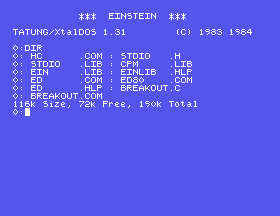
Eleven files, two to a line, each a name of up to eight letters and an extension of up to three.
HC.COM is the compiler. Files ending .COM are programs; you run one by typing its name.ED.COM is the editor, ED80, in which you will type your programs. ED80.COM is the same program under a second name, which the compiler uses when it wants to hand you back to the editor (S7). ED.HLP is its help.STDIO.H, STDIO.LIB, CPM.LIB and EIN.LIB are the library - the parts of C that come as text, to be read into your program by the compiler, rather than built into it. EIN.LIB is the Einstein's own, and EINLIB.HLP describes it. S8 explains.BREAKOUT.COM is the finished game, and BREAKOUT.C is its source. Type BREAKOUT now if you want to see where the course ends up; S27 to S33 build it.The 72k is yours. XtalDOS hands out disc space 2K at a time, and every program you make is two files - the one you type and the one the compiler writes, which is 6K for a small one - so a small program costs about 8K of disc, and the disc holds nine or so. S6 shows what to erase when you need room.
If you get that listing, everything is installed and working.
While the MAME window is in front, your keyboard is the Einstein's. MAME lays the Einstein's keys over yours by position, and the Einstein's keyboard has no {, }, \, |, [, ], ^ or ~ keys. C needs all of them. On the Einstein they are made with the arrow keys and the ½ key:
| To type | On the Einstein | In MAME |
|---|---|---|
[ and { | LEFT arrow; SHIFT and LEFT | Left arrow; Shift and Left |
] and } | RIGHT arrow; SHIFT and RIGHT | Right arrow; Shift and Right |
^ and ~ | UP arrow; SHIFT and UP | Up arrow; Shift and Up |
| and \ | ½; SHIFT and ½ | \; Shift and \ |
_ and ` | - key; SHIFT and - | -; Shift and - |
And when you have typed them, the screen draws { as ¼, } as ¾ and \ as ½ (S2). Appendix IV has the whole keyboard, both ways round.
MAME has control keys of its own as well - Esc to quit, F3 to reset - and it starts with them switched off, so that those keys reach the Einstein, which needs them. One key switches them on: forward delete on a Mac (Fn and Backspace on a laptop), and Scroll Lock on Windows according to MAME's documentation. Leave it alone. If Esc ever closes MAME instead of reaching the Einstein, that key has been pressed, and pressing it again puts things back.
To stop the Einstein, close the MAME window. Where the course says restart the Einstein, that means close the window and run the command again.
There is no program yet. The check that everything works is DIR, above.
Starting from
A fresh boot of the course disc.
What you should see
The eleven files and 116k Size, 72k Free, 190k Total.
-rompath ~/romz on macOS, -rompath romz on Windows. MAME refuses before the machine even starts. Read what it says. Seeing that message once, deliberately, saves you ten minutes the day you see it by accident.DIR HELLO.* instead of DIR. What does the * do?| Symptom | Cause |
|---|---|
MAME says mos12.i023 NOT FOUND and Required files are missing | The ROM is not where it is looking. Check that einstein.zip is in the roms folder and that -rompath points at that folder. |
On Windows, mame.exe is not recognised | You are not in the folder you unpacked MAME into. cd to it first, or type its full path. |
| MAME takes over the whole screen | You left out -window. MAME's own default is full screen. |
| Esc closes MAME, or F3 restarts the Einstein | MAME's own control keys have been switched on. Forward delete on a Mac (Fn and Backspace on a laptop), or Scroll Lock on Windows, switches them off again. |
DIR stops part way down a long listing | The screen is full and XtalDOS is waiting for a key. Press SPACE. Whatever key you press is taken as "carry on", so do not start typing the next command until the prompt is back. |
The editor or the compiler says Bad Data 0: and Try Again(Y/N)? | You are running from a .dsk image, which MAME will not write to. Restart with the course disc, which is an .mfi. |
| Your work is not there after a restart | The same: a .dsk. |
Sooner or later you will write a program that runs for ever, and HiSoft C has no answer at all: nothing you press will stop a running C program. Not CONTROL-C, not BREAK. The only way out is to restart the Einstein. S12 shows how a loop can watch the keyboard and stop itself, and every program in this course that could loop for ever does.
So one habit makes the difference between a nuisance and a disaster: save before you run something new. In this course you always will, because the editor has to write your program to the disc before the compiler can read it - but keep the habit for the edits you make afterwards.
MAME plus the Einstein ROM gives you the machine; the course disc gives you the compiler, the libraries and the editor, and 72K to keep your work. One command starts the Einstein, it boots to 0:, and DIR shows what is on the disc. The braces and the backslash are on the arrow keys and the ½ key, and the screen draws them as fractions.
S4, Your First Program - typed into the editor, saved, compiled and run, and what each step leaves behind.
