module
18
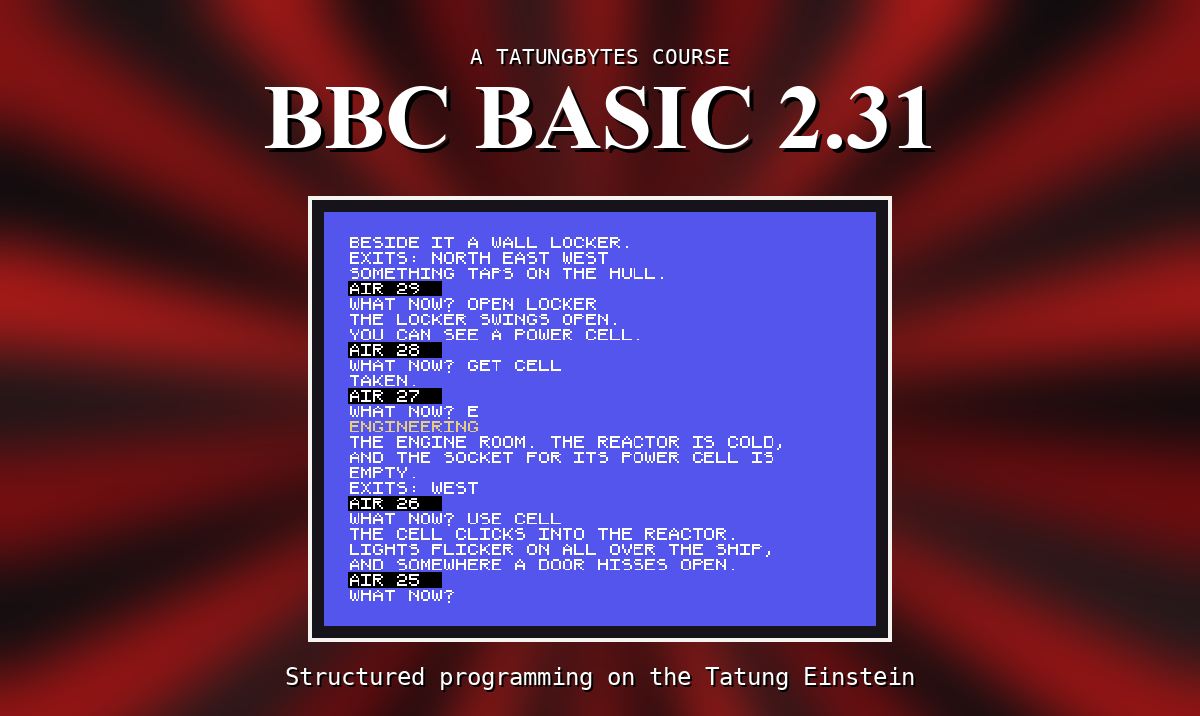
In DRIFT the player types what they want to do - GET PAD, GO NORTH, USE CELL - and the program has to make sense of it. The first step is to take the sentence apart: which word is the action, and which is the thing. BBC BASIC has a small set of tools for cutting strings up, and this section is about them.
INSTR looks for one string inside another and says where it is:
PRINT INSTR("GET PAD"," ")
prints 4 - the space is the fourth character. Counting starts at 1. If it is not there at all, INSTR gives 0, which makes it a good test: IF INSTR(C$,"PAD") THEN ... is true whenever PAD appears anywhere in C$.
A third number says where to start looking: INSTR(C$," ",5) finds the first space from position 5 on.
No space between INSTR and its bracket. INSTR ("GET PAD"," ") is not INSTR at all to BBC BASIC; the same goes for the three below.
| gives | from "ENGINEERING" | |
|---|---|---|
LEFT$(A$,n) | the first n characters | LEFT$(A$,3) is ENG |
RIGHT$(A$,n) | the last n | RIGHT$(A$,4) is RING |
MID$(A$,p,n) | n characters from position p | MID$(A$,4,3) is INE |
MID$(A$,p) | everything from position p | MID$(A$,6) is EERING |
Ask for more than there is and you get what there is; start past the end and you get an empty string. None of them is ever an error.
Put them together and a sentence comes apart at its first space:
S=INSTR(C$," ")
V$=LEFT$(C$,S-1)
N$=MID$(C$,S+1)
Everything before the space is the verb; everything after it is the noun. If there is no space - just LOOK - S is 0, and the whole thing is the verb.
"GET" and "get" are different strings to BBC BASIC: comparisons are exact. The player may type either, so the program turns everything into capitals before looking at it.
Every character has a code number, which ASC gives and CHR$ turns back: ASC("A") is 65 and CHR$(65) is A. The small letters a to z are the codes 97 to 122, and each is exactly 32 more than its capital. So: go through the string a character at a time; if its code is between 97 and 122, take 32 off; put the character back. That is FNCAPS$ below.
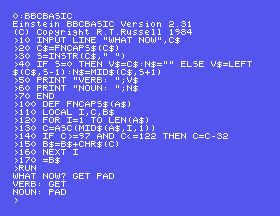
10 INPUT LINE "WHAT NOW",C$
20 C$=FNCAPS$(C$)
30 S=INSTR(C$," ")
40 IF S=0 THEN V$=C$:N$="" ELSE V$=LEFT$(C$,S-1):N$=MID$(C$,S+1)
50 PRINT "VERB: ";V$
60 PRINT "NOUN: ";N$
70 END
100 DEF FNCAPS$(A$)
110 LOCAL I,C,B$
120 FOR I=1 TO LEN(A$)
130 C=ASC(MID$(A$,I,1))
140 IF C>=97 AND C<=122 THEN C=C-32
150 B$=B$+CHR$(C)
160 NEXT I
170 =B$
Starting from
A fresh boot, or NEW.
What you should see
Answering GET PAD:
>RUN
WHAT NOW? GET PAD
VERB: GET
NOUN: PAD
>
INPUT LINE is used so that a comma in the reply does not cut it short.
LOOK. What are the verb and the noun?GET PAD. What goes wrong, and why?RUN with SHIFT), and answer get pad in small letters. What does FNCAPS$ do with it? Press CAPS LOCK again after.18.1 Ask for a word and print its first three letters.
18.2 Ask for a sentence and count the spaces in it.
18.3 Write FNTRIM$(A$), which gives A$ with any spaces at the front removed - the cure for the second change above.
Worked solutions are in Appendix II.
| Symptom | Cause |
|---|---|
No such variable at INSTR, LEFT$, MID$ or RIGHT$ | A space before the bracket. |
| The verb comes out empty | The reply started with a space, so the first space is at position 1. Trim the front first. |
| A word typed in small letters is not recognised | Comparisons are exact. Turn it into capitals first. |
INSTR finds a string in another, LEFT$, RIGHT$ and MID$ cut pieces out, and ASC and CHR$ turn characters into codes and back. Split at the first space for a verb and a noun; make capitals first so the player's CAPS LOCK does not matter.
S19, Colour And Where Text Goes - putting words anywhere on the screen, in colour.
This form is protected by reCAPTCHA, and the Google Privacy Policy and Terms of Service apply.
