module
19
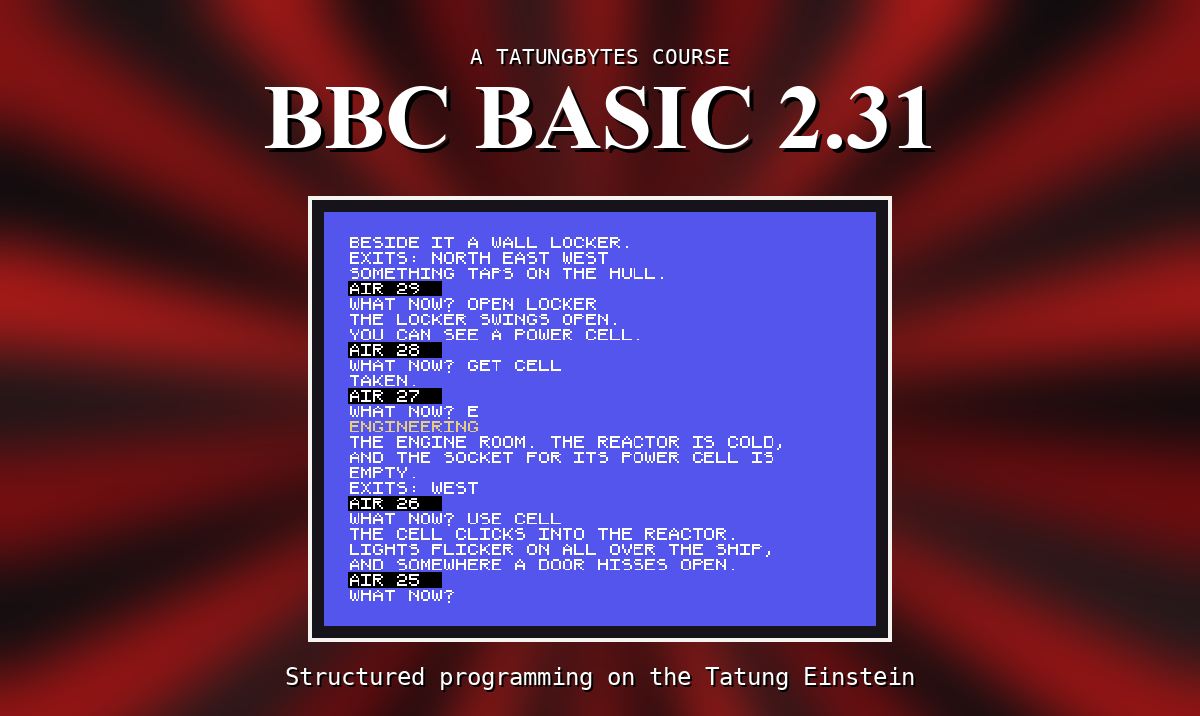
Until now, every line has gone under the one before, and the screen has scrolled up when it was full. A game wants more control than that: a title in the middle, the room description at the top, the air running out in a status line at the bottom, in colour. This section is the screen.
MODE 0 clears the screen and gives 40 columns and 24 rows of text - the screen BBC BASIC starts in, and the one this course uses throughout. (MODE 1 gives 32 columns of wider letters.) Columns are numbered 0 to 39 from the left, and rows 0 to 23 from the top.
CLS clears the screen too, without changing anything else, and puts the cursor back at the top left.
When printing reaches the bottom row, the whole screen moves up a line to make room. And a line that fills all 40 columns exactly leaves an empty row after it: the cursor has already moved to the next line when the PRINT adds its own. Keep lines to 39 characters when that matters.
TAB with two numbers moves the cursor to a column and row before printing:
PRINT TAB(15,4);"D R I F T"
prints at column 15 of row 4. It prints over whatever is there. Text that runs past column 39 carries on at the start of the next row.
POS and VPOS say where the cursor is now - its column and its row.
COLOUR sets the colour of what is printed next. A number from 0 to 15 sets the text; the same number plus 128 sets its background:
| 0 transparent | 4 dark blue | 8 medium red | 12 dark green |
| 1 black | 5 light blue | 9 light red | 13 magenta |
| 2 medium green | 6 dark red | 10 dark yellow | 14 grey |
| 3 light green | 7 cyan | 11 light yellow | 15 white |
So COLOUR 11 is light yellow text, and COLOUR 129 a black background behind it. The screen starts as white text on transparent - and transparent shows the dark blue behind everything. Set the colours back to COLOUR 15 and COLOUR 128 when you have finished with them.
CLS clears the screen to the current background colour: COLOUR 130:CLS turns it medium green (the border round the edge stays blue).
Two control codes, sent with VDU, clear part of the screen:
VDU &15 clears from the cursor to the end of its line,VDU &16 clears from the cursor to the end of the screen.And VDU &14 hides the cursor, VDU &11 brings it back. (& means the number is written in hexadecimal - &15 is 21. You only need to copy them.)
10 MODE 0
20 COLOUR 11
30 PRINT TAB(15,4);"D R I F T"
40 COLOUR 15
50 PRINT TAB(9,8);"A SHIP ADRIFT IN SPACE"
60 COLOUR 129
70 PRINT TAB(0,20);"AIR: 40   ";
80 COLOUR 128
90 PRINT TAB(0,22);
Starting from
A fresh boot, or NEW.
What you should see
The screen clears. D R I F T in light yellow near the top, a white line under it, and AIR: 40 on a black band near the bottom. Line 90 moves the cursor down out of the way, so the > appears below the band.
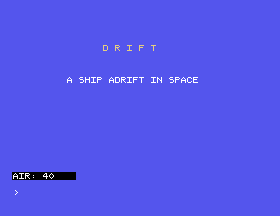
COLOUR 9. What colour is the title now?TAB(9,8) to TAB(30,8). What happens to a line that does not fit?15 COLOUR 130:CLS. What does the screen look like - and what colour is the line the > is on, and why?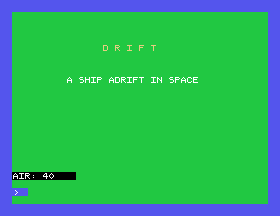
19.1 Ask for a name, clear the screen, and print the name in the middle of row 12.
19.2 Print a strip of all sixteen background colours, two spaces of each.
19.3 Turn the whole text area green.
Worked solutions are in Appendix II.
| Symptom | Cause |
|---|---|
| An empty row appears after a line | The line filled all 40 columns. Keep it to 39. |
| Text breaks in the middle of a word | It ran past column 39. Start it further left, or split it yourself. |
| Everything after is in the wrong colour | COLOUR lasts until changed. Set COLOUR 15 and COLOUR 128 back. |
| A patch of blue on a coloured screen | Transparent (COLOUR 128) shows the blue backdrop, not the colour you cleared to. |
The > appears in the middle of your picture | The program ended with the cursor there. PRINT TAB(0,22); at the end moves it. |
MODE 0 is 40 by 24; CLS clears it. PRINT TAB(x,y); puts text anywhere. COLOUR n sets the text colour and COLOUR 128+n its background. VDU &15 and VDU &16 clear to the end of the line and the screen.
Part three: the game. S20, The Map - DRIFT's four rooms and the ways between them.
This form is protected by reCAPTCHA, and the Google Privacy Policy and Terms of Service apply.
