module
17
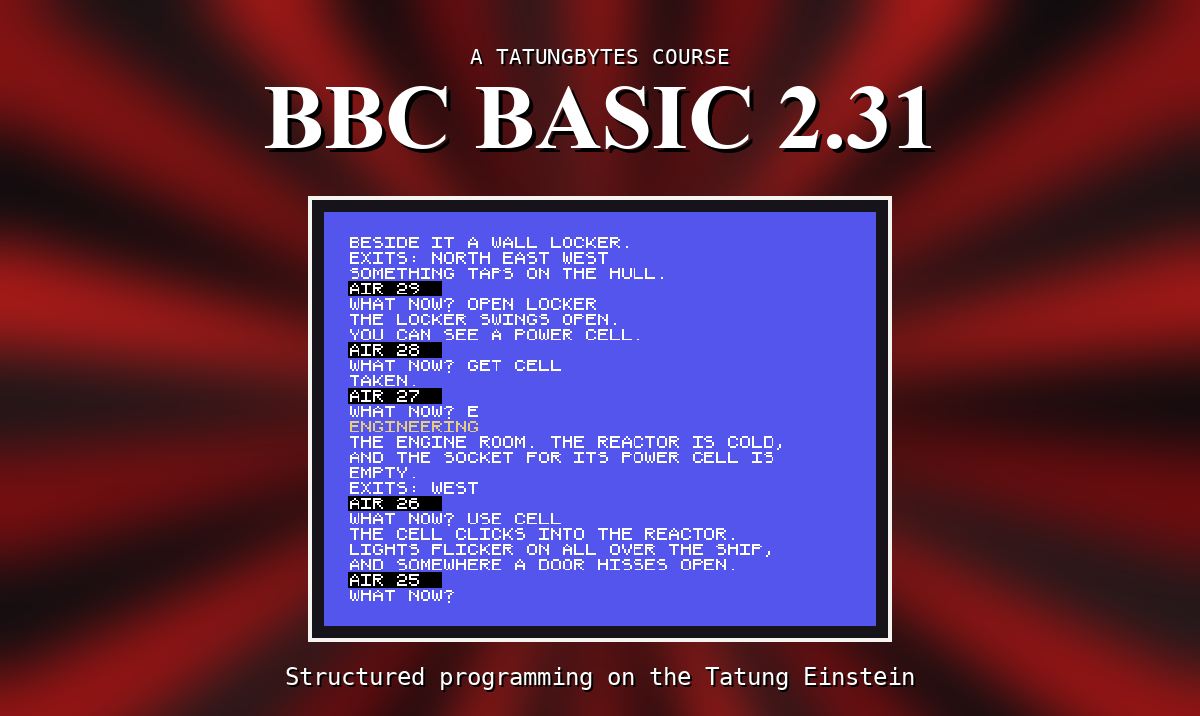
As a program grows, it becomes hard to see what it does. Two hundred lines of PRINT and IF all look alike. BBC BASIC lets you take a piece of a program, give it a name, and use it by that name wherever you need it. The rest of the program then reads like a list of what it does: PROCTITLE, PROCLOOK, PROCMOVE. This is the most useful thing in the course, and DRIFT is built out of it.
100 DEF PROCTITLE
110 PRINT "*** DRIFT ***"
120 ENDPROC
DEF PROCTITLE starts the definition of a procedure called TITLE. Everything down to ENDPROC is its body. Nothing happens when the program reaches these lines by itself - see below - but anywhere in the program,
PROCTITLE
jumps to line 110, does the body, and at ENDPROC comes back and carries on from where it was. Every procedure's name starts with PROC, with no space: PROC TITLE is a Bad call.
A procedure can be given values to work with:
200 DEF PROCROOM(NAME$)
210 PRINT "YOU ARE IN THE ";NAME$
220 ENDPROC
PROCROOM("BRIDGE") puts BRIDGE into NAME$ and runs the body. Call it again with "CRYO BAY" and the same lines print something different.
NAME$ here is a parameter, and it belongs to the procedure alone. If the program has a NAME$ of its own, calling PROCROOM does not touch it. A procedure can take several, separated by commas, and must be given exactly as many as it has - and in brackets. Leave the brackets off, PROCROOM, and BBC BASIC looks for a different procedure, one with nothing in brackets, and says No such FN/PROC.
Inside a procedure,
LOCAL COUNT
makes a COUNT that belongs to the procedure: it starts at 0 each time, and any COUNT outside is left alone. Anything not made LOCAL is shared with the whole program - which is sometimes exactly what you want, when a procedure's job is to change the score, say.
A function works something out and hands back the answer:
300 DEF FNDOUBLE(N)=N*2
FNDOUBLE(21) is 42, and can go anywhere a number can: PRINT FNDOUBLE(21), X=FNDOUBLE(X)+1. The names start with FN. A string function ends in $, FNUPPER$(A$), and hands back a string.
A function that needs more than one line ends with a line starting =:
300 DEF FNMAX(A,B)
310 IF A>B THEN =A
320 =B
=A hands back A and ends the function there and then.
Definitions go at the end, after an END. A program runs from the top, line after line. If it runs off the end of the main part into a DEF, BBC BASIC skips the DEF line itself but runs the body, reaches ENDPROC, and stops with No PROC - it was not called, so there is nowhere to return to. END stops the main program before that can happen.
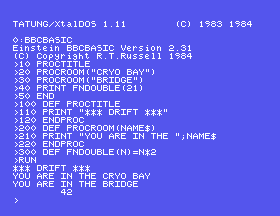
10 PROCTITLE
20 PROCROOM("CRYO BAY")
30 PROCROOM("BRIDGE")
40 PRINT FNDOUBLE(21)
50 END
100 DEF PROCTITLE
110 PRINT "*** DRIFT ***"
120 ENDPROC
200 DEF PROCROOM(NAME$)
210 PRINT "YOU ARE IN THE ";NAME$
220 ENDPROC
300 DEF FNDOUBLE(N)=N*2
Starting from
A fresh boot, or NEW.
What you should see
>RUN
*** DRIFT ***
YOU ARE IN THE CRYO BAY
YOU ARE IN THE BRIDGE
        42
>
The first five lines are the whole program, and they read like a description of it.
END, and run it. What is printed after 42, and what does BBC BASIC say?END back, and change line 30 to 30 PROCROOM, with no brackets. What is the message?5 NAME$="MINE" and 45 PRINT NAME$. The procedure put BRIDGE in a NAME$ - so what does line 45 print, and why?17.1 Write PROCLINE(N), which prints a line of N stars, and use it twice with different numbers.
17.2 Write FNAREA(W,H), which gives the area of a W by H rectangle.
17.3 Write FNMAX(A,B), which gives the bigger of two numbers.
Worked solutions are in Appendix II.
| Symptom | Cause |
|---|---|
No PROC at line ... | The program ran on into a definition. Put END before the DEFs. (Or an ENDPROC with no DEF PROC above it.) |
No such FN/PROC | The name is misspelt, the DEF is missing - or the brackets are left off a procedure that has parameters. |
Arguments | The wrong number of values in the brackets. |
Bad call | A space between PROC and the name. |
| A variable changed when you did not expect it | The procedure changed it - it was not a parameter or LOCAL. |
No PROC or No FN naming a DEF line, from a program that looked right | An ENDPROC or = inside a FOR or REPEAT loop. A procedure or function cannot be left from inside a loop: let the loop finish, then leave. S22 shows the way round it. |
DEF PROCNAME(...) ... ENDPROC defines a procedure, and PROCNAME(...) runs it. DEF FNNAME(...)=... defines a function that hands back a value. Parameters and LOCAL variables belong to the procedure alone. Definitions go after END.
Part two begins: S18, Taking A Sentence Apart - pulling the words out of what somebody typed.
This form is protected by reCAPTCHA, and the Google Privacy Policy and Terms of Service apply.
