module
9

repeat 4 [fd 50 rt 90] is a square, but it does not say square. You have to read it and work that out, every time.
Dr Logo lets you add words of your own to the language. Once you have, a square is called square, and the machine knows what you mean.
Start a definition with to and the name you want:
to square
The prompt changes from ? to >. That is Dr Logo telling you it is collecting a definition rather than doing things; nothing you type now runs.
Type the body, one line at a time, and finish with end:
>repeat 4 [fd 50 rt 90]
>end
square defined
square defined is the machine confirming it has learned the word, and the prompt goes back to ?.
From then on, typing square draws one. It is a word in the language, exactly like fd or repeat, and nothing distinguishes it from the words that came with the machine.
It draws wherever the turtle is. square does not go home first; it draws from wherever the turtle happens to be standing, facing however it is facing. That is a feature more often than a nuisance, as the edits show, but it does mean a procedure's picture depends on what happened before it.
The name has to be a new one. Dr Logo will not let you reuse a word it already has:
?to fd
fd is a primitive
There is no list to check against, and no way to tell from looking. If a name is refused, pick another.
ss
cs
ht
to square
repeat 4 [fd 50 rt 90]
end
square
Starting from
A fresh boot, at the ? prompt.
What you should see
The definition being collected: > for the two lines after to square, then square defined, and then one square, drawn when you type the name on the last line.
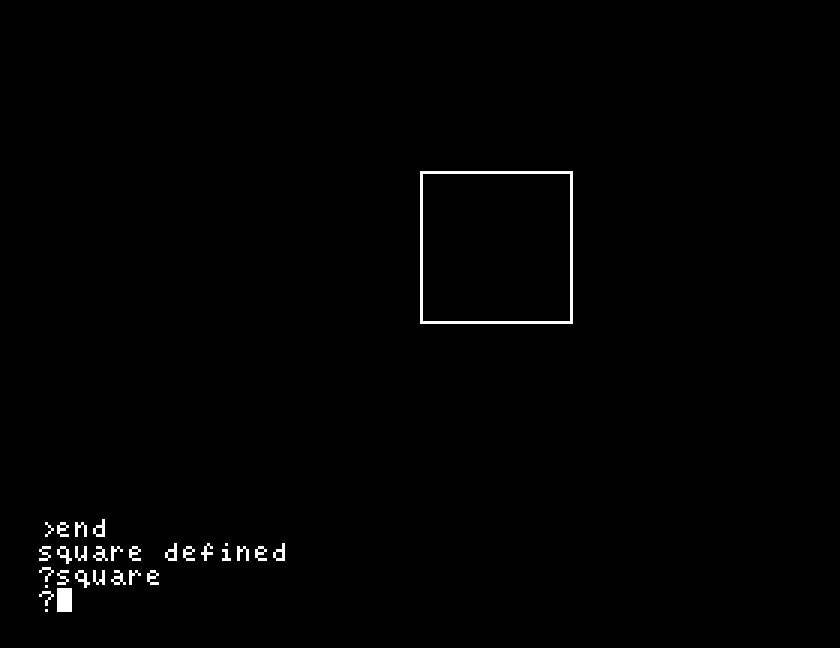
Your new word lasts until you switch the machine off. Nothing has been written to the disc. S11 is about keeping it.
rt 45 and then square again. Two squares, and you only defined it once. What decided where the second one went?to repeat. Read what it says, and then think about what would have happened to every program you have written so far if it had let you.two. What does it tell you about whether your own words are allowed to use other words of yours?to two
square
rt 45
square
end
| Symptom | Cause |
|---|---|
fd is a primitive, or the same about some other word | The name is already taken. Choose another. |
The prompt stays as > and nothing you type runs | You are still in a definition. Type end. |
| Typing the name draws nothing | The turtle may be off screen from an earlier drawing. cs first. |
| The shape appears somewhere unexpected | It drew from wherever the turtle was. A procedure does not go home unless you tell it to. |
| Your word has vanished after switching off | Definitions live in memory only. S11 covers saving them. |
to name starts a definition, end finishes it, and in between you type the body. The prompt is > while it is collecting. Afterwards the name is a word in the language like any other, and your words can use each other. They last until the machine is switched off.
S10, changing your mind: editing a procedure you have already defined, without typing the whole thing again.
This form is protected by reCAPTCHA, and the Google Privacy Policy and Terms of Service apply.
