module
33
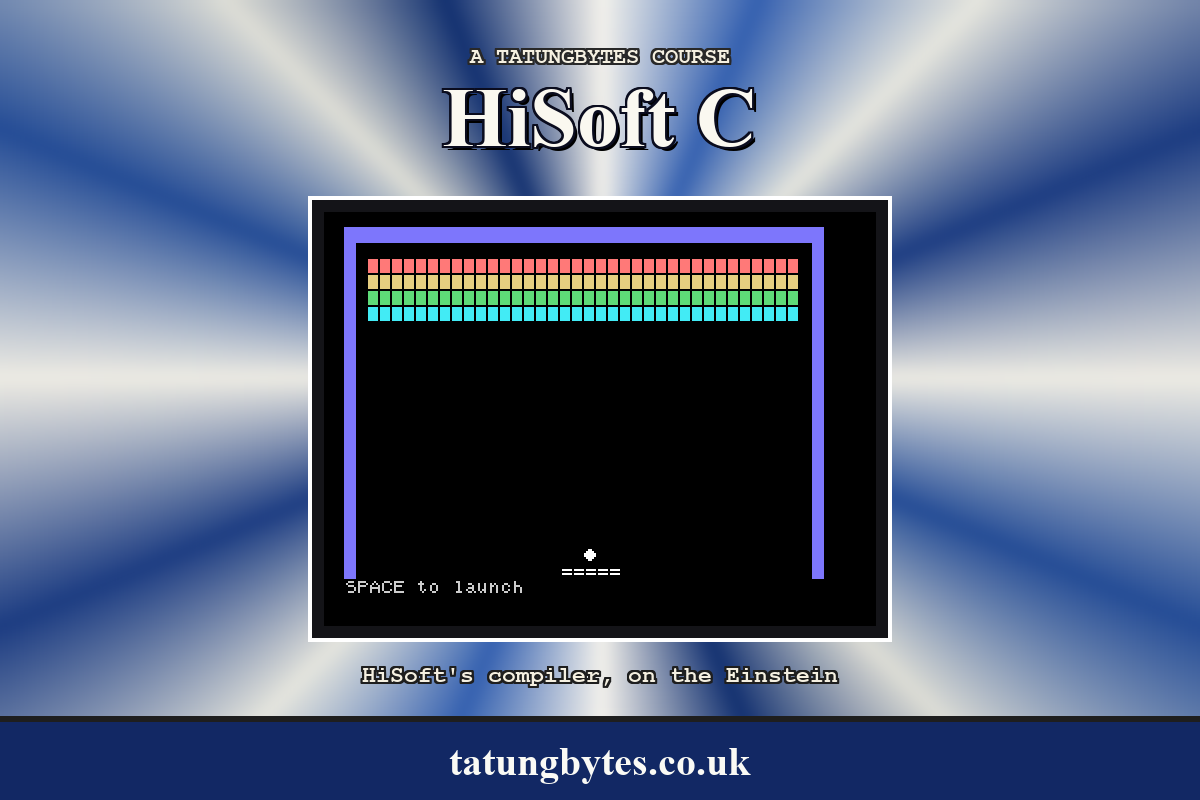
A game that starts with the court already drawn and ends at a DOS prompt is a program; a game that tells you the keys, plays a note when you hit something, and asks whether you want another go is a thing you can hand to someone. This stage adds those, restructures main so that a whole game is one function call, and ends with the .COM on its own on a disc, which is what Breakout is.
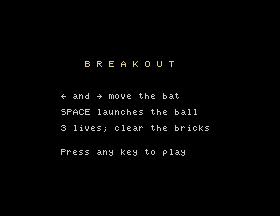
void title()
{
    cls40();
    curat(12, 6);
    printf("B R E A K O U T");
    curat(8, 10);
    printf("[ and ] move the bat");
    curat(8, 12);
    printf("SPACE launches the ball");
    curat(8, 14);
    printf("%d lives; clear the bricks", LIVES);
    curat(8, 17);
    printf("Press any key to play");
    curat(0, 22);
    rawin();
}
Five curats and printfs and a rawin: nothing new. The number of lives comes from the #define, so that the screen is right if the number changes. rawin waits for the key and takes it, which is what is wanted here; the gets at the very end deals with what kbd() leaves during play.
beep() in hit_brick after the brick is cleared, and again when a ball is lost. It is rawout(7), the bell character, and it returns at once, so the game does not pause for it. Two beeps in the game, the same note; the sound chip can do more, and psg (S25) is there for anyone who wants it.
The Einstein starts white on dark blue, and everything so far has been drawn that way. Four tcols and a bcol (S24) change it:
#define WALLCOL 0x51
#define BATCOL 0xF1
#define BALLCOL 0xF1
#define TEXTCOL 0xE1
#define TITLECOL 0xB1
#define BACKDROP 1
#define DEFAULTBACKDROP 4

int brickcol[BRICKROWS] = { 0x91, 0xB1, 0x31, 0x71 };
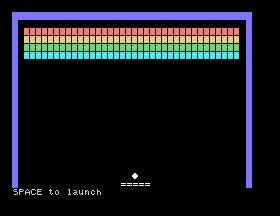
bcol(BACKDROP) at the start turns the whole display black; the walls are drawn light blue, the bat and ball white, the status row and messages grey, the title yellow, and each row of bricks its own colour from brickcol - light red, yellow, green and cyan - set with tcol(brickcol[r]) as draw_bricks reaches the row. Every draw_ function sets its colour before it prints, because tcol stays set (S24) and the last thing drawn is otherwise the colour of whatever went before it. A tcol is one poke and costs nothing.
The ball is the awkward one, because it goes among the bricks. S25 said why: a character shares a colour cell with its neighbour, so a white ball drawn beside a red brick turns part of the brick white - and so does the space that rubs the ball out, and the two spaces that remove a brick, since a space has a colour too. So the ball is drawn in the colour of the row it is on:
row_colour(y) int y;
{
    if (y >= FIRSTBRICKROW && y < FIRSTBRICKROW + BRICKROWS)
        return brickcol[y - FIRSTBRICKROW];
    return BALLCOL;
}
draw_ball sets tcol(row_colour(p->oldy)) before the rub-out and tcol(row_colour(p->y)) before the ball, and hit_brick sets tcol(brickcol[r]) before its two spaces. Among the red bricks the ball is red, among the cyan ones cyan, and everywhere else white; and nothing next to it changes.
The walls become a solid block, shapedef(WALL, 0xfc, ...) - six bits set, for the six pixels of a 40-column character (S25) - now that WALL is a character code rather than '#'.
And here is why the ball has kept one column clear of the walls since S28. The video chip colours the screen in cells eight pixels wide, and a 40-column character is six wide, so most characters share a colour cell with a neighbour: colour one and the shared cell takes the new colour, and the neighbour's pixels in it change too. A white ball drawn against the blue wall would turn the wall's edge white; a red brick against it would turn it red. One blank column between them, PLAYLEFT and PLAYRIGHT, and nothing coloured ever shares a cell with the walls.
At the end the colours go back. oldcol = peek(0xfb38) at the start saves the text colour MOS was using - S23 found where it keeps it - and tcol(oldcol) restores it; bcol(DEFAULTBACKDROP) puts the blue back. A game that left the prompt white on black would be a nuisance.
S32's main set up the game, played it and tidied up. Now the set-up and the play become play(), and main is a loop:
main()
{
    char line[40];
    int c;
    define_shapes();
    oldcol = peek(0xfb38);
    bcol(BACKDROP);
    for (;;) {
        title();
        play();
        message("Game over.  Again? (Y/N)");
        c = rawin();
        if (c != 'Y' && c != 'y')
            break;
    }
    tcol(oldcol);
    bcol(DEFAULTBACKDROP);
    cls40();
    printf("Press ENTER to finish\n");
    gets(line);
}
define_shapes runs once, because the characters stay defined, and so do the two colour lines. Everything else - the score, the lives, the level, the bricks, the bat's position - is set at the top of play, so that a second game starts clean. That is the reason the state is set in code and not in initialisers (S10): a program that started its globals at their values once, at load, could not start again. Any key but Y ends it; both cases of Y are tested because CAPS LOCK may be either way.
BREAK7.C is the game: about 300 lines, a dozen functions, and the #include lines. Compiled, it is BREAK7.COM, 8,704 bytes - the 4,352 of runtime and a little over 4K of your own - and that file needs nothing else - not the compiler, not the library, not the source. Copy it to a disc, type its name, and it plays. ERA the .C files that built it if you need the room; they made it once and can make it again.
It is on the course disc as BREAKOUT.COM, with BREAKOUT.C beside it, which is the same file under the game's name.
BREAK6.C with the colour #defines and brickcol above, WALL as 202 and its shapedef, a tcol at the top of draw_court, draw_bricks (per row), draw_bat, draw_score, message, place_ball and title; row_colour and the new draw_ball:
void draw_ball(p) ball *p;
{
    tcol(row_colour(p->oldy));
    curat(p->oldx, p->oldy);
    putchar(' ');
    tcol(row_colour(p->y));
    curat(p->x, p->y);
    putchar(BALLCHAR);
}
tcol(brickcol[r]) in hit_brick before its spaces; title added before wait_launch; beep() in hit_brick after bricks[r][c] = 0; and in the lost-ball code after lives--; and main replaced by play and the new main:
void play()
{
    int c;
    paddle.width = 5;
    paddle.left = 18;
    score = 0;
    lives = LIVES;
    level = 1;
    tick = STARTTICK;
    draw_court();
    draw_bricks();
    draw_bat(&paddle);
    draw_score();
    curoff();
    while (lives > 0) {
        if (remaining == 0) {
            level++;
            tick = STARTTICK - level + 1;
            if (tick < 1)
                tick = 1;
            draw_bricks();
            draw_score();
        }
        place_ball(&b, &paddle);
        wait_launch();
        while (remaining > 0) {
            c = kbd();
            if (c == LEFTKEY)
                move_bat(&paddle, -1);
            if (c == RIGHTKEY)
                move_bat(&paddle, 1);
            move_ball(&b, &paddle);
            if (b.y >= BATROW)
                break;
            hit_brick(&b);
            draw_ball(&b);
            wait_frames(tick);
        }
        if (b.y >= BATROW) {
            curat(b.oldx, b.oldy);
            putchar(' ');
            lives--;
            beep();
            draw_score();
        }
    }
    curon();
}

main()
{
    char line[40];
    int c;
    define_shapes();
    oldcol = peek(0xfb38);
    bcol(BACKDROP);
    for (;;) {
        title();
        play();
        message("Game over.  Again? (Y/N)");
        c = rawin();
        if (c != 'Y' && c != 'y')
            break;
    }
    tcol(oldcol);
    bcol(DEFAULTBACKDROP);
    cls40();
    printf("Press ENTER to finish\n");
    gets(line);
}
The whole file is BREAKOUT.C on the course disc, and BREAK7.C in Appendix III.
Starting from
BREAK6.C, edited as above; HC BREAK7.C; BREAK7.
What you should see
A title screen, black, with the game's name in yellow and three lines of instructions. A key, and the game in colour; a beep at every brick and every lost ball; after the third, Game over. Again? (Y/N). Y, and the title again and a fresh game; N, and Press ENTER to finish; ENTER, and the prompt.
define_shapes() out of main and put it at the top of play(). Does anything change? Then put it in title() after the cls40() and see if anything changes.c != 'Y' && c != 'y' to c != 'Y'. Press CAPS LOCK once and play. What does y do now?beep() in move_ball at the wall bounces as well. Is it better?33.1 Keep a high score across games in a global, show it on the title screen, and update it after each game.
33.2 Save the high score to BREAKOUT.HI with S20's files, and read it back when the program starts, so that it survives between runs.
33.3 Add a pause: P in the game loop stops the ball until any key is pressed, with a message on the status row, and the score redrawn afterwards.
Worked solutions are in Appendix II.
| Symptom | Cause |
|---|---|
| The second game starts with the old score, or no bricks | Something is set outside play(). All the state goes at its top. |
| The characters look wrong in the second game | define_shapes() moved somewhere that a cls40() follows - it is harmless, the shapes persist; look elsewhere. |
Y does not restart | CAPS LOCK is off and only 'Y' is tested. |
| Bricks beside the ball turn white | The ball, or a space rubbing it out, was printed in white on a brick row. row_colour. |
| No beep | The volume, or the emulator's sound; beep() is rawout(7). |
BREAKOUT says No File on another disc | Only the .COM was needed, but it was not copied. |
A title with curat and printf; beep() where it counts; the game as play() with every piece of state set at its top; main a loop that asks Again?. The .COM is the game, complete in itself.
S34, Reading A Real Program: CPM.LIB - the other library on the disc: command lines, files by record, and the calls into CP/M and XtalDOS, read the way S23 read EIN.LIB.
