module
31
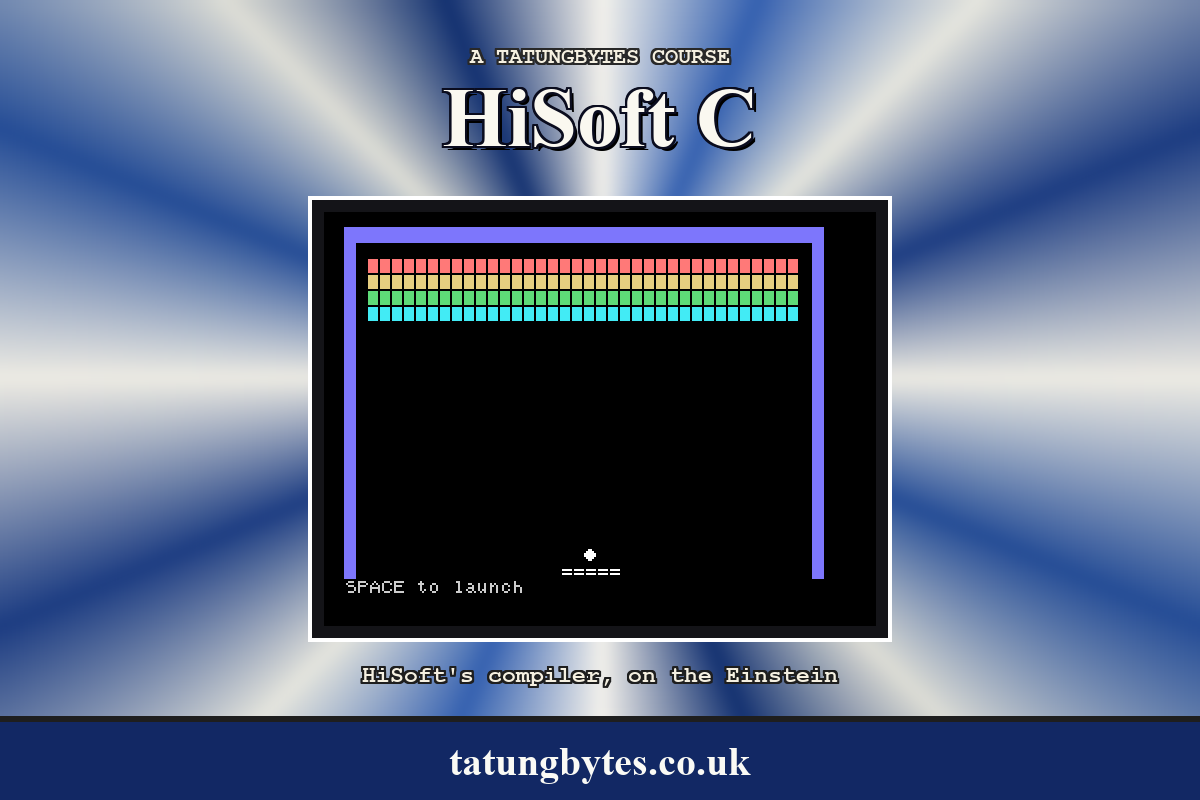
Lose the ball in S30's game and it is over. Real Breakout gives you three balls, and between them a moment to breathe: the ball sits on the bat until you launch it. This stage adds that, and in doing so gives the game its final shape - a loop for the lives around the loop for the ticks - and takes over the bottom row properly, because the score, the lives and the messages all want it.
while (lives > 0 && remaining > 0) {
    place_ball(&b, &paddle);
    wait_launch();
    while (remaining > 0) {
        ... one tick ...
        move_ball(&b, &paddle);
        if (b.y >= BATROW)
            break;
        ...
    }
    if (b.y >= BATROW) {
        curat(b.oldx, b.oldy);
        putchar(' ');
        lives--;
        draw_score();
    }
}
The inner loop is S30's tick loop. The outer one runs once per ball: put the ball on the bat, wait for the launch, play until the ball is lost or the bricks are gone, and if it was lost, take it off the screen, take a life, and go round. The outer loop ends when there are no lives, or no bricks; main says which afterwards.
break leaves the inner loop only, which is what is wanted. Notice that b.y >= BATROW is tested twice: once to stop the tick loop, and once after it to tell a lost ball from a cleared wall, since both end the inner loop.
void place_ball(p, q) ball *p; bat *q;
{
    p->x = q->left + q->width / 2;
    p->y = BATROW - 1;
    p->oldx = p->x;
    p->oldy = p->y;
    p->dx = 1;
    p->dy = -1;
    curat(p->x, p->y);
    putchar(BALLCHAR);
}

void wait_launch()
{
    message("SPACE to launch");
    while (kbd() != LAUNCHKEY)
        ;
    draw_score();
}
The ball goes on the middle of the bat, wherever the bat is, pointing up and right, and is drawn there. Then the game waits for SPACE: a kbd() loop, because rawin() would take the key and this program's habit is to leave keys for the gets at the end. The player cannot move the bat while waiting, which is a simplification exercise 31.2 removes.
Row 22 now has three tenants: the score, the lives, and the messages. They take turns. draw_score prints the score and lives; message prints a message over them; draw_score again prints the score back over the message. For that to work, whichever is printed must be at least as long as whatever it covers, and neither may run to the edge of the screen - a character printed in the last column of the last row is asking MOS to scroll. So draw_score prints the score with %4d and a run of spaces, thirty-two characters every time, and message pads what it prints with spaces up to the same width:
void message(s) char *s;
{
    int i;
    curat(0, 22);
    printf("%s", s);
    for (i = strlen(s); i < 32; i++)
        putchar(' ');
}
Without the padding, the first run of this stage showed SPACE to launchs - the message and the tail of the score line it had not covered. Thirty-two characters is 130 milliseconds, which is nothing between balls and would be a great deal every tick; the score is redrawn only when it changes.
BREAK4.C with these changes, saved as BREAK5.C:
#define LIVES 3
#define LAUNCHKEY ' '
int score, remaining, lives;
void draw_score()
{
    curat(0, 22);
    printf("Score: %4d  Lives: %d           ", score, lives);
}

void message(s) char *s;
{
    int i;
    curat(0, 22);
    printf("%s", s);
    for (i = strlen(s); i < 32; i++)
        putchar(' ');
}

void place_ball(p, q) ball *p; bat *q;
{
    p->x = q->left + q->width / 2;
    p->y = BATROW - 1;
    p->oldx = p->x;
    p->oldy = p->y;
    p->dx = 1;
    p->dy = -1;
    curat(p->x, p->y);
    putchar(BALLCHAR);
}

void wait_launch()
{
    message("SPACE to launch");
    while (kbd() != LAUNCHKEY)
        ;
    draw_score();
}
and main:
main()
{
    char line[40];
    int c;
    paddle.width = 5;
    paddle.left = 18;
    score = 0;
    lives = LIVES;
    define_shapes();
    draw_court();
    draw_bricks();
    draw_bat(&paddle);
    draw_score();
    curoff();
    while (lives > 0 && remaining > 0) {
        place_ball(&b, &paddle);
        wait_launch();
        while (remaining > 0) {
            c = kbd();
            if (c == LEFTKEY)
                move_bat(&paddle, -1);
            if (c == RIGHTKEY)
                move_bat(&paddle, 1);
            move_ball(&b, &paddle);
            if (b.y >= BATROW)
                break;
            hit_brick(&b);
            draw_ball(&b);
            wait_frames(TICK);
        }
        if (b.y >= BATROW) {
            curat(b.oldx, b.oldy);
            putchar(' ');
            lives--;
            draw_score();
        }
    }
    curon();
    if (remaining == 0)
        message("Cleared!  Press ENTER");
    else
        message("Game over.  Press ENTER");
    gets(line);
    cls40();
}
The ball's starting position has gone from main; place_ball sets it. The whole file is BREAK5.C in Appendix III.
Starting from
BREAK4.C, edited as above; HC BREAK5.C; BREAK5.
What you should see
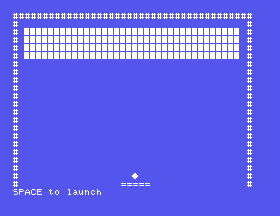
The court, bricks and bat, the ball sitting on the bat, and SPACE to launch on the bottom row. SPACE, and it is S30's game with Score: 0 Lives: 3 where the message was. Lose the ball and it reappears on the bat with Lives: 2 and the message; lose three and Game over. Press ENTER. ENTER, and the prompt.
LIVES to 1. Which loop notices?for loop out of message. Launch, lose a ball, and read the bottom row.wait_launch's while (kbd() != LAUNCHKEY) ; to rawin();. What happens at the prompt after the game?31.1 Print the lives as a row of ball characters instead of a number.
31.2 Let the bat move while the game waits for the launch, with the ball moving along with it.
31.3 Add a #define BONUS 1000 and award an extra life when the score passes it, once.
Worked solutions are in Appendix II.
| Symptom | Cause |
|---|---|
| Letters left over after the message on the bottom row | message or draw_score is shorter than what it covers. Pad to 32. |
| The screen scrolls when the score is printed | The row is 40 wide and something reached column 39. Keep to 32. |
| The ball launches at once, without SPACE | LAUNCHKEY is not ' ', or the wait loop is ==. |
| The lost ball stays on the screen | The rub-out after the inner loop is missing. |
| The game ends after one ball | break is inside the outer loop's braces, or lives is not tested. |
| Keys at the prompt afterwards | A rawin() replaced by kbd() without the gets at the end. |
An outer loop per ball around the inner loop per tick; break leaves the inner one; b.y >= BATROW tells lost from cleared. place_ball and wait_launch between balls; a status row that is always exactly thirty-two characters, whoever last wrote it.
S32, Score And Speed - the game gets harder: a level counter, the ball speeding up as the wall comes down, and a fresh wall when it is cleared.
