module
22
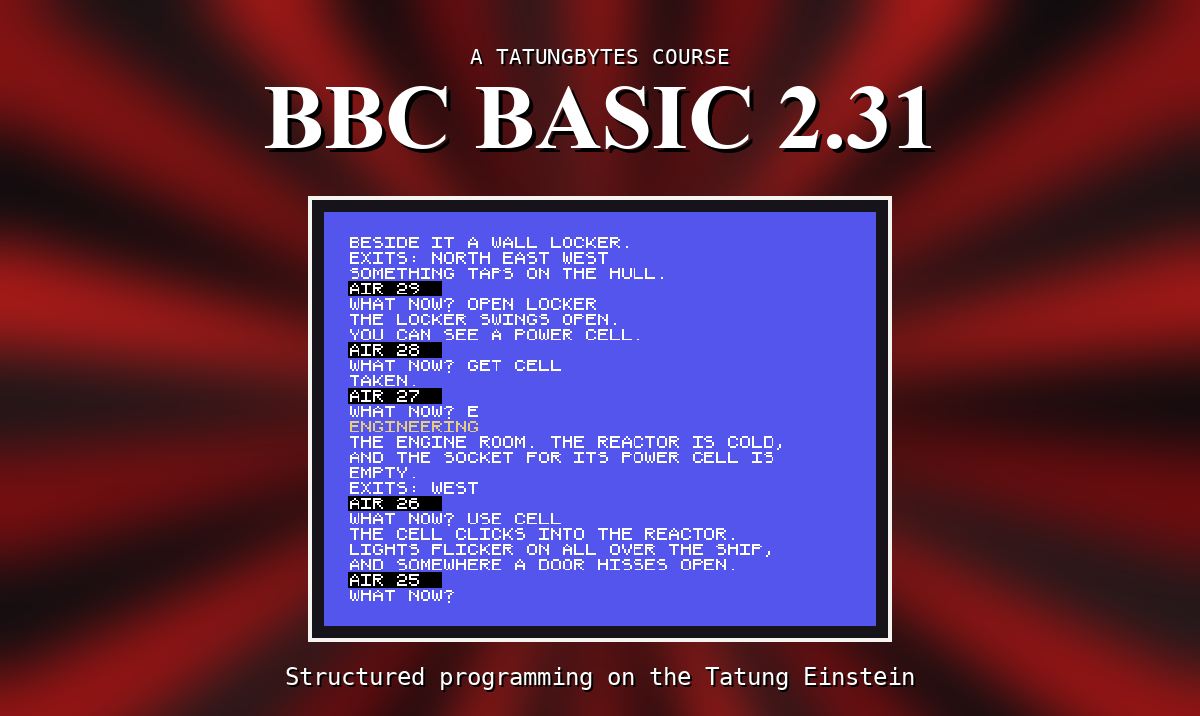
CRYO BAY and a list of exits is a map, not a place. An adventure lives in its descriptions: a line or two for each room saying what is there. They are longer than one line of the screen - and left to itself, the Einstein breaks a long line wherever it reaches column 40, in the middle of a word. This section gives the rooms their words, and prints them properly.
One more DATA line per room, from line 3100, and one more array, D$(), read in PROCSETUP. The descriptions are in quotes because they have commas in them. A program line can be much longer than one row of the screen; it just wraps as you type it.
PROCWRAP(T$) prints T$ a screen line at a time, breaking at spaces:
Finding that space is a small loop of its own, and it is in a function, FNBREAK, for a reason that is worth knowing: BBC BASIC cannot leave a procedure or function from inside a FOR or REPEAT loop. An ENDPROC or = inside the loop gives No PROC or No FN. So FNBREAK lets its loop finish, and only then hands back the answer. S%=1 means no space was found at all, and the line is simply cut at 39.
LOAD "ADV2". Add:
1030 DIM D$(4):RESTORE 3100:FOR R%=1 TO 4:READ D$(R%):NEXT
1120 PROCWRAP(D$(R%))
2000 DEF PROCWRAP(T$)
2010 LOCAL S%
2020 REPEAT
2030 S%=FNBREAK(T$)
2040 PRINT LEFT$(T$,S%-1)
2050 T$=MID$(T$,S%+1)
2060 UNTIL T$=""
2070 ENDPROC
2080 DEF FNBREAK(T$)
2082 LOCAL S%
2084 IF LEN(T$)<40 THEN =LEN(T$)+1
2086 S%=41
2088 REPEAT S%=S%-1:UNTIL MID$(T$,S%,1)=" " OR S%=1
2090 IF S%=1 THEN =40
2092 =S%
3100 DATA "YOU WAKE IN THE CRYO BAY. YOUR SLEEP POD STANDS OPEN. THE OTHER PODS ARE EMPTY AND DARK."
3110 DATA "A CORRIDOR RUNS THROUGH THE SHIP. TO THE NORTH IS THE BRIDGE DOOR, AND BESIDE IT A WALL LOCKER."
3120 DATA "THE ENGINE ROOM. THE REACTOR IS COLD, AND THE SOCKET FOR ITS POWER CELL IS EMPTY."
3130 DATA "THE BRIDGE. STARS WHEEL SLOWLY PAST THE WINDOW. THE NAVIGATION CONSOLE IS LIT, WAITING FOR A CODE."
Starting from
LOAD "ADV2" from S21. When it works, SAVE "ADV3".
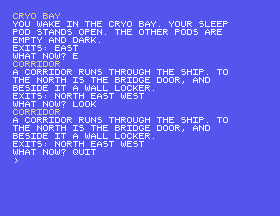
What you should see
CRYO BAY
YOU WAKE IN THE CRYO BAY. YOUR SLEEP
POD STANDS OPEN. THE OTHER PODS ARE
EMPTY AND DARK.
EXITS: EAST
WHAT NOW? E
CORRIDOR
A CORRIDOR RUNS THROUGH THE SHIP. TO
THE NORTH IS THE BRIDGE DOOR, AND
BESIDE IT A WALL LOCKER.
EXITS: NORTH EAST WEST
Every line breaks between words.
DATA "YOU WAKE UP. IT IS VERY COLD." and run it.LOAD "ADV3", type at the >: PROCWRAP("THIS IS A VERY LONG MESSAGE THAT WILL NOT FIT ON ONE LINE OF THE SCREEN, SO PROCWRAP BREAKS IT BETWEEN WORDS.") A procedure can be used straight from the >.22.1 Give the bridge a new description of your own, at least three screen lines long, and check it breaks cleanly.
22.2 Give PROCWRAP a narrower column - 30 characters - and try it on the cryo bay. Which two lines must change, and to what?
Worked solutions are in Appendix II.
| Symptom | Cause |
|---|---|
No PROC at line 2030 (or No FN) | An ENDPROC or = inside a loop. Let the loop finish first. |
| Words break in the middle | The text is being printed with PRINT, not PROCWRAP. |
| A description is cut short at a comma | Its DATA item is not in quotes. |
Out of DATA at line 1030 | A description line is missing. |
Each room's description is a quoted DATA item, read into D$(). PROCWRAP prints text a screen line at a time, breaking at the last space that fits. A loop cannot be left with ENDPROC or =, so FNBREAK answers after its loop. Save it as ADV3.
S23, Things - objects, and where each one is.
This form is protected by reCAPTCHA, and the Google Privacy Policy and Terms of Service apply.
