module
10
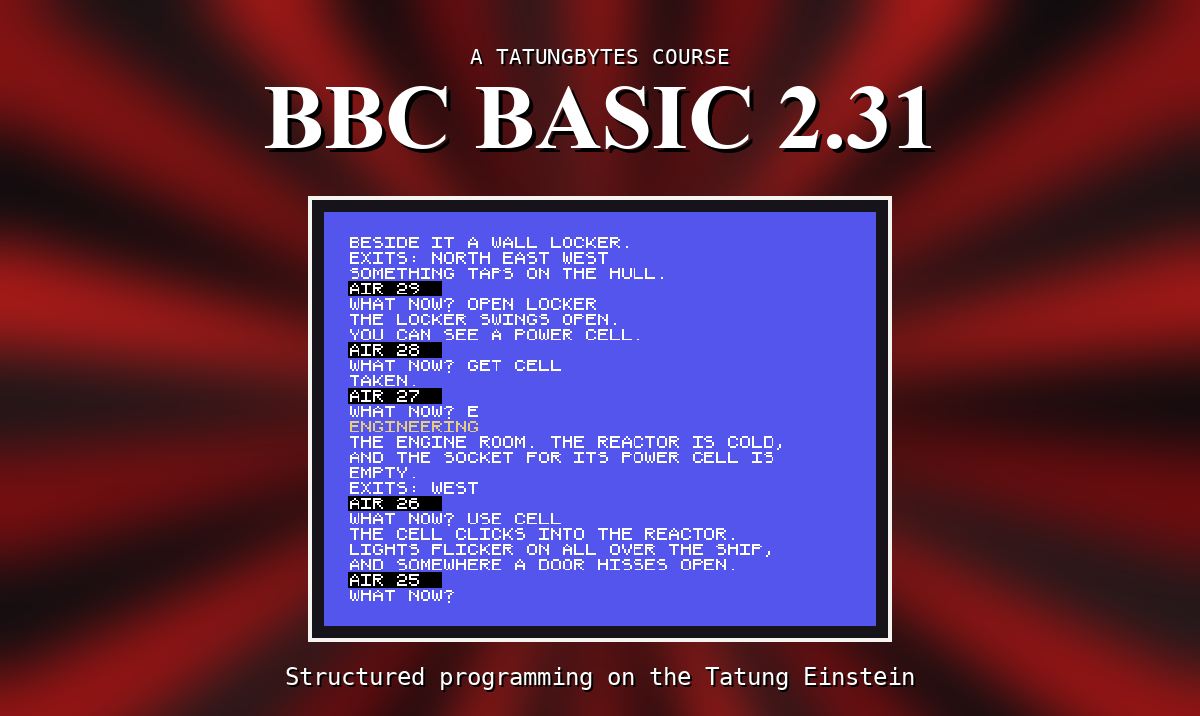
So far every program has done the same thing every time. The moment it can ask a question and use the answer, it can do something different for each person who runs it - and a game is nothing else. The whole of DRIFT is a program asking "what now?" and acting on the reply.
INPUT "WHAT IS YOUR NAME",NAME$
prints the question, adds ?, and waits. Whatever is typed, up to ENTER, goes into NAME$. The program then carries on.
The variable decides what kind of answer is wanted. With a string variable (NAME$) anything goes. With a number variable (AGE), BBC BASIC takes the number from the start of the reply - and if the reply does not start with one, it takes 0, and says nothing. FORTY is 0.
The comma matters. With a comma between the question and the variable, you get the ? after the question. Leave it out - INPUT "WHAT IS YOUR NAME"NAME$ - and the reply is typed straight after the question, with no ? and no space. That is handy when the question should end some other way, YOUR COMMAND: say, with the space inside the quotes.
INPUT into a string stops at a comma: reply SMITH, JOHN and you get just SMITH. It also drops any spaces at the front.
INPUT LINE takes the reply exactly as typed - commas, spaces and all:
INPUT LINE "WHAT IS YOUR NAME",NAME$
When you want everything the person typed - and in DRIFT you will - use INPUT LINE.
Sometimes you want a single key, without waiting for ENTER - "press any key", or "Y or N". GET$ waits for one key and gives it to you as a one-character string:
K$=GET$
The key is not shown on the screen; print it yourself if you want it seen. GET, without the $, gives the key's code number instead.
INKEY waits for a key only so long. INKEY(200) waits up to two seconds - the number is in hundredths of a second - and gives the key's code, or -1 if nothing was pressed in time.
ESC, as always, stops the program - even in the middle of a question.
10 INPUT "WHAT IS YOUR NAME",NAME$
20 PRINT "HELLO, ";NAME$
30 INPUT "HOW OLD ARE YOU",AGE
40 PRINT "NEXT YEAR YOU WILL BE ";AGE+1
50 PRINT "PRESS A KEY"
60 K$=GET$
70 PRINT "YOU PRESSED ";K$
Starting from
A fresh boot, or NEW.
What you should see
With the replies BRIAN and 41, and the key X:
>RUN
WHAT IS YOUR NAME? BRIAN
HELLO, BRIAN
HOW OLD ARE YOU? 41
NEXT YEAR YOU WILL BE 42
PRESS A KEY
YOU PRESSED X
>
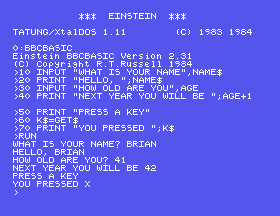
A number printed after a ; sits right against what comes before it - BE 42, not BE and a gap.
10 INPUT "WHAT IS YOUR NAME"NAME$. How does the question look now?FORTY to the second question. What does it say, and why?SMITH, JOHN. Then change line 10's INPUT to INPUT LINE and answer the same. What is the difference?10.1 Ask for two numbers and print their total.
10.2 Ask for a word and print how many letters it has.
10.3 Print Y OR N?, wait for one key, and print which was pressed.
Worked solutions are in Appendix II.
| Symptom | Cause |
|---|---|
| The reply was cut short at a comma | INPUT stops at commas. Use INPUT LINE. |
| A number question came back as 0 | The reply did not start with a number. |
| The reply is jammed against the question | No comma between them, so no ?. Put a space inside the quotes, or use the comma. |
The key pressed for GET$ did not appear | It never does. PRINT it. |
| The program is stuck waiting | It is waiting for your answer. ESC stops it. |
INPUT "QUESTION",V asks and waits for ENTER; the comma gives the ?. A string reply stops at a comma, so INPUT LINE is for whole sentences. GET$ waits for one key without showing it, and INKEY(n) waits only n hundredths of a second.
S11, Making A Choice - doing one thing or another depending on the answer.
This form is protected by reCAPTCHA, and the Google Privacy Policy and Terms of Service apply.
