← Back to Guides
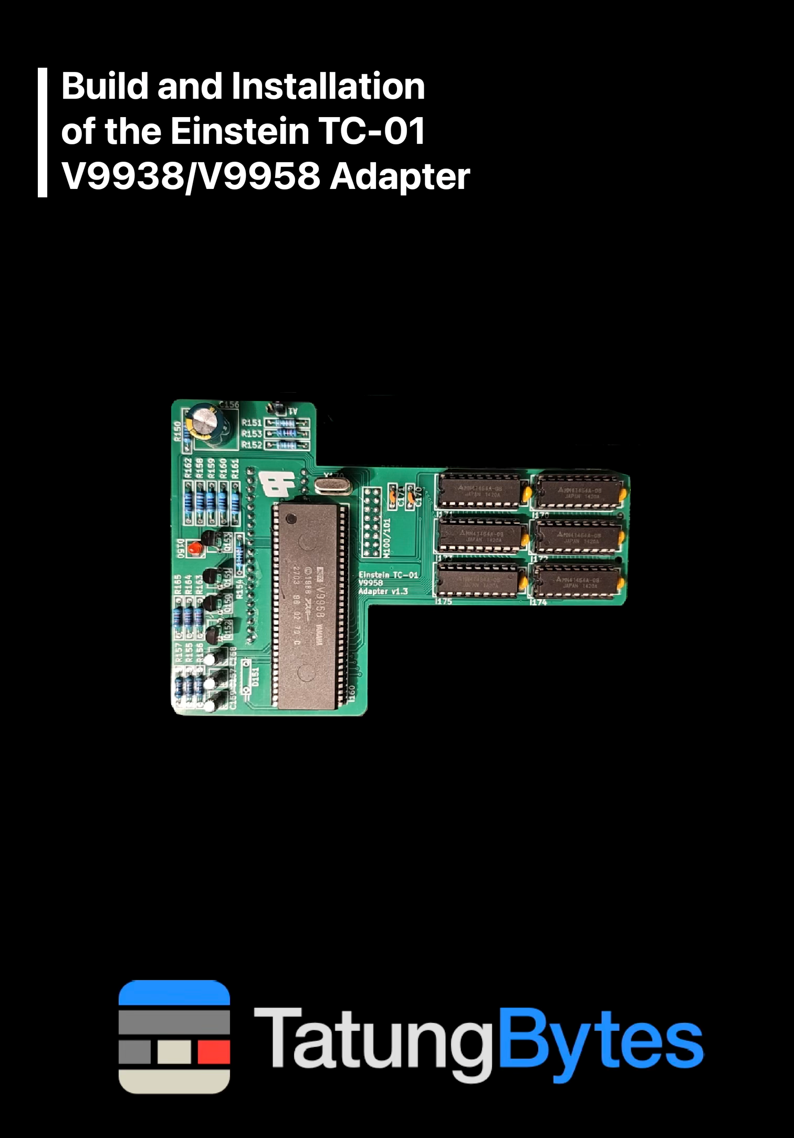
Build and Installation of the Einstein TC-01 V9938/V9958 Adapter
Version:
1
November 1, 2026
Please note the following before you start:
The Einstein TC-01 has recently gained a whole host of new expansion and upgrade boards from the Board-Folk team. One of them goes far beyond anything expected: the V9938/V9958 adapter. It replaces the TC-01's video chip with a Yamaha V9938, the chip in the Einstein 256, or a V9958, with 192K of video memory; with the 256's own ROM, MOS 2.1, fitted as well, the TC-01 starts up as an Einstein 256.
The work is: build the adapter board, remove the TC-01's TMS9129 video chip and fit a socket in its place, replace the voltage regulator, fit the board, and write and fit a patched MOS 2.1. All of it is covered below, and I recommend reading the whole guide before you start.
I wrote this after fitting the board to three TC-01s. That is not to say I had no problems: I damaged a trace on one of the boards, though I repaired it easily and all three Einsteins now work. I mention it to make the point that the upgrade is very possible, but the utmost care must be taken not to damage your machine.
When you have finished, your TC-01 will have the 256's better graphics and larger video memory, running a patched MOS 2.1, with full colour 80 column text as well as the 32 and 40 column modes. It is not identical to a 256 in every respect: the 256 has a port at 26h, for the Alph key, that the TC-01 does not, which is why the ROM needs its patch.
The board was designed by Ian Cudlip of Board-Folk; his notes are in Einstein TC-01 V9958/V9938 VDP Adapter, and the Board-Folk Einstein TC-01 upgrades are on GitHub: Board-Folk/Einstein-TC-01.
Using the parts from the bill of materials, your anti-static mat and wrist strap, soldering iron, solder, flux and the layout below, assemble the board. To avoid problems seating the chips, I strongly suggest fitting dual wipe DIP sockets for the memory and the video chip.
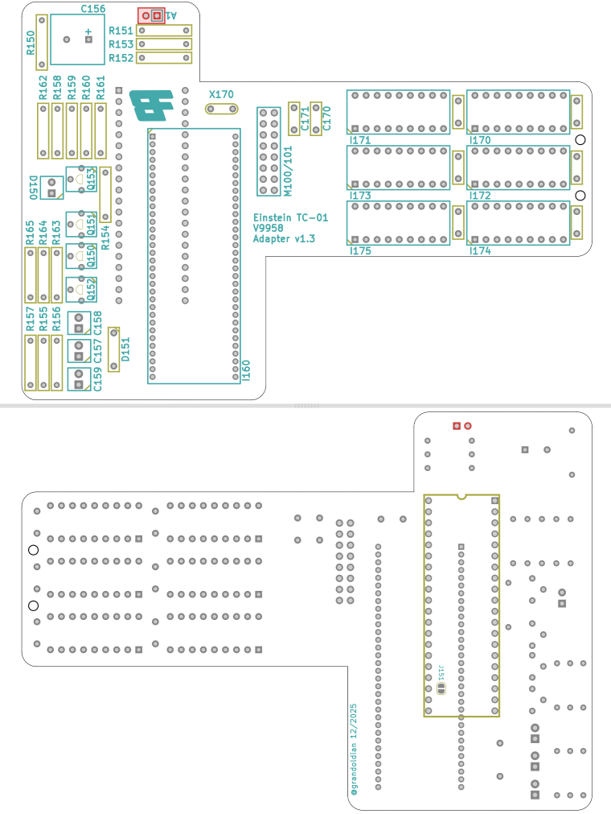
When you have finished, clean off the flux with IPA and cotton buds or IPA wipes.
Now solder one end of a length of the 30 gauge wire to pin 3 of I28 on the main board, shown below. Be careful: do not use too much solder, and make sure you do not short any of the surrounding pins.
When the adapter is fitted, the other end of this wire is soldered to the A1 pin on the board's two pin header (the pin marked with a box). Address line A1 is not present on the TC-01's video chip socket, and the board will not work without it.
If you are using a V9938, there is a solder bridge on the underside of the board that is needed only for the V9958. Cut it with a sharp blade, then check with a multimeter that the two halves are no longer connected. If you skip this, the board will not work properly.
Now prepare the ROM. Download MOS 2.1 patched for the TC-01, put a blank 27C128 in your EPROM programmer, and write and verify mos21.tc01patched.bin. Then put the chip somewhere safe: you do not want its pins bent. Creating an EPROM for the Tatung Einstein TC01 and 256 explains how to write one.
The image is the 256's MOS 2.1 with three bytes changed. On a TC-01, the unpatched ROM reads the Alph key from port 26h, which the TC-01 does not have, and Alph lock can switch itself on and off; the patch, from Board-Folk's notes, stops it reading that port.
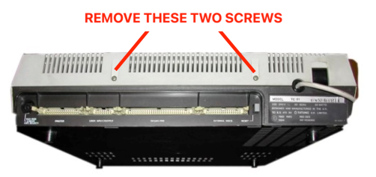
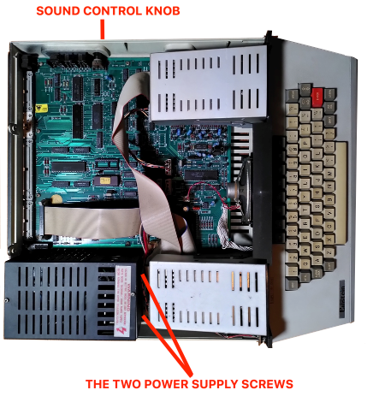
Everything so far was preparation for this. This is where a silly mistake can ruin your Einstein's main board, so, one more time:
If you have decided to go ahead, you now need to remove the video chip and the voltage regulator, both shown below.
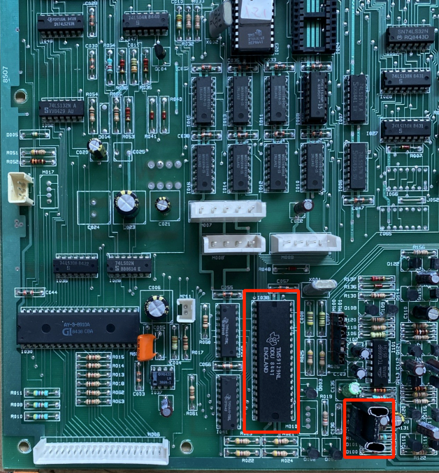
There are two ways to get the chip out.
A. The destructive but easy way. Cut every pin away from the chip, where the pin meets the chip itself, with wire cutters. Then heat the solder on each pin in turn from the underside of the board, and lift the pin out from the top with tweezers. Do not use force: wait for the solder to melt, so that the pin comes out by itself, or you will damage the board.
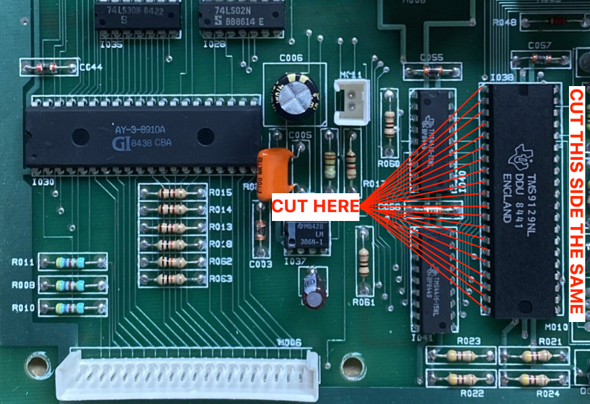
For: easier, quicker, less risk to the main board. Against: you have destroyed the original video chip, and there is no going back.
B. The careful, non-destructive way. Put plenty of flux on every pin and use solder wick to remove all the solder, until the chip can be lifted out gently in one piece.
For: the chip survives. Against: any pressure on the chip risks damaging the pads on the main board, it is very slow, and if you do damage the board you will certainly regret it.
I nearly always choose A, because I put the safety of the main board above everything else, but the choice is yours.
With both parts out, fit a 40 pin socket where the video chip was, and fit the Traco TSR 1-2450 in place of the old regulator. Make sure the Traco goes in the right way round: a regulator fitted the wrong way round, or the wrong regulator, will do serious damage.
This is not good news, but keep two things in mind. First, a problem now is not necessarily your fault: these machines are old, and they do fail when modified. Second, there is no need to panic: most damage can be repaired, though not all of it.
I warned you about this earlier, but I did not want to leave anyone stuck, so here is how I fixed the damage on my own board.
In the picture below one pad has lifted, so nothing can be soldered to it. You can also see the traces running to the pads; perhaps it is one of those you have damaged. Either way the problem is the same: parts of your computer can no longer talk to each other, and you have to fix it before you can go on.
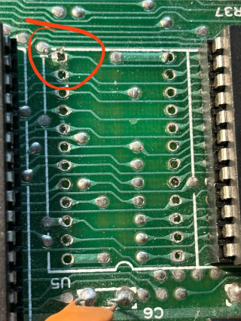
I made my repair using the main board's vias. A via is a small plated hole that carries a signal from one layer of the board to another, a vertical bridge for a trace. They make excellent places to solder a repair wire.
Turn the main board upside down and, starting at the damage, follow the trace leading to and from it. In the example below (not an Einstein) they are easy to see. The trace between the two red arrows, and between the two blue arrows, is clear: the silver pad is most likely what you have damaged, though it may be a trace; either way the repair is the same. Look closely at the pad at the blue arrow and you will see a trace going to the second blue arrow (the via), and another leaving the same pad for one of the edge connector pads at the top right.
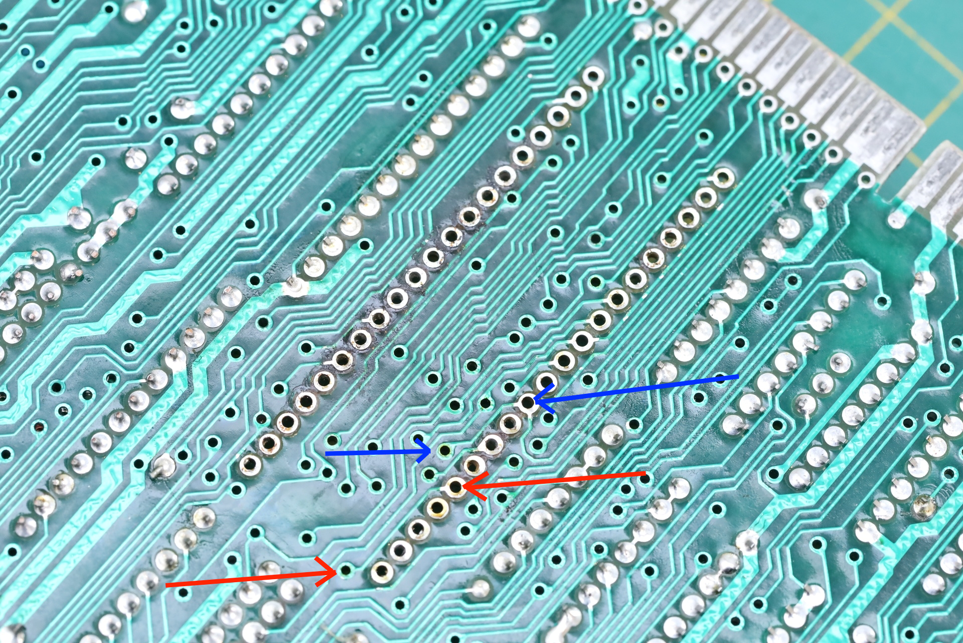
After each repair, set a multimeter to continuity and check that the points are connected. If they are, and you have not damaged anything else along the way, you have quite likely fixed the problem.
If you still have a working TMS9129, plug it into the new socket and check the computer works. If, like me, you destroyed it getting it out, you will have to wait until the end of the project to test.
If a repair fails, go back, look for any other damage, check your connections again, fix what you find and test again. If the machine still does not work, I am afraid it is time to find professional help.
First remove the four jumpers from the jumper block shown below.
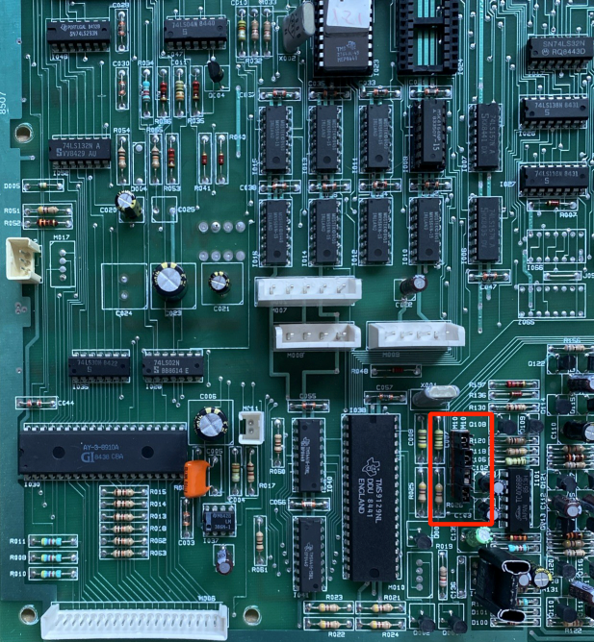
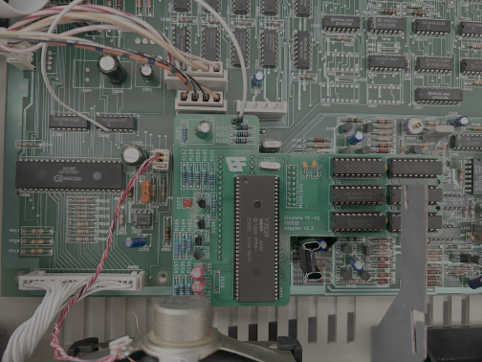
Place the adapter over the video chip socket, line its pins up with the socket and its plug with the jumper block, and push it down carefully until it is firmly seated.
Now connect the wire you soldered earlier to the A1 pin. If you forget this, or the joint is bad, the board will not work, so if anything is wrong this is the first thing to check.
When you are sure everything is right, it is time to test your work. You have not fitted MOS 2.1 yet, but if everything has been done correctly the board works with the TC-01's own MOS 1.2: it will not behave like a 256, but the display will be improved.
If your Einstein boots to MOS 1.2 and all looks well, check the keyboard and load a game. When you are happy, turn everything off: it is time to fit MOS 2.1.
Carefully remove the original MOS ROM and fit the new MOS 2.1 EPROM in its place, the right way up, with its notch towards the back of the case.
Turn the machine on, and if everything has been done properly you will see the Einstein 256 start-up screen. Test everything again, then press CTRL and P followed by RETURN: you should now be in full colour 80 column text mode. Repeat the command to go back to 40 columns.
Congratulations: your TC-01 now starts up as an Einstein 256.
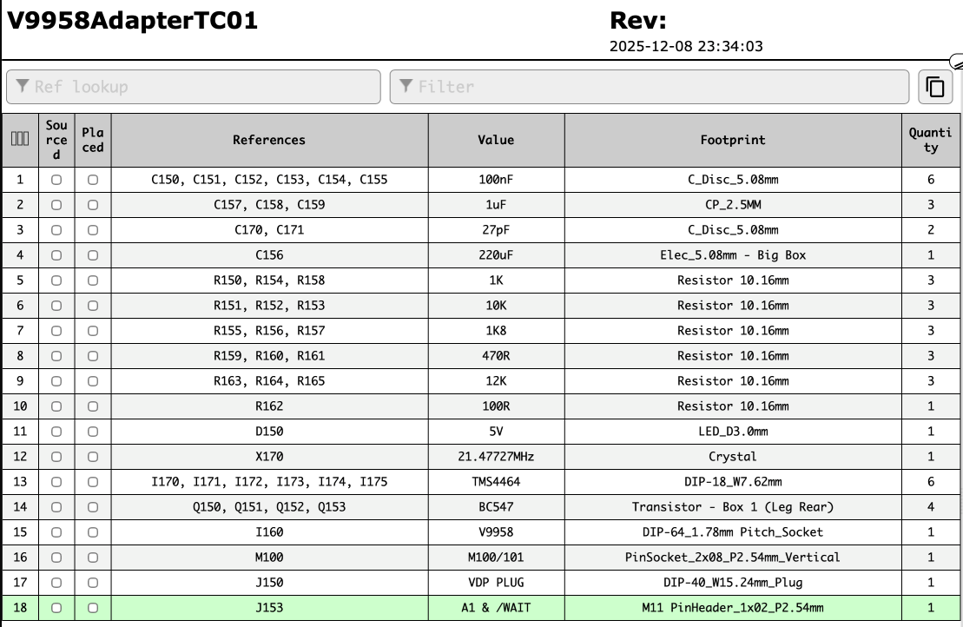
From Board-Folk's V9958AdapterTC01, where the up-to-date list is kept.

This form is protected by reCAPTCHA, and the Google Privacy Policy and Terms of Service apply.
