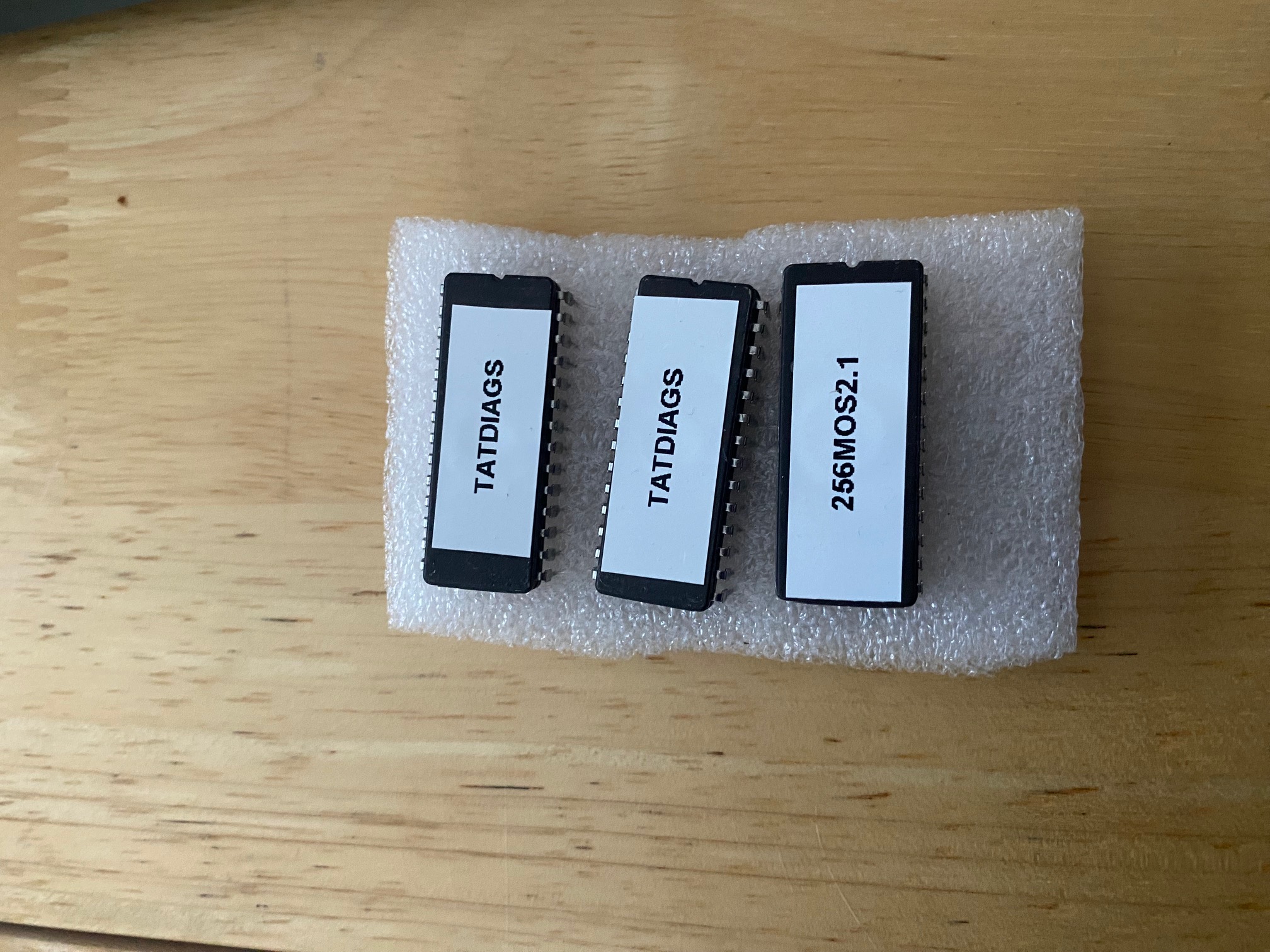
Item Description EPROM chip. For the Einstein MOS 1.2, use a 27C128 (16 KB) or 27C256 (32 KB) EPROM (DIP-28 package) & MOS 2.1 for the 256 computer only.
EPROM programmer A TL866II Plus (or MiniPro) USB programmer — very common and easy to use.
EPROM image file The binary or HEX file, e.g. MOS12.BIN or MOS12.HEX.
PC software. The programmer’s official software (usually “Xgpro” or “Minipro”).
UV eraser(only if reusing old EPROM)Needed to erase older 27C-series chips before reburning. EEPROMs (like 28C256) don’t need this.
⚠️ Before You Start
Handle chips carefully. Touch something metal first to discharge static electricity.
Double-check orientation. The notch on the chip must match the socket notch on your programmer.
Never force it in. Pins bend easily!
🧰 Step 1 — Install the Programmer Software
Go to the manufacturer’s website or use the CD that came with your TL866 programmer.
Install the Xgpro (for TL866II) or MiniPro software.
Plug in the programmer via USB — it should appear as connected in the software.
💾 Step 2 — Load the EPROM Image File
Launch the programmer software.
Click Select IC and choose your chip type (e.g. 27C128, 27C256, etc.).
Click Open File and select your binary (MOS12.BIN or MOS12.HEX).
If it’s a HEX file, the software may ask how to load it — accept defaults.
The data will appear as hex bytes in the memory window.
⚙️ Step 3 — Prepare the Chip
If the EPROM is new, skip this step.
If it’s used, erase it:
Place the chip (window side up) in a UV EPROM eraser.
Expose it for 10–15 minutes under UV light.
Verify erase: in the programmer software, select “Read” — it should show all bytes as FF.
🔥 Step 4 — Burn the Image
Insert the chip into the programmer’s ZIF socket.
Align the notch on the chip with the notch marking on the programmer (usually top).
In the software, click Program.
Wait 10–60 seconds depending on chip type.
The program will verify the contents automatically.
If “Verify OK” appears — success!
If “Verify failed” — check chip type, erase properly, and try again.
✅ Step 5 — Test the Chip in Your Tatung Einstein
Remove the old MOS ROM chip (carefully with a chip puller).
Insert the new EPROM, notch in the same direction as the original.
Power on your Einstein — you should see the MOS 1.2 startup screen.
If it doesn’t boot:
Recheck chip orientation (notch direction).
Ensure the correct chip size (Einstein expects a 16 KB image; if using a 27C256, burn the image twice in the file to fill 32 KB).
Try another EPROM or re-burn the image.
🧩 Step 6 — Optional: Burning a 16 KB Image to a 27C256
If your file is 16 KB (MOS12.BIN, size = 16384 bytes) but you only have a 27C256 (32 KB chip), pad or duplicate it:
Option A – Duplicate it (recommended)
Use this simple Windows/Python command:
data = open("MOS12.BIN","rb").read()
open("MOS12_32K.BIN","wb").write(data*2)
Now burn MOS12_32K.BIN to the 27C256.
🧼 Step 7 — Label and Store
After you confirm it works:
Cover the window on the EPROM with opaque tape (to prevent accidental UV exposure).
Label the chip (e.g. “Tatung Einstein MOS 1.2”).
🧠 Summary
Step Action
1 Install TL866 software
2 Load MOS 1.2 binary file
3 Erase chip (if needed)
4 Program and verify
5 Fit chip in Einstein6Power on and test
7 Label and protect
All work carried out by Tony Ellis and he has a couple of images which have been verified to start your project.