← Back to News
Having Fun With Fu Kung in Las Vegas
A Harry the Hacker trick for choosing which level to start Fu Kung in Las Vegas on, using a DOS/MOS memory poke on the Tatung Einstein.
August 21, 2026
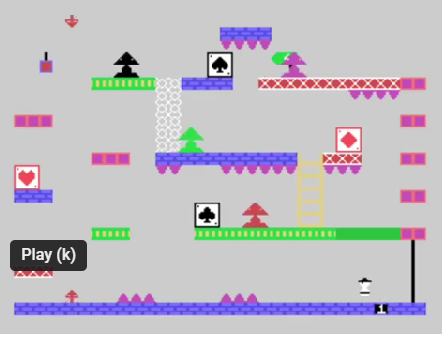
Having Fun With Fu Kung in Las Vegas
Introduction
This article like many others I will be doing, is a recreation, tidy up, etc of articles originally
published in old User Group Magazines. As the quality of these old magazines is quite
poor, I decided to take it upon myself to recreate those articles and present them in an
improved format, with pictorial enhancements and where possible improved content.
This time for a change from the technical articles, I thought I would have some fun with Fu
Kung in Las Vegas. This article was originally Published in Einstein Monthly News Volume
1 Issues 7.
First starting on different screens
Fu Kung is one of those excellent games that is difficult to progress through, due to its
complexity, so for those struggling to progress through the levels here is some much
needed help:
Insert the Fu Kung disk and from DOS type;
LOAD FUKUNG.COM and press ENTER ;note the number of Blocks for saving
MOS and press ENTER
M 020C and press ENTER
nn. and press ENTER ; Make sure to replace nn. With the number of the
screen you want to start on - Note the number should
always be one less than that required i.e. for screen 9
nn=08. (remember to type in the full stop after the
number.)
Now press CTRL/BREAK and save the game with a different file name.
e.g. SAVE 105 FK2.COM ;note 105 hopefully matches the number of Blocks for
saving you wrote down when loading the game.
You can now load the game in the normal way but this time it will start on the level you
chose.
Happy gaming.