module
32
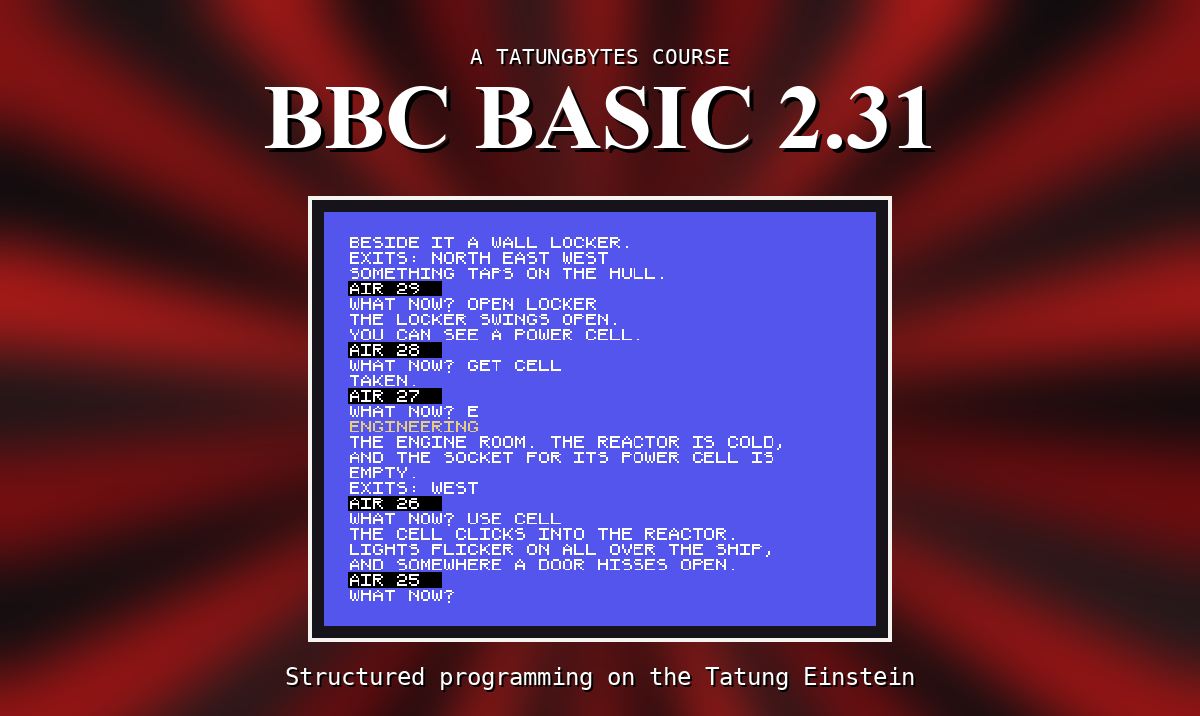
One tested answer for each exercise. Yours may differ and still be right: what matters is that it does what the exercise asks, and that you can say why.
3.1
PRINT "BRIAN"
BRIAN
3.2
PRINT 2+2
PRINT "2+2"
         4
2+2
Outside quotes the sum is worked out; inside them it is copied.
3.3
PRINT "TWO";"WORDS"
PRINT 10/4
TWOWORDS
       2.5
The semicolon puts the second word straight after the first, with nothing between. 10/4 is not a whole number, and BBC BASIC prints the fraction.
4.1
10 PRINT "BRIAN"
20 PRINT 7
30 PRINT 7*2
>RUN
BRIAN
         7
        14
4.2 Add a line between 10 and 20 - any number from 11 to 19:
15 PRINT "MY FAVOURITE NUMBER AND ITS DOUBLE:"
>RUN
BRIAN
MY FAVOURITE NUMBER AND ITS DOUBLE:
         7
        14
4.3
5 PRINT "A"
6 PRINT "B"
7 PRINT "C"
8 PRINT "D"
9 PRINT "E"
It runs perfectly well. What you have lost is room: there is no whole number between 5 and 6, so a line can never be added between any two of these without renumbering. S5 shows the command that renumbers for you.
5.1 AUTO, then type the three lines as it offers 10, 20 and 30; press ESC when it offers 40.
>AUTO
>   10 PRINT "ONE"
>   20 PRINT "TWO"
>   30 PRINT "THREE"
>   40
Escape
>LIST
   10 PRINT "ONE"
   20 PRINT "TWO"
   30 PRINT "THREE"
5.2
1 PRINT "A"
2 PRINT "B"
3 PRINT "C"
RENUMBER
LIST then shows lines 10, 20 and 30.
5.3
40 PRINT "D"
50 PRINT "E"
DELETE 20,40
LIST shows only lines 10 and 50.
6.1
SAVE "SECOND"
*DIR
0: FIRST   .BBC : SECOND  .BBC
0:*ANIMAL  .BBC
6.2
*REN SECOND TO THIRD
*DIR
0: FIRST   .BBC : THIRD   .BBC
0:*ANIMAL  .BBC
6.3
*ERA THIRD
*DIR
0: FIRST .BBC :*ANIMAL .BBC
7.1
PRINT 24*60*60
86400
7.2
PRINT 100 DIV 7;" ";100 MOD 7
14 2
Fourteen each, and two left over.
7.3
PRINT (4+8+9)/3
7
Without the brackets, only the 9 would be divided by 3.
8.1
W=6:H=4:PRINT W*H
24
(The colon puts several statements on one line; S13 says more.)
8.2
A=1:B=2:T=A:A=B:B=T:PRINT A;" ";B
2 1
T holds A's value while A is overwritten.
8.3
PENCE%=250:PRINT PENCE% DIV 100;" POUNDS ";PENCE% MOD 100;" PENCE"
2 POUNDS 50 PENCE
9.1
FIRST$="ADA":LAST$="LOVELACE":PRINT FIRST$+" "+LAST$
ADA LOVELACE
9.2
PRINT LEN("ADA LOVELACE")
12
Or PRINT LEN(FIRST$+" "+LAST$), which counts the same string.
9.3
PRINT STRING$(10,"*")
**********
All three in one program, with the replies 3, 4, SPACESHIP and the key Y:
10 INPUT "FIRST NUMBER",A
20 INPUT "SECOND NUMBER",B
30 PRINT A+B
40 INPUT "A WORD",W$
50 PRINT LEN(W$)
60 PRINT "Y OR N?"
70 A$=GET$
80 PRINT "YOU CHOSE ";A$
FIRST NUMBER? 3
SECOND NUMBER? 4
         7
A WORD? SPACESHIP
         9
Y OR N?
YOU CHOSE Y
10.1 is lines 10-30, 10.2 lines 40-50, 10.3 lines 60-80. The key pressed for GET$ is not shown when you press it - line 80 prints it.
All three in one program, answered 3,8, EINSTEIN and 7:
10 INPUT "TWO NUMBERS",A,B
20 IF A>B THEN PRINT A ELSE PRINT B
30 INPUT "PASSWORD",P$
40 IF P$="EINSTEIN" THEN PRINT "WELCOME" ELSE PRINT "GO AWAY"
50 INPUT "A WHOLE NUMBER",N
60 IF N MOD 2=0 THEN PRINT "EVEN" ELSE PRINT "ODD"
TWO NUMBERS? 3,8
         8
PASSWORD? EINSTEIN
WELCOME
A WHOLE NUMBER? 7
ODD
11.1 is lines 10-20, 11.2 lines 30-40, 11.3 lines 50-60: an even number leaves nothing over when divided by 2, so N MOD 2 is 0.
12.1
10 FOR N=1 TO 12
20 PRINT N;" X 7 = ";N*7
30 NEXT N
         1 X 7 = 7
         2 X 7 = 14
...
        12 X 7 = 84
The first number on each line is padded to ten columns because it is the first thing printed; those after a ; are not.
12.2
10 T=0
20 FOR N=1 TO 100
30 T=T+N
40 NEXT N
50 PRINT T
5050
12.3
60 FOR R=1 TO 5
70 PRINT STRING$(R,"*")
80 NEXT R
*
**
***
****
*****
All three, with the replies 5, 7 and 0:
10 T=0
20 REPEAT
30 INPUT "NUMBER (0 TO STOP)",N
40 T=T+N
50 UNTIL N=0
60 PRINT "TOTAL ";T
70 C=10:REPEAT PRINT C;:C=C-1:UNTIL C=0:PRINT
80 X=100:H=0:REPEAT X=X/2:H=H+1:UNTIL X<1:PRINT H
NUMBER (0 TO STOP)? 5
NUMBER (0 TO STOP)? 7
NUMBER (0 TO STOP)? 0
TOTAL 12
        10         9         8         7
         6         5         4         3
         2         1
         7
13.1 is lines 10-60. Adding the 0 does no harm. 13.2 is line 70; each number gets its own ten-column space, because every PRINT pads its first number, and the PRINT on its own at the end finishes the line. 13.3 is line 80: 100 halved seven times is 0.78125, the first time it is below 1.
All three, with the scores 7, 8, 9, 6 and 10 and the room number 3:
10 DIM S(4)
20 FOR I=0 TO 4:INPUT "SCORE",S(I):NEXT
30 T=0:FOR I=0 TO 4:T=T+S(I):NEXT
40 PRINT "AVERAGE ";T/5
50 DIM ROOM$(4):ROOM$(1)="CRYO BAY":ROOM$(2)="CORRIDOR":ROOM$(3)="ENGINEERING":ROOM$(4)="BRIDGE"
60 FOR R=4 TO 1 STEP -1:PRINT ROOM$(R):NEXT
70 INPUT "WHICH ROOM (1-4)",N
80 PRINT ROOM$(N)
SCORE? 7
SCORE? 8
SCORE? 9
SCORE? 6
SCORE? 10
AVERAGE 8
BRIDGE
ENGINEERING
CORRIDOR
CRYO BAY
WHICH ROOM (1-4)? 3
ENGINEERING
14.1 is lines 10-40: five scores fit in S(0) to S(4), and INPUT can put a reply straight into an element. 14.2 is lines 50-60, 14.3 lines 70-80. Answering 5 to the last question would give Subscript.
All three in one program:
10 T=0:FOR I=1 TO 5:READ N:T=T+N:NEXT:PRINT "TOTAL ";T
20 FOR I=1 TO 4:READ R$,E:PRINT R$;" HAS ";E;" EXITS":NEXT
30 RESTORE 100:READ A$:RESTORE 100:READ B$:PRINT A$;" ";B$
40 END
50 DATA 3,5,7,9,11
60 DATA CRYO BAY,1,CORRIDOR,3,ENGINEERING,1,BRIDGE,1
100 DATA AGAIN
TOTAL 35
CRYO BAY HAS 1 EXITS
CORRIDOR HAS 3 EXITS
ENGINEERING HAS 1 EXITS
BRIDGE HAS 1 EXITS
AGAIN AGAIN
15.1 is line 10 and line 50. 15.2 is line 20 and line 60: one READ can take a string and a number, and the DATA must give them in that order. 15.3 is line 30: RESTORE 100 goes back to the DATA at line 100 each time, so the same item is read twice. END in line 40 stops the program before it reaches the DATA - not that DATA lines do anything if they are run.
All three in one program. Your letters, count and room will differ - that is the point:
10 FOR I=1 TO 10:IF RND(2)=1 THEN PRINT "H"; ELSE PRINT "T";
20 NEXT:PRINT
30 S=0:FOR I=1 TO 600:IF RND(6)=6 THEN S=S+1
40 NEXT:PRINT S;" SIXES"
50 DIM ROOM$(4):FOR R=1 TO 4:READ ROOM$(R):NEXT
60 PRINT "YOU WAKE IN THE ";ROOM$(RND(4))
70 DATA CRYO BAY,CORRIDOR,ENGINEERING,BRIDGE
HTTHTTTTHT
       104 SIXES
YOU WAKE IN THE ENGINEERING
16.1 is lines 10-20. 16.2 is lines 30-40: about one roll in six is a six, so near 100. (NEXT is on its own line because a false IF skips the rest of its line - a NEXT there would be skipped too.) 16.3 is lines 50-70: RND(4) picks a room number from 1 to 4.
All three:
10 PROCLINE(5):PROCLINE(12)
20 PRINT FNAREA(6,4)
30 PRINT FNMAX(3,8);FNMAX(9,2)
40 END
100 DEF PROCLINE(N)
110 PRINT STRING$(N,"*")
120 ENDPROC
200 DEF FNAREA(W,H)=W*H
300 DEF FNMAX(A,B)
310 IF A>B THEN =A
320 =B
*****
************
        24
         89
17.1 is PROCLINE. 17.2 is FNAREA, a one-line function. 17.3 is FNMAX: =A hands back an answer and finishes the function there and then, so line 320 is only reached when A is not bigger. (The 8 and the 9 are printed side by side because of the ;.)
All three, answered ENGINEERING, GO TO THE BRIDGE and HELLO (three spaces in front):
10 INPUT "A WORD",W$:PRINT LEFT$(W$,3)
20 INPUT LINE "A SENTENCE",S$:N=0
30 FOR I=1 TO LEN(S$):IF MID$(S$,I,1)=" " THEN N=N+1
40 NEXT:PRINT N;" SPACES"
50 INPUT LINE "WITH SPACES IN FRONT",T$:PRINT "<";FNTRIM$(T$);">"
60 END
100 DEF FNTRIM$(A$)
110 REPEAT
120 IF LEFT$(A$,1)=" " THEN A$=MID$(A$,2)
130 UNTIL LEFT$(A$,1)<>" "
140 =A$
A WORD? ENGINEERING
ENG
A SENTENCE? GO TO THE BRIDGE
         3 SPACES
WITH SPACES IN FRONT?    HELLO
<HELLO>
18.1 is line 10. 18.2 is lines 20-40: MID$(S$,I,1) is the single character at position I. 18.3 is FNTRIM$: while the first character is a space, drop it. Line 50 uses INPUT LINE, because plain INPUT would have removed the spaces itself.
19.1 and 19.2 together, answered ADA LOVELACE:
10 MODE 0
20 INPUT "YOUR NAME",N$
30 CLS:PRINT TAB((40-LEN(N$)) DIV 2,12);N$
40 PRINT TAB(0,14);
50 FOR C=0 TO 15:COLOUR 128+C:PRINT "  ";:NEXT:COLOUR 128:PRINT
The name appears in the middle of row 12: the screen is 40 wide, so (40-LEN(N$)) DIV 2 spaces in front of it leaves as many after. Row 14 then has a strip of sixteen blocks, two characters each, in the sixteen background colours - the first one invisible, because colour 0 is transparent.
19.3 is COLOUR 130:CLS, as in Change One Thing: the text area turns green, and the border stays blue.
20.1 With ADV1 loaded:
50 FOR R%=1 TO 4:PROCLOOK:NEXT
CRYO BAY
EXITS: EAST
CORRIDOR
EXITS: NORTH EAST WEST
ENGINEERING
EXITS: WEST
BRIDGE
EXITS: SOUTH
(PROCLOOK shows room R%, so the loop only has to change R%.)
20.2 After RUN, at the >:
PRINT ROOM$(E%(2,1));" IS NORTH OF THE ";ROOM$(2)
BRIDGE IS NORTH OF THE CORRIDOR
E%(2,1) is the room north (1) of room 2, which is 4; ROOM$(4) is its name.
21.1 and 21.2, with ADV2 loaded:
1921 IF V$="L" THEN PROCLOOK:ENDPROC
1988 IF V$="Q" THEN OVER%=3:ENDPROC
The new lines must come before 1990, which catches everything not yet matched.
22.1 For example:
3130 DATA "THE BRIDGE. A WIDE WINDOW LOOKS OUT ON SLOWLY TURNING STARS. THE CAPTAIN'S CHAIR IS EMPTY, AND THE NAVIGATION CONSOLE BLINKS PATIENTLY, WAITING FOR ITS CODE."
To see it without walking there, set R%=4 and POWER%=0 in line 1060 for a moment:
BRIDGE
THE BRIDGE. A WIDE WINDOW LOOKS OUT ON
SLOWLY TURNING STARS. THE CAPTAIN'S
CHAIR IS EMPTY, AND THE NAVIGATION
CONSOLE BLINKS PATIENTLY, WAITING FOR
ITS CODE.
EXITS: SOUTH
(Put line 1060 back afterwards.)
22.2 Lines 2084 and 2086:
2084 IF LEN(T$)<30 THEN =LEN(T$)+1
2086 S%=31
CRYO BAY
YOU WAKE IN THE CRYO BAY.
YOUR SLEEP POD STANDS OPEN.
THE OTHER PODS ARE EMPTY AND
DARK.
23.1 The cell's place is the last-but-one item of line 3210. The corridor is room 2:
3210 DATA CELL,A POWER CELL,2,0
E from the cryo bay then shows YOU CAN SEE A POWER CELL. in the corridor.
23.2 After QUIT, at the >:
L%(1)=0
PROCITEMS
PROCITEMS prints nothing: 0 means "carried", so the pad is no longer in any room. That is exactly how S24 picks things up.
24.1 Put the cell somewhere you can reach first - the cryo bay will do - and add a check before the "fixed" test:
3210 DATA CELL,A POWER CELL,1,0
1545 IF I%=2 THEN PRINT "IT IS TOO HOT TO TOUCH.":ENDPROC
WHAT NOW? GET CELL
IT IS TOO HOT TO TOUCH.
(Put line 3210 back and delete 1545 before saving ADV5.)
24.2 Without line 1510, GET FISH gives YOU ALREADY HAVE IT. - FNOBJ found nothing and gave 0, and L%(0) is 0, which means "carried". Line 1510 catches the 0 before anything uses it as an object number.
25.1 and 25.2 together - one line, since new words only have to go before END:
3330 DATA HELP,13,QUIT,14,EXAMINE,6,X,6,CARRY,7,END,0
WHAT NOW? X
CRYO BAY
...
WHAT NOW? CARRY PAD
TAKEN.
WHAT NOW? EXAMINE
CRYO BAY
...
WHAT NOW? HELP
TRY: N, S, E, W, LOOK, GET, DROP,
INVENTORY, OPEN, READ, USE, QUIT.
Nothing else changes: the table is read until END, however long it is (up to the 30 the DIM in line 1050 allows). HELP is untouched, and still two lines.
26.1 Two lines: the test, and the log that tells the player. For 1066:
2930 IF K$="1066" THEN OVER%=1:ENDPROC
2630 PROCWRAP("THE CAPTAIN'S LAST LOG: 'MAIN POWER FAILED. ALL CREW TO THE PODS. NAVIGATION CODE 1066.'")
WHAT NOW? USE CONSOLE
ENTER THE CODE? 4712
ACCESS DENIED.
WHAT NOW? USE CONSOLE
ENTER THE CODE? 1066
THE ENGINES ROAR INTO LIFE!
26.2
1060 R%=4:POWER%=1:LOCK%=0:OVER%=0
The game starts on the bridge (room 4), and USE CONSOLE works at once. Put line 1060 back before saving ADV7.
27.1 Twelve. The walkthrough is twelve commands, and the air is only counted after a command that does not end the game:
1060 R%=1:POWER%=0:LOCK%=0:OVER%=0:AIR%=12
wins with AIR TO SPARE: 1. With 11 the air runs out one command short of the console:
THE AIR IS GONE. THE SHIP DRIFTS ON,
SILENT, AMONG THE STARS.
27.2
4120 IF AIR%=10 THEN PRINT "WARNING: ";AIR%;" AIR LEFT."
WARNING: 10 AIR LEFT.
28.1
3400 DATA THE HULL CREAKS.,SOMETHING TAPS ON THE HULL.,A LIGHT FLICKERS AND DIES.,A PUMP SIGHS IN THE DARK.
4730 RESTORE 3400:FOR I%=1 TO RND(4):READ M$:NEXT
RND(4) now reads up to the fourth message.
28.2
4610 PROCBEEP(100):PROCBEEP(116):PROCBEEP(128):PROCBEEP(136):PROCBEEP(148)
plays C, E, G, A and the top C. (Pitch 136 is A: 128 is G, and two more semitones is 8 more.)
29.1 As in the section: think of an animal it does not know, answer its questions, and when it gives up type the animal and a question that tells it apart. Answer N to Are you thinking of an animal ?, then Y to Do you want to save these on disk?. Next time, the question is asked:
Does it have a forked tongue? N
Does it have a shell?
29.2 Room is decided in lines 80-90 (MAX=(HIMEM-TOP)/40, then DIM A$(MAX)), and checked in line 680 (Z=MAX+1) and line 880 (I=MAX). Line 890 prints Room for ... more., working it out as INT((MAX-I)/3) - the program's own reckoning of the space each animal needs. (PROCnew adds two new entries per animal and rewrites a third, so it errs on the safe side.)
29.3 Line 250: A$=FNquery("Is it "+FNart(MID$(A$(K),3))). The "Is it " there is what is printed.
30.1 With GAME loaded (it is locked, so save your version under another name, DRIFT5):
1010 DIM ROOM$(5),E%(5,4),DIR$(4)
1020 RESTORE 3000:FOR R%=1 TO 5:READ ROOM$(R%),E%(R%,1),E%(R%,2),E%(R%,3),E%(R%,4):NEXT
1030 DIM D$(5):RESTORE 3100:FOR R%=1 TO 5:READ D$(R%):NEXT
3020 DATA ENGINEERING,0,5,0,2
3035 DATA AIRLOCK,0,0,0,3
3140 DATA "THE AIRLOCK. THROUGH ITS SMALL WINDOW THE STARS TURN, VERY CLOSE."
ENGINEERING
...
EXITS: EAST WEST
WHAT NOW? E
AIRLOCK
THE AIRLOCK. THROUGH ITS SMALL WINDOW
THE STARS TURN, VERY CLOSE.
EXITS: WEST
The new room's DATA goes at 3035, before line 3040: READ takes DATA in order, and 3040 holds the four direction names, read straight after the rooms. Engineering gains an exit east (the second number) to room 5.
This form is protected by reCAPTCHA, and the Google Privacy Policy and Terms of Service apply.
