← Back to Guides
Smooth Scrolling Without Hardware Scrolling: How Time Bandits Does It
Version:
1.0
October 24, 2026
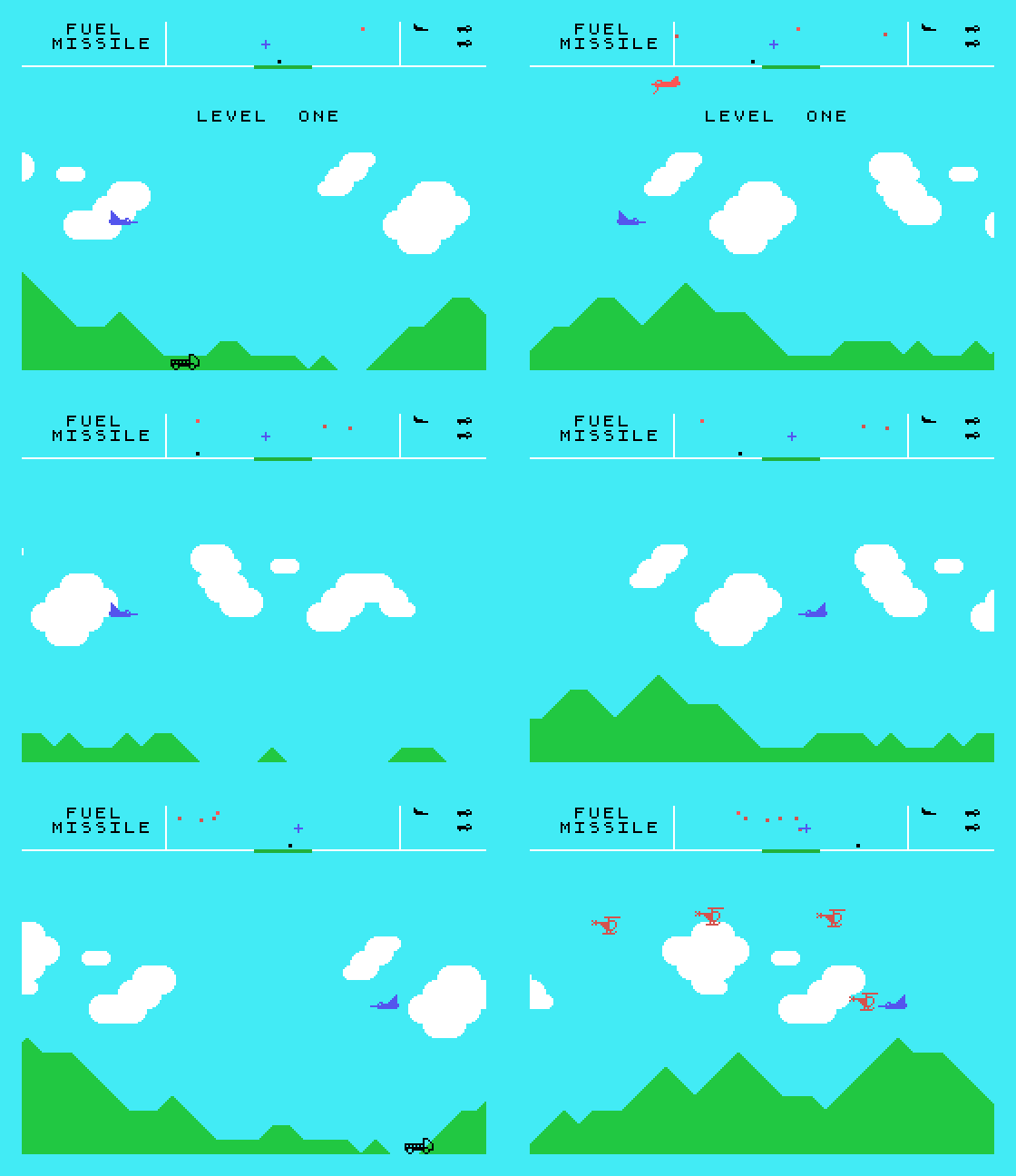
Fly the little ship in Time Bandits and the green hills underneath slide past a pixel at a time, with the clouds drifting behind them at half the speed. It looks like the smooth hardware scrolling of an arcade machine. The TC01 has nothing of the kind: its screen is a grid of 32 by 24 character cells, each showing a whole 8 by 8 picture, and nothing in the video chip lets you nudge that grid sideways by a single pixel. Time Bandits never even changes the video chip's settings once the game has started.
So how does it do it? We traced every byte the game sends to the video chip, frame by frame, and took apart the code that sends them. This guide explains the trick, then shows you how to do it in your own Z80 program, and compares it with the other way of getting the same effect.
The TC01's screen is made from two tables in the video chip's memory. The pattern table holds the pictures: each one is 8 rows of 8 pixels. The name table holds 768 numbers, one for each cell of the 32 by 24 grid, and each number says which picture that cell shows. Write a new number into the name table and that cell shows a different picture at once.
That is all you have to work with. A cell can show any picture you like, but always at its own fixed place on the grid. There is no way to tell the chip to start drawing the grid a pixel further along.
If you cannot move the grid, you can move what is drawn in it. Time Bandits keeps eight copies of every picture its hills are made from. Copy 0 is the hills as drawn. Copy 1 is the same hills moved one pixel to the left, with the first column of the next picture slid in on the right. Copy 2 is moved two pixels, and so on up to copy 7. All eight copies are in the pattern table before play starts, and none of them is ever changed again.
To scroll the hills by one pixel, the game does not touch a single picture. It rewrites the name table so that every cell of the hills shows the next copy along. After seven pixels, copy 7 is followed by copy 0 of the next picture, one cell further on, and the landscape has moved a whole cell without anyone seeing the join.
What our trace showed, over 120 frames of flight:
The hills use 8 copies of 8 pictures, 64 in all, in the bottom third of the screen. The clouds use 8 copies of 14 pictures in the middle third. Because the clouds move at half the speed of the hills, they look further away: the same trick gives Time Bandits its sense of depth for free.
The game keeps one number for how far the world has scrolled, counted in pixels. From that one number it works out everything it needs:
| What | Worked out as |
|---|---|
| Which copy every cell shows | The scroll position AND 7 |
| Which column of the map is at the left edge | The scroll position divided by 8 |
| The same two, for the clouds | Half the scroll position |
The map of the hills is stored as a long row of picture numbers, wider than the screen. Each frame the game takes the 32 numbers that are on screen, adds the copy offset to each, and sends the results to the name table. In Time Bandits the world is 1,024 pixels round, and the map carries a few extra columns at the end so that the window never runs off it.
The ship is a hardware sprite, which the video chip draws over the top of everything else wherever it is told. So the ship never needs redrawing while the ground moves under it. It sits near the left of the screen while you fly right and near the right while you fly left, and when you turn it glides across the screen while the hills keep moving the other way, which is why it feels as if it is always in the middle of the action.
The video chip raises a flag once every frame, as it finishes drawing the screen. Time Bandits waits for that flag, writes its 512 names straight away, then places its sprites, and only then gets on with the game: steering, enemies, collisions and the score. The name writes take about a quarter of the frame, and roughly half of every frame is left over. Writing a few hundred names is cheap. Redrawing a few hundred pictures would not be.
We wrote a small program of our own that uses the same method: green hills scrolling one pixel every frame under a ship that stays in the middle of the screen. Its hills are built from just four pictures: sky, solid ground and the two slopes.

When a cell is part way between two pictures, it shows the right hand part of one and the left hand part of the next, so what a cell shows depends on a pair of pictures. With four pictures there are 16 pairs, and with 8 shifts there are 128 different cells. The program makes all 128 once, at the start. For each row of each pair it puts the left picture's row in H and the right picture's row in L, and shifts the two left together:
mkrow:  ld h,(ix+0)             ; HL = left row : right row
        ld l,(iy+0)
        ld a,(shift)
        or a
        jr z,mkout
        ld e,a
mkshl:  add hl,hl               ; shift the pair left s times; H is the cell's row
        dec e
        jr nz,mkshl
mkout:  ld a,h
        out (VDPDAT),a
The map is stored as pair numbers, so the picture for any cell at shift s is simply its pair number plus 16 times s.
The main loop waits for the frame flag, works out the shift and the left hand column from the scroll position, and writes 8 rows of 32 names, each one the map's number plus the shift:
main:   in a,(VDPCTL)           ; wait for the frame flag (status bit 7)
        and a
        jp p,main

        ld hl,NAMES             ; rewrite the bottom third's names: 8 rows of 32
        call setw
        ld hl,(pos)             ; pos = scroll position in pixels, 0-1023
        ld a,l
        and 7                   ; s = pos AND 7: which pre-shifted set
        add a,a
        add a,a
        add a,a
        add a,a
        ld c,a                  ; C = 16*s, added to every map code
        srl h                   ; HL = pos / 8: the map column at the window's left edge
        rr l
        srl h
        rr l
        srl h
        rr l
        ld de,map
        add hl,de
        ld de,MAPW-32           ; from the end of one row's window to the start of the next
        ld b,8
row:    push bc
        ld b,32
cell:   ld a,(hl)
        add a,c
        out (VDPDAT),a
        inc hl
        djnz cell
        add hl,de
        pop bc
        djnz row
Then it adds one to the scroll position and goes round again. That is the whole of the scrolling: 256 bytes a frame, and the pictures are never touched after the start. On our test runs every frame moved the hills exactly one pixel and not a frame was missed.
There is a second way to get the same effect, and it is worth knowing because it can draw ground that is not made of repeated pictures. Give every cell of the strip its own picture, so that the strip is really a little bitmap. Keep a copy of that bitmap in ordinary memory, shift the whole copy one pixel to the left every frame, and send it to the video chip.
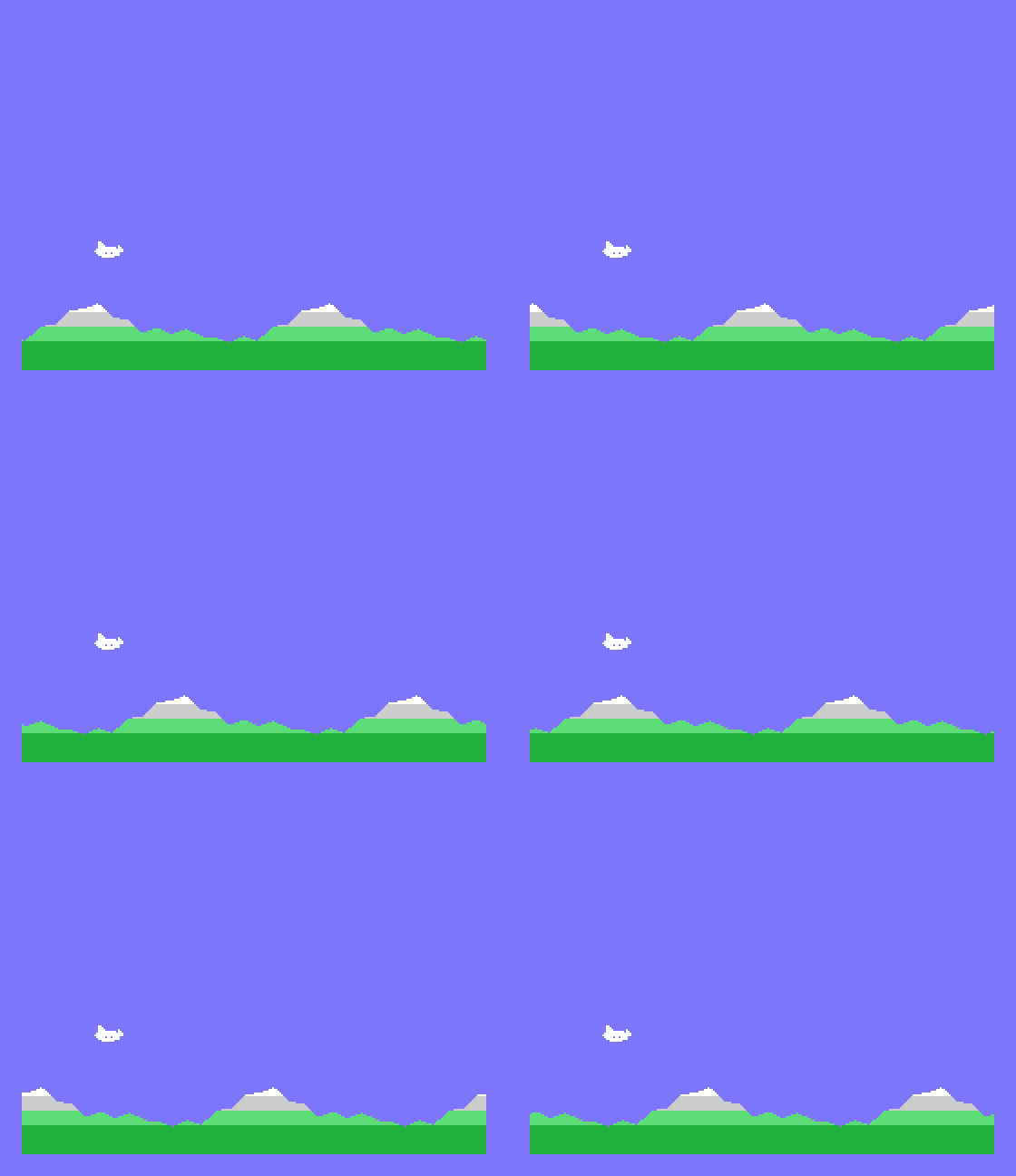
It works, and the landscape can be any shape at all. But it costs far more:
| Eight copies (Time Bandits) | Shifting the picture | |
|---|---|---|
| Bytes sent to the video chip each frame, for a strip 32 lines deep | 128 names | 1,024 picture bytes |
| Time spent each frame, in our versions | about 3.4 ms of 20, for a strip 64 lines deep | about 16 ms of 20, for a strip 32 lines deep |
| What the ground can look like | Built from a few repeated pictures | Anything |
| Pattern memory used | 8 copies of every picture | One picture per cell of the strip |
Our shifting version only manages a strip 32 lines deep before the frame runs out, and leaves almost no time for a game. Time Bandits scrolls two layers, 64 lines each, and still has half of every frame to spare. That is the trade Time Bandits made: ground built from a handful of repeated pictures, in return for a screen that moves without costing the game its time.
The demonstration programs were written for this guide and the listings above are free to use, copy and change. We have run them in MAME; if you try the method on a real TC01, we would like to hear how it goes, especially how fast you can write to the video chip before pictures start to go wrong. Get in touch.
Time Bandits is Personal Software Services' game, “converted by M. Gaut” and “program by M. O’Hare”, as its title screen says. Everything here comes from watching the game run and reading its code; none of its code is reproduced.

This form is protected by reCAPTCHA, and the Google Privacy Policy and Terms of Service apply.
