About
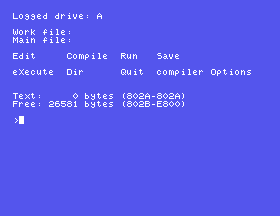
This is the disc image the site's Turbo Pascal course is written against. Mount it in MAME, type TURBO at the DOS prompt, answer Y, and Turbo Pascal 2.00A shows its menu, ready for you to write, compile and run programs - and keep them. It is equally useful on its own if you want to try Borland's compiler on the Einstein.
What Is on It
- TURBO.COM, Borland's Turbo Pascal 2.00A for CP/M-80, with its message files, set up for the Einstein: see below.
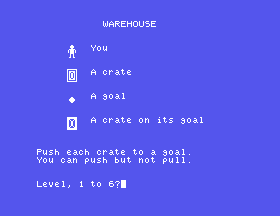
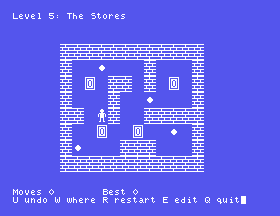
- WAREHOUS.COM, the game the course builds, finished: Warehouse. See below. Its source, WAREHOUS.PAS, is beside it.
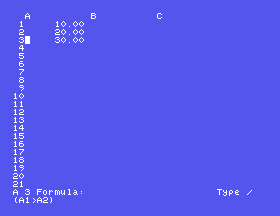
- MC.PAS and six include files, the complete source of MicroCalc, the small spreadsheet Borland shipped with Turbo Pascal. The course compiles it, reads it, and changes it to fit the Einstein's screen.
- 80K of free space, which is where your own programs go.
How It Differs From Borland's Disc
The Turbo Pascal disc in the library is Borland's as it was installed for an Einstein with an 80-column screen. On the Einstein's own 40-column screen its menus and editor come out wrong, and its DELETE key deletes a whole line. This disc's copy has been through Borland's own installation program, TINST, as an owner would have done: set up for the 40-column screen - without the code that, as TINST offers it, wipes a program's output off the screen the moment the program ends - and with DELETE set to rub out one character. Nothing else in Turbo is changed. TINST, a printer lister, MicroCalc's compiled copy and its help file, and Borland's notes were taken off to make room; they are all still on Borland's disc in the library.
Why It Is an .mfi and Not a .dsk
MAME will not write to a .dsk image: Turbo appears to save your work, and then answers Bad Data 0:, and the text is gone. The .mfi format is MAME's own, and MAME does write to it, so anything you save is still there next time.
Using It
Put the file somewhere you can find again and point MAME at it:
mame -rompath ~/roms einstein -flop1 ~/einstein/turbopascal.mfi -windowThe Einstein boots to TATUNG/XtalDOS 1.31 DRC, says No File (take no notice), and gives the 0: prompt. Type TURBO. Answer Y to Include error messages, and the menu appears: W names a work file, E edits it, R compiles and runs it, S saves it, Q goes back to DOS.
Three things worth knowing before you start, all of which stop people dead:
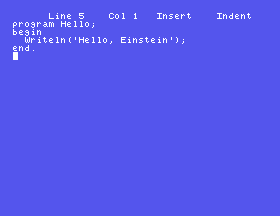
- The arrow keys do not move the editor's cursor. On the Einstein they type characters. The editor moves with CONTROL and E, S, D and X, like WordStar - the course's Appendix IV has all of its keys.
- A running loop cannot be stopped from the keyboard unless the program begins with
{$U+}, and then CONTROL and C stops it. Save before you run anything new. - A procedure that calls itself needs
{$A-}at the top of the program. Without it the answers are wrong, and nothing says so.
Warehouse
At the 0: prompt, type WAREHOUS. Push every crate onto a goal: the arrow keys walk the worker, and walking into a crate pushes it - one at a time, and never pulling. U takes a move back, as far as you like; W shows every square the worker can reach; R starts the level again; E lets you edit the level and save your own; Q stops. Six levels, each with a best score kept in WAREHOUS.DAT on the disc, so it is still there tomorrow.
It is the program the course builds a section at a time - about 590 lines of Pascal, all of it in WAREHOUS.PAS.
Real Hardware
On a real Einstein you would install Borland's disc with TINST as this one was; the Einstein's 40-column screen is one of its choices. This image exists for emulation, and for the free space. Nothing on this page has been tried on a real machine.
How It Was Made
It is Borland's Turbo Pascal disc from the library, installed with TINST under MAME, with the files the course does not use taken off, and the finished game compiled onto it by Turbo itself. The disc operating system underneath is the one Borland's disc came with.
Gallery