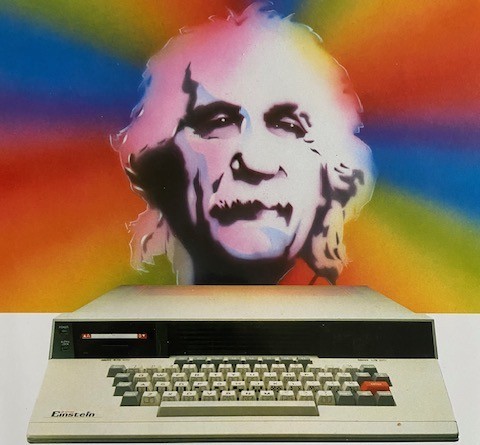
An Introduction to Einstein Operating Systems
Introduction
This article like many others I will be doing, is a recreation, tidy up, etc of articles originally
published in old User Group Magazines. As the quality of these old magazines is quite
poor, I decided to take it upon myself to recreate those articles and present them in an
improved format, with pictorial enhancements and where possible improved content.
This article was originally written by Phillipe Henrie and Published in Einstein Monthly
News Volume 2 Issues 1 and 2.
The Article - Part 1
Introduction
When you switch on Albert, all this electronic machine receives power, and the heart of the
system, a Z80A central processing unit (cpu), reads memory chips from location O000H in
ROM, begins to set up relations between the cpu and the hardware attached to the
system. At last, you are allowed to act, the computer is ready. What happened since power
on has no importance, but indeed, something did happen: a program called an operating
system is running now. I call it the Big Operating System, or BOS.
1.1 What is BOS?
BOS is a program that may have several names, such as CP/M, XTALDos, DOS, Z-COM,
CONIX, QP/M etc...
Don’t be disturbed by all these different names, they are just different versions of BOS, but
they all have the same functions, which are to manage the basic resources of a computer
system: -
devices
information
memory
processes and processors
1.2 Virtual machine concept
The aim of the BOS, is to create a virtual machine, that is, a machine which exists at a
higher level of abstraction than the physical machine which is supporting it. The virtual
machine concept is used to raise the details of interfacing with a machine to a higher level
of abstraction so that the intimate details of a machine need not be of concern. This virtual
machine, on which all BOS software runs (including BOS itself), always behaves in the
same manner and has the game logical interface to application programs, regardless of
the actual hardware used to implement it. This permits the exchange of software
regardless, by and large, of the actual computer hardware involved.
1.3 Process box concept
A process box concept is used to raise at a higher level a process, regardless of how the
process performs, but only knowing what the process does and how to communicate with
it.
BOS has several built-in functions, they are seen as a process box, and this contributes to
the virtual machine concept seen from the software point.
Indeed, if the software communicates with BOS, respecting the process box conventions,
this makes such software transportable, at the binary level, between any computers
running BOS. The only proviso is that the application program must use the standard BOS
function calls when requesting service, otherwise, it may result in a loss of portability to
some systems.
The process box may be illustrated as follows:-
2. DEVICES MANAGEMENT
The beauty of BOS is the way it does device and information management.

Device management is performed by the Basic Input Output System (BIOS) of BOS. the BIOS
provides a standardised, hardware-independent interface to the devices attached to the
computer. The routines controlling these devices may be accessed by way of a table of
jump instructions located at the beginning of the BIOS. The parameters passed to these
routines and the parameters returned by these routines are precisely defined. The
application programmer does not need to know how the routines perform their functions,
but only what they do and how to communicate with them. This is the process box
concept.
The BIOS performs all of the functions necessary for BOS (and the programs which run
under BOS) to control and communicate with the disc subsystem and most commonly u s
e d peripherals, creating the virtual machine. These functions are:
2.1 Initialisation Functions
*Cold boot initialisation (when the system is first turned on).
*Warm boot initialisation (performed periodically after the system is turned on).
2.2 Character Input/Output Functions
*Console status (check for availability of a character at the console).
*Console input
*Console output
*List status (check to see if List device is ready to output the next character).
*List (printer) output.
*Auxilary output.
2.3 Disc Input/Output Functions
*Home drive (move head to track 0).
*Select drive (which drive to use).
*Select track.
*Select sector.
*Select memory address to read into or write from.
*Read block (at selected track and sector) into memory (at selected memory
address).
*Write block (at selected track and sector) from memory (from selected
*Logical to physical sector translation (for efficiency of disc use)
The standard Bios jump instructions look like this:
XX00 jp BOOT ;"Cold" (first time) bootstrap
XX03 jp WBOOT :"Warm" bootstrap
XX06 jp CONST ;Console input status
XX09 jp CONN ;Console input
XX0C jp CONOUT ;Console output
XX0F jp LIST ;List output
XX 2 jp PUNCH ;”Punch" output
XX15 jp READER ;”Reader" input
XX18 ip HOME ;Home disc head (track 0)
XX1B jp SELDSK ;Select logical disc
XX1E jp SETTRK ;Select track number
XX21 jp SETSEC ;Set sector number
XX24 jp SETDMA ;Set DMA address
XX27 jp READ ;Read (128 byte) sector
XX2А jp WRITE ;Write (128 byte) sector
XX2D jp LISTST ;List device output status
XX30 ip SECTRAN ;Sector translate
where xx is the high byte address of the beginning of BIOS.
3. Information Management
In the BOS context, it consists of the control of files on disc. BOS shines here too,
extending the virtual machine concept to the management of files on disc. The Basic Disc
Operating System (BDOS) portion of BOS creates this file-oriented virtual machine. To
illustrate this point, some (but not all) of the functions provided by BOS are:
*Reset disc system
* Select disc
* Create file (actually, create a directory entry for a file)
* Open file (make a file ready for reading or writing)
* Close file (terminate the read/write process)
* Delete file
* Rename file
* Set memory address to read into or write from
* Read next block from file
* Write next block into file
note the similarity between these BDOS functions and the BIOS disc functions. These
BDOS functions are accessed in a different way from the BIOS, but the process box
concept is maintained. All one needs to know are the input parameters, the output
parameters and what the function performed is. O n c e more, transportability is realised at
the binary level, but this time it is with respect to the formation manipulated by the
computer (a more general concept than merely performing disc and character 1/0).
The BDOS functions are:
Code/Description
Simple byte-by-byte input/output
0 Overall system and BDOS reset
1 Read a byte from the console keyboard
2 Write a byte to the console screen
3 Read a byte from the logical reader device
4 Write a byte to the logical punch device
5 Write a byte to the logical list device
6 Direct console Input/Output
7 Read the current setting of the lOBYTE
8 Set a knew value for the lOBYTE
9 Send a "$" terminated sting to the console
10 Read a string from the console into the buffer
11 Check if a console key is waiting to be read
12 Return the CP/M version number
Disc file Input/Output
13 Reset disc system
14 Select specified logical drive
15 Open specified file for reading/writing
16 Close specified file after r/w
17 Search file directory for 1st name match
18 Search directory for next name match
19 Delete (erase) file
20 Read the next "record" sequentially
21 Write the next "record" sequentially
22 Create the new file with the specified name
23 Rename a file to a new name
24 Indicate which logical discs are active
25 Return the current default disc drive number
26 Set the DMA address (r/w address)
27 Return the address of an allocation vector
28 Set specified logical disc drive to Read-only
29 Indicate which discs are currently Read-only
30 Set specified file to System or Read-only
31 Return address of disc parameter block
32 Set/get the current user number
33 Read a "record" randomly
34 Write a "record" randomly
35 Return logical file size
36 Set record number for the next random r/w
37 Reset specified drive
38
39
40 Write a "record" randomly with zero fill
4. Memory Management
BOS does very little in the way of memory management. It merely defines the basic
memory structure as follows:
Address Bos System
HIGH MEMORY BIOS
BDOS+0E00H BDOS
CCP+0800H CCP (TPA Transient Program Area)
CCP BASE SCRATCH AREA (TPA Transient Program Area)
0100H BOS BUFFERS
4.1 The Console Command Processor
The Console Command Processor (CCP) is the first part of BOS that is encountered going
'up" through the memory address. This is significant when you consider that the CCP is
only necessary in-between programs. When BOS is idle, it needs the CCP to interact with
you, to accept your next command. Once BOS has started to execute the command, the
CCP is redundant; any console interaction will be handled by the program you are running
rather than by the CCP. Therefore, the CCP leads a very jerky existence in memory. It is
loaded when you first start BOS. When you ask BOS, via the CCP, to execute a program,
this program can overwrite the CCP and use the memory occupied by the CCP for its own
purposes. When your program has finished, BOS needs to reload the CCP, now ready for
interaction with you. This process of reloading the CCP is known as a "warm boot". In
contrast with the cold boot mentioned before, the warm boot is simply reloading the CCP.
The BDOS and BIOS are not touched. The running program tells BOS that it has finished
initialising itself during the cold boot routine, it puts an instruction at location 0000H to jump
to the warm boot routine, which is also in the BIOS. Once the BIOS warm boot routine has
reloaded the CCP from the disc, it will transfer control to the CCP.
4.2 The Transient Program Area
The Transient Program Area, is the memory available for programs.
4.3 The Buffers
This is the base page of BOS. It contains important values, for the interaction between the
three main parts of BOS, which communicate among themselves, and for the way in which
programs running under BOS interacts with the BDOS.
ADDRESS BOS BUFFERS
0000H Jump to warm boot entry in BIOS
0002H BIOS jump vector page
000ЗН Input/Output redirection byte (IOBYTE)
0004H Current user and default logical disc
0005H Jump to BDOS entry
0007H Top page of usable memory
0005H File control block
006CH File control block
0080H Default address to/from which data is read/write (known as
DMA address)
BOS does not allocate sections of the memory to application programs or do any of the
partitioning usually associated with the memory management function.
5. Process Management
BOS does no process management. There is only one processor, so no process
management is needed. Only one process at a time can run, so BOS simply starts the
process and then relinquishes all control. The process then has complete control over the
entire computer and BOS does nothing to stop it from doing anything it wishes to do.
6. Conclusion
The following figure summarises the BOS functional framework or the way each part of
BOS communicates among themselves, to manage the basic resources of a computer.

The Article - Part 2
Applications to operating system
1.1 Introduction
Here we will examine several BOS and compare them with the standard one, CP/M. As
CP/M was the first BOS for the 8 bit system, it became the standard with vast amounts of
software written under it. So, understanding how CP/M is built, will help us to; adapt it
adapt some software install it on our own system other BOS were written, but all take CP
/M as the kernel and bring in their own features. I'll try to explain the differences with the
standard that sometimes cause software to crash.
1.2 Memory management
The standard length of each part of BOS are: CCP 800 hex (constant) BDOS E00 hex
(constant) BIOS 900 hex (variable) The length of CCP and BDOS are constant and any
true CP/M compatible BOS must respect these lengths, otherwise software may crash.
look at the table below, which shows you the location for different BOS. As you can see,
CCP and BDOS length is not always respected, and this can be the reason for crashes
using some software under the non-compatible BOS.
BOS CCP BDOS BIOS Compatible
CP/M2.2 E200 EA00 F800 YES
XTALDos 1.1 E300 EB00 FA00 NO
XTALDos 1.31 E300 EC00 FA00 NO ONLY FOR CCP
XTALDos 2.02 E200 EB00 FA00 YES
DOS80 V1.0 E200 E800 F600 NO
ZDOS 1.6 V4.1 E000 E800 F600 YES
1.3 The Console Command Processor
Here too, each BOS has its own commands, that are sometimes more powerful than the
standard CCP in their use
Function CP/M XTALDos ZDOS
Directory of Files DIR DIR DIR
Erase a File ERA ERA ERA
Rename a File REN REN REN
Print File to Console TYPE DISP TYPE
Save Memory to File SAVE SAVE Save
Change Disc Drive D: D: D:
Change User USER u PSW D: u
Enable Password NO EQUIV PSW PASS
Disable Password NO EQUIV PSW NORM
Jump to 100HEX NO EQUIV GO GO
Set Default Drive NO EQUIV DRIVE NO EQUIV
Set Default User NO EQUIV PSW DFU
Load File to Memory NO EQUIV LOAD LOAD
Jump to Locations NO EQUIV JUMP
Lock a File NO EQUIV LOCK NO EQUIV
Unlock a File NO EQUIV UNLOCK NO EQUIV
Go to MOS NO EQUIV MOS NO EQUIV
1.4 The BDOS functions
XTAL DOS uses two functions, code number 38 and 39, not used under CP/M2.2, to
perform “return to MOS” (38), and “set password” (39).
Otherwise, the standard functions are respected. The first bytes of XTAL DOS are not
compatible with CP/M since the first six bytes contain a serial number, BDOS beginning at
XX06, thus XTALDOS has not respected convention, this may explain crashes of some
software under this “not truly” compatible BOS.
1.5 The standard BIOS jump vector
As in the memory management, the BIOS of some BOS doesn't respect the standard. So,
some software will crash when it attempts to call a a BIOS routine that is not implemented.
This is the case of the LISTS jump in XTAL DOS 1.11 and 1.31, and in DOS80 v1.0 also in
the case of the SECTRAN jump in all XTAL DOS versions and DOS 80 v1.0.
ADDRESS CP/M XTALDos 1.11 ZXDOS
XX00 JP BOOT JP BOOT JP BOOT
XX03 JP WBOOT JP WBOOT JP WBOOT
XX06 JP CONST JP CONST JP CONST
XX09 JP CONIN JP CONIN JP CONIN
XX0C JP CONOUT JP CONOUT JP CONOUT
XX0F JP LIST JP LIST JP LIST
XX12 JP PUNCH JP PUNCH JP PUNCH
XX15 JP READER JP READER JP READER
XX18 JP HOME JP HOME JP HOME
XX1B JP SELDSK JP SELDSK JP SELDSK
XX1E JP SETTRK JP SETTRK JP SETTRK
XX21 JP SETSEC JP SETSEC JP SETSEC
XX24 JP SETDMA JP SETDMA JP SETDMA
XX27 JP READ JP READ JP READ
XX2A JP WRITE JP WRITE JP WRITE
XX2D JP LISTST NO JP LISTST
XX30 JP SECTRAN NO JP SECTRA
1.6 Conclusion
As we have seen, to be a truly CP/M compatible BOS, some rules must be respected in
the general structure of the BOS, We have seen just some of these rules, but others exist
which are not followed. To build a new truly CP/M compatible BOS a full understanding of
the interface between the physical machine and the virtual machine run under BOS is
essential.